Every Binance Feature, Explained: Copy Trading, Earn, Bots & Futures — What to Actually Use
From spot to Simple Earn, Launchpool, Copy Trading and Futures — every feature inside Binance, sorted by what it is, who it’s for, and how risky.
| Feature group | In one line | Beginner fit |
|---|---|---|
| Spot · Convert · P2P | Buy and sell coins directly. The starting point | 🟢 Start here |
| Simple Earn · Auto-Invest | Earn interest / auto dollar-cost average | 🟢 Easy |
| Staking (ETH·SOL) | Earn network rewards; unstaking wait + price risk | 🟡 |
| Free new coins (Launchpool·airdrops) | Park BNB etc. to farm new tokens | 🟡 |
| Trading Bots | Grid/DCA auto-trading (not guaranteed profit) | 🟡 |
| Copy Trading | Mirror a pro’s trades (usually futures-based) | 🟡~🔴 |
| Dual · structured · loans | High yield but principal not protected · liquidation | 🔴 Advanced |
| Futures · Margin · Options | Leverage, high risk. 10x = 10% move can liquidate | 🔴 Understand first |
| Pay · Card · Gift Card | Spend/send crypto (Card is region-limited) | 🟢 |
| Web3 Wallet · Alpha | Self-custody wallet · early access to new tokens | 🟡 |
| Lower fees (BNB·VIP) | Pay fees in BNB ≈ 25% off spot · tiered | 🟢 |
1. Binance isn’t an exchange — it’s a financial super-app
2. The feature map — six buckets so you don’t get lost
3. ① Buy & sell — Spot: the basics
4. ① Buy & sell — Convert, card purchase, P2P
5. ② Earn — Simple Earn & Auto-Invest
6. ② Earn — Staking & on-chain yields (ETH·SOL)
7. ③ Free new coins — Launchpool, Megadrop, HODLer Airdrops, Launchpad
8. ②+ Advanced Earn — Dual Investment, structured, loans
9. ④ Automation — Trading Bots (Grid, DCA, rebalancing)
10. ④ Automation — Copy Trading (mirror the pros)
11. ⑤ High risk — Futures and the truth about leverage
12. ⑤ High risk — Margin & Options
13. ⑥ Pay & everyday — Binance Pay, Card, Gift Card
14. ⑥ Web3 & more — Web3 Wallet, Alpha, Square, Academy, API
15. How to pay lower fees — BNB discount, VIP, referral
16. Recommended order for beginners — which features first (+ security)
1. Binance isn’t an exchange — it’s a financial super-app
Open Binance · get the spot-fee discount →
Say “Binance” and most people picture one thing: a place to buy Bitcoin. That’s true, but open the app and you’ll find dozens of menus — a savings account that pays interest, copy trading that mirrors a pro’s every trade, bots that buy and sell for you, launchpools that hand out brand-new coins for free, a payment card, a self-custody wallet. Binance isn’t really an exchange anymore. It’s a financial super-app: almost everything you can do with crypto, bundled into one login.
The problem is that the menu is overwhelming, and beginners get lost. Some wander into the “Futures” tab, flip on leverage they don’t understand, and get liquidated. Others never discover the safe, simple features and leave money idle. So this guide does one thing: it maps every feature inside Binance, and tells you plainly what it is, who it’s for, and how risky it is. You don’t need to memorize anything — you just need the map in your head.
2. The feature map — six buckets so you don’t get lost
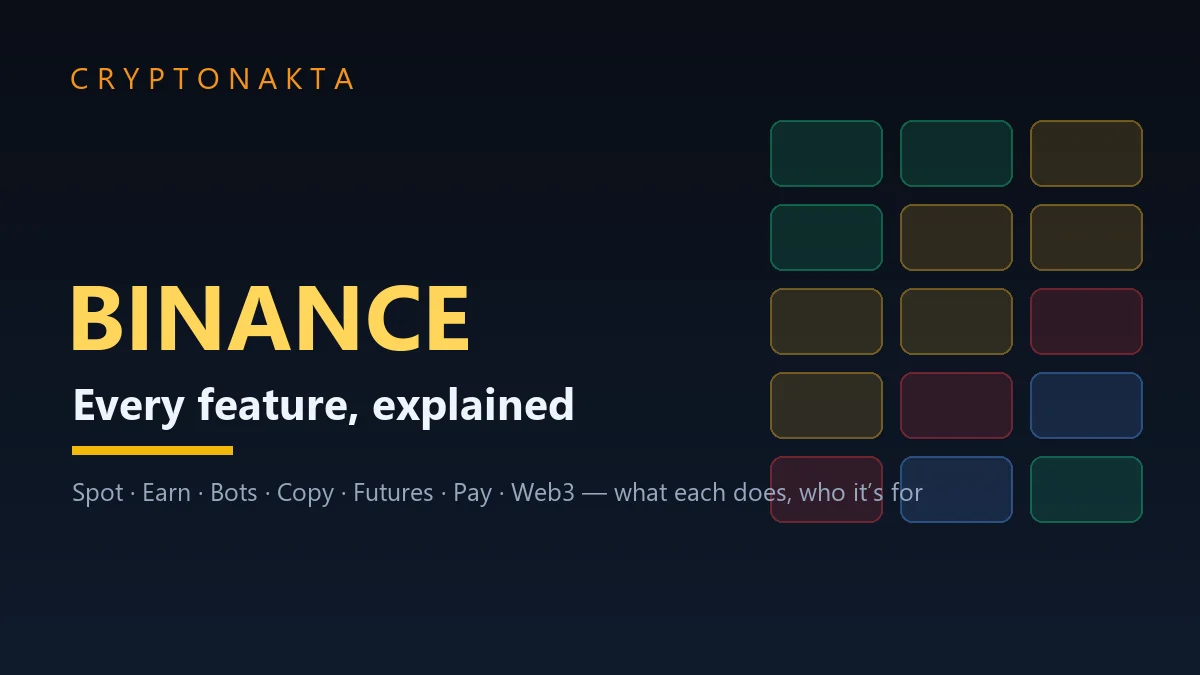
Binance has dozens of features, but grouped by purpose there are just six buckets. Hold these six in your head and any unfamiliar menu instantly has a home. In the map below, color = beginner-friendliness: green means use it right away, amber means learn a little first, red means high-risk territory you touch only after you truly understand it.
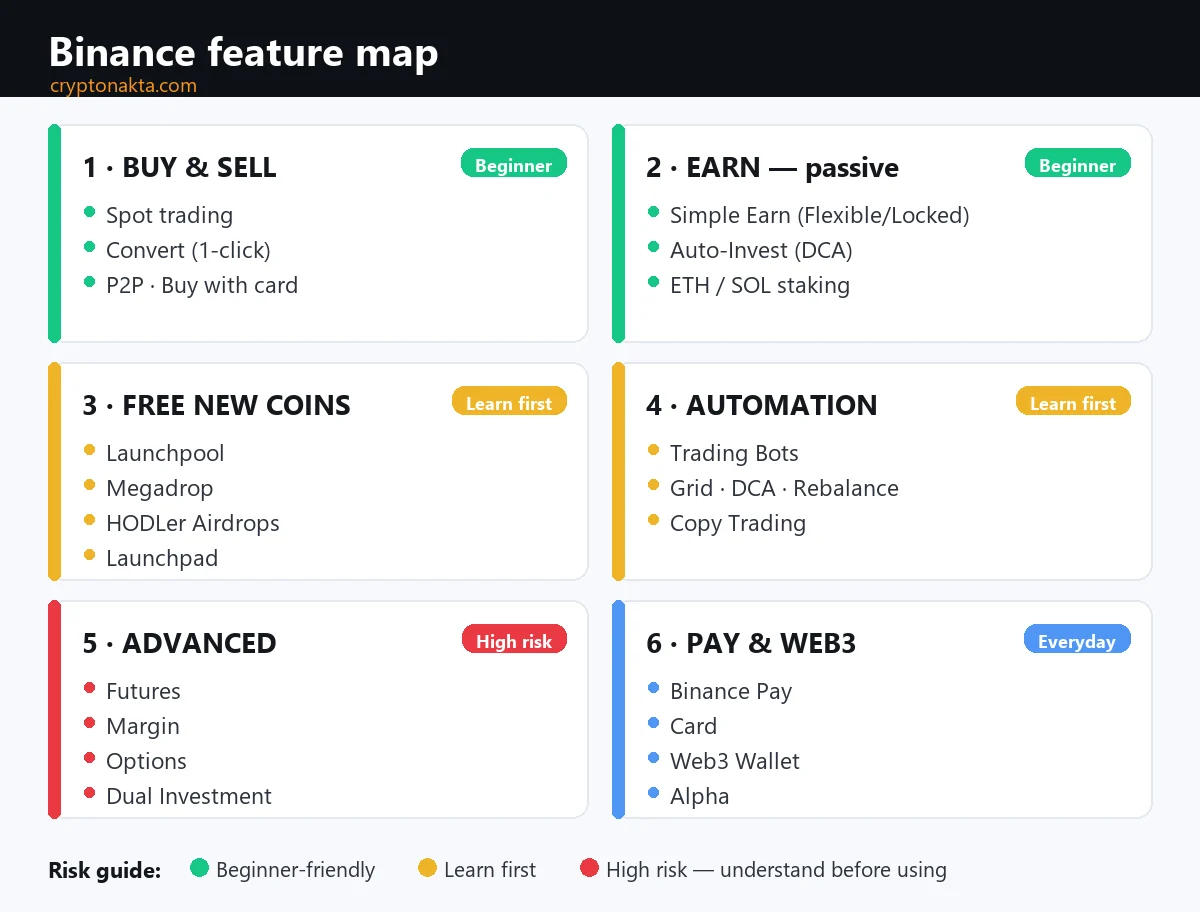
| Bucket | Key features | Beginner fit |
|---|---|---|
| ① Buy & sell | Spot · Convert · P2P · Buy with card | 🟢 Start here |
| ② Earn (passive) | Simple Earn · Auto-Invest · Staking | 🟢~🟡 |
| ③ Free new coins | Launchpool · Megadrop · HODLer Airdrops · Launchpad | 🟡 |
| ④ Automation | Trading Bots · Copy Trading | 🟡~🔴 |
| ⑤ Advanced (leverage) | Futures · Margin · Options · Dual Investment | 🔴 Understand first |
| ⑥ Pay & Web3 | Binance Pay · Card · Web3 Wallet · Alpha | 🟢~🟡 |
3. ① Buy & sell — Spot: the basics
This is the most basic feature and the one you’ll use most. Spot trading means exactly what it says: you buy a coin with your own money and you hold that coin. No borrowing, no liquidation. Put in $20 and you get $20 of crypto; if it halves you’re down 50%, but it never goes to zero from leverage. This is the single screen every beginner should learn first.
Order types
| Type | What it does |
|---|---|
| Market | Fills instantly at the current price. Simplest and fastest. |
| Limit | “Buy/sell only if price reaches X.” You get your price, but it won’t fill if price never gets there. |
| Stop-limit, etc. | A trigger price fires an order automatically — used to automate stop-loss/take-profit. Not essential for beginners. |
You don’t buy whole coins. Even if one Bitcoin costs tens of thousands of dollars, you can buy $20 worth in fractions. Start with a small market order to learn the flow. For the full walkthrough, see how to buy Bitcoin.
4. ① Buy & sell — Convert, card purchase, P2P
If the spot screen feels intimidating, there are two simpler paths in. Just know the trade-off — “easier” sometimes means “more expensive.”
| Feature | What it is | Watch for |
|---|---|---|
| Convert | Swap “USDT → BTC” with one click, no order book. Shows zero trading fee. | Convenient, but the price bakes in a spread (a hidden margin). Fine for small amounts; for larger size, the spot order book is usually cheaper. |
| Buy Crypto (card) | Buy coins directly with a credit/debit card, Apple/Google Pay. | Fastest, but card processing fees make it pricey. Use only when you’re in a hurry. |
| P2P | Buy/sell directly from other users using local payment methods (bank transfer, e-wallets). Binance escrows the crypto to protect both sides. | A key on-ramp where direct fiat deposit is blocked. Always check the counterparty’s rating and terms. |
How to combine a local exchange with Binance for deposits and withdrawals is covered in our exchange-picking hub.
5. ② Earn — Simple Earn & Auto-Invest
This is where Binance becomes more than an exchange. Earn is a set of menus that pay you interest or rewards on coins you’re just holding. The easiest and most popular is Simple Earn.
| Product | What it does | Notes |
|---|---|---|
| Simple Earn — Flexible | Deposit a coin, earn interest daily, withdraw anytime. | The easiest “crypto savings.” Rates are modest, but nothing is locked up. |
| Simple Earn — Locked | Commit for a set term (30/60/90/120 days) for a higher rate. | Limited or no early redemption. Best for coins you won’t touch for a while. |
| Auto-Invest | “Buy $20 of Bitcoin every Monday” — set the schedule and amount and it buys automatically. Hands-off dollar-cost averaging (DCA). | Removes timing stress and smooths volatility. Can auto-route what it buys into Earn. |
People often park stablecoins in Earn as a steadier “digital dollar.” The structure and risks of stablecoins are covered in what is a stablecoin.
6. ② Earn — Staking & on-chain yields (ETH·SOL)
Staking means committing coins to help run a proof-of-stake blockchain, and earning network rewards in return. Unlike Simple Earn, the yield comes from the blockchain issuing new coins, not from a company. Binance handles the technical work so you can stake in a couple of taps.
| Feature | What it does |
|---|---|
| ETH staking (WBETH/BETH) | Stake Ethereum and receive a liquid token you can still trade or use while it earns. |
| SOL staking | Stake Solana for rewards, also as a liquid token. |
| On-chain Yields | Stake many PoS coins from one menu; each has its own reward rate and unstaking wait. |
| BNB Vault | One-click bundle that auto-allocates your BNB across several reward sources (Launchpool, interest, etc.). |
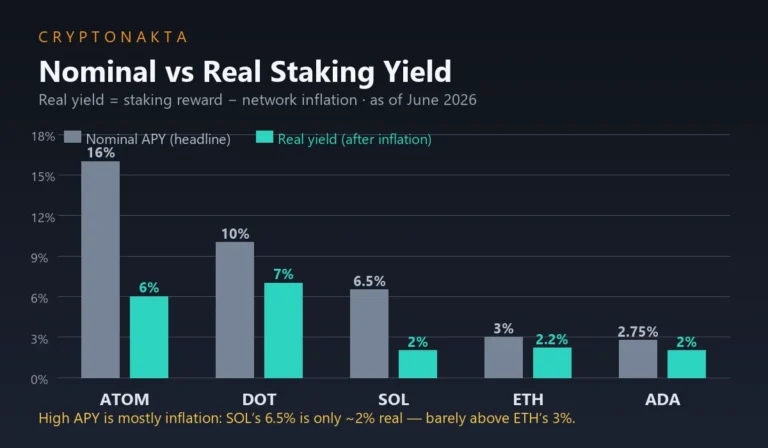
Two things to keep in mind. First, getting staked coins back can take an unstaking wait of several days. Second, rewards are paid in the coin itself, so you keep full price risk. For a deeper look at how staking yields actually work, see our real staking yield guide.
7. ③ Free new coins — Launchpool, Megadrop, HODLer Airdrops, Launchpad
One of Binance’s signature draws is a family of launch features that hand you new coins just for holding. For projects it’s marketing to bootstrap early users; for you it’s a chance to receive new tokens at no extra cost. Just don’t assume the tokens you receive will hold their value.
| Feature | How you get rewards |
|---|---|
| Launchpool | Park BNB/USDC in a pool and a new token accrues daily for the duration. Your principal stays yours; no fee. The most popular “free farming.” |
| Megadrop | Lock BNB in Simple Earn and complete simple quests in the Web3 Wallet; a score decides your allocation of a new token. |
| HODLer Airdrops | Just hold BNB in Simple Earn — Binance snapshots holders at random times and drops new tokens automatically. Nothing to claim. |
| Launchpad | Commit BNB to get an allocation of a new project’s token at the sale stage — pre-listing supply. |
| Alpha · Alpha Points | Early access to pre-listing Web3 tokens. A rolling 15-day “Alpha Points” score sets airdrop eligibility. |
8. ②+ Advanced Earn — Dual Investment, structured, loans
From here it’s advanced Earn, where bigger yield comes with bigger risk. Don’t let the word “Earn” fool you into thinking these are as safe as a savings account.
| Feature | What it is | Risk |
|---|---|---|
| Dual Investment | Deposit one coin; depending on whether price is above/below a strike on a set date, you’re settled into one of two outcomes. High yields possible. | Principal not protected. If price moves the wrong way you’re settled into the other asset at a loss. Structurally similar to selling options — hard for beginners. |
| Smart arbitrage / structured | Auto-managed products that try to harvest volatility or spreads. | Even “low-risk” framing can lose in a sharp move. If you can’t explain the structure, don’t use it. |
| Crypto Loans | Borrow stablecoins/coins against your crypto as collateral — get cash-like funds without selling. | If your collateral drops, it gets liquidated. Interest accrues. Know your liquidation price before borrowing. |
Bottom line: this bucket bites people who chase the yield number. If you can’t explain a product in one sentence, that’s your sign it isn’t time to use it yet.
9. ④ Automation — Trading Bots (Grid, DCA, rebalancing)
When you don’t have time to watch charts, trading bots place orders automatically by rules you set, 24/7. Binance offers them free (you still pay trading fees).
| Bot | Strategy |
|---|---|
| Spot Grid | Splits a price range into a grid and auto-repeats “buy lower, sell higher.” Aims to harvest small gains in a sideways market. |
| Futures Grid | Same grid on leveraged futures. Gains and losses amplified — high risk. |
| Spot DCA bot | Automates periodic fixed-amount buying (dollar-cost averaging). |
| Rebalancing bot | Keeps a target mix like “50% BTC / 50% ETH” by auto-buying and selling to hold the ratio. |
| TWAP / algo orders | Slices a large order across time to reduce market impact. |
10. ④ Automation — Copy Trading (mirror the pros)
For people who say “I don’t read charts and bot settings confuse me,” there’s Copy Trading. Pick a pro (a “lead trader”) whose track record is public, hit follow, and their trades are mirrored in your account at the same proportion. If you profit, the lead trader takes a slice of the performance fee.
Upside and traps
| Upside | Trap |
|---|---|
| Delegate a pro’s strategy and timing. Little to learn upfront. | Past returns don’t guarantee future ones; many traders blow up after a hot streak. |
| Diversify across several lead traders. | Most copy trading is futures (leverage) based — following one exposes you to high risk instantly. |
| Start and stop with small amounts freely. | If a lead trader over-bets, your account can be liquidated alongside theirs. |
11. ⑤ High risk — Futures and the truth about leverage
This is the most-searched feature and the one that hurts beginners most, so let’s be blunt. Futures are derivatives where you bet on price moves using borrowed money (leverage). You don’t own the coin — you place a leveraged bet on whether it goes up or down.
| Item | What it means |
|---|---|
| USDⓈ-M futures | Margined and settled in USDT/USDC. The most common; perpetual (no-expiry) contracts dominate. |
| COIN-M futures | Margined and settled in the coin itself. Used mainly by holders hedging. |
| Leverage | Once up to 125x; now capped by coin and position size (lower even for majors). The higher the multiple, the closer your liquidation price sits to entry. |
| Margin mode | Isolated: only that position’s margin is at risk. Cross: your whole balance backs the position — much riskier. |
12. ⑤ High risk — Margin & Options
A couple more features carry leverage. Just know what they are.
| Feature | What it is | Caution |
|---|---|---|
| Margin trading | Borrow funds to trade bigger on the spot screen. Cross/isolated modes, typically up to ~10x. | Like futures, it has liquidation and accrues interest. Borrowing magnifies losses too. |
| Options | Buy/sell the right to buy or sell at a set price (mainly BTC/ETH). Used for hedging or volatility bets. | Pricing is complex (expiry, volatility). Approach it on intuition and you’ll likely lose. |
These are “know they exist, study later if you ever need them.” There’s rarely a reason for a beginner to touch them early.
13. ⑥ Pay & everyday — Binance Pay, Card, Gift Card
These features let you use Binance for everyday payments and transfers, not just investing — actually spending crypto instead of only holding it.
| Feature | What it is |
|---|---|
| Binance Pay | Send crypto to anyone by email/ID with no fee; supports merchant QR payments. Send or receive coins instantly without network fees. |
| Binance Card | A Visa debit card that auto-converts your crypto at the point of sale (spend like cash, some cashback). Availability and terms vary by region and it’s been discontinued in some — check your region’s support. |
| Gift Card | Create a crypto “gift card” code to send. The recipient redeems the code to receive the coins. |
Pay and Card make crypto feel like money, but spending may trigger a sale that’s a taxable event (varies by country). Check your local tax rules.
14. ⑥ Web3 & more — Web3 Wallet, Alpha, Square, Academy, API
Here’s a quick sweep of the rest — rarely needed day one, but useful for placing a menu when you wonder “what is this?”
| Feature | One line |
|---|---|
| Binance Web3 Wallet | A self-custody wallet inside the app, using key-sharing (MPC) so it can work without a seed phrase. Connects to DeFi/Web3 apps. Unlike your exchange account, this is “your keys,” so custody responsibility is yours. |
| Alpha | An early-access corner to browse, trade and receive pre-listing tokens (covered in ③). |
| Binance Square | In-app news/social feed — prices, breaking news, creator posts. Informational; don’t get swept up by “signal” callers. |
| Academy | Free education content. Handy for terms and concepts. |
| Binance Pool | A mining pool service. For miners — far from everyday users. |
| Sub-accounts · API | Split funds/strategies across sub-accounts, or connect external programs for automated trading. Advanced. |
If the difference between “your-keys” wallets and exchange custody is fuzzy, our crypto wallet guide covers hot/cold and seed phrases.
15. How to pay lower fees — BNB discount, VIP, referral
There are a few ways to pay lower fees on the same trades. The more you trade, the more they matter.
| Method | What it does |
|---|---|
| Pay fees in BNB | Toggle on paying spot fees in Binance’s own coin, BNB, for roughly a 25% discount. You hold/spend BNB to do it (BNB price risk is separate). |
| VIP tiers | Your tier rises with 30-day volume and BNB held, lowering fees. Best for high-volume users. |
| Maker vs taker | Resting limit orders (maker) often pay lower fees than instant fills (taker). |
| Referral discount | Entering a referral code at sign-up can rebate part of your trading fees ongoing. Apply it once and it stays. |
💡 Perk: signing up via the link below applies an ongoing spot-fee discount (referral). For the step-by-step sign-up and verification screens, see our Binance review & sign-up guide.
Open Binance · get the spot-fee discount →
Affiliate disclosure: some links are partner links. We may earn a commission at no extra cost to you. This is not investment advice.
16. Recommended order for beginners — which features first (+ security)
Lots of features doesn’t mean you must use them all. The order that keeps beginners out of trouble is simple. Leave the red bucket alone until you genuinely understand it.
| Step | Do this |
|---|---|
| 0 · Security first | Right after sign-up: app-based 2FA (not SMS), anti-phishing code, withdrawal whitelist. Account security comes before any feature. |
| 1 · Small spot buy | Buy $20 of BTC/ETH at market to learn the screen. Compare with Convert. |
| 2 · Simple Earn (Flexible) | Park coins/stablecoins you won’t use soon to experience “interest.” |
| 3 · Auto-Invest | Automate DCA to remove timing stress. |
| 4 · Launchpool (when ready) | Try small “free new coin” farming with BNB/USDC. |
| 5 · Everything else, slowly | Bots, copy trading, futures, margin — only with small size, and only once you can explain the mechanics in one sentence. |
Binance

Frequently asked questions
See the Binance review & sign-up guide (fee discount included) →