Is Binance Safe and Legit? An Honest Review + How to Sign Up
A complete, honest walkthrough of opening a Binance account — is it safe, how to register and verify step by step, exactly where to enter referral code CRYPTONAKTA for a 10% rebate on spot trading fees, how to secure your account, buy your first crypto, and how Binance’s fees and features really work.
- Binance is the world’s largest crypto exchange by volume; signing up takes about 10–15 minutes (register → verify ID → enable 2FA → buy).
- Binance referral code: enter CRYPTONAKTA at sign-up to get 10% of your spot trading fees back in USDC. Forgot it? You can still link it within 30 days, before your first deposit or trade.
- Binance is a legitimate, established company with a strong security toolkit (2FA, anti-phishing code, withdrawal whitelist, SAFU fund).
- Identity verification (KYC) is required and usually takes minutes; have a government ID ready.
- Most losses come from phished or hacked accounts, not the exchange — turn on authenticator-app 2FA before depositing.
- This guide walks you through every step — from creating your account to making your first secure purchase.
1. Quick answer: signing up for Binance (and the referral code)
2. Is Binance legit and safe? (an honest review)
3. Binance at a glance
4. Binance pros & cons
5. What you need before you sign up
6. How to sign up for Binance — step by step
7. How to enter the referral code CRYPTONAKTA (for a 10% fee rebate)
8. How to verify your identity (KYC)
9. How to secure your Binance account
10. How to make your first deposit & buy crypto
11. Binance fees explained (and how to pay less)
12. Binance features overview (what to use, what to avoid)
13. Is Binance available in your country?
14. Common sign-up problems & how to fix them
15. Binance vs other exchanges
16. Is Binance right for you?
17. Next steps
1. Quick answer: signing up for Binance (and the referral code)
Binance is the world’s largest cryptocurrency exchange by trading volume, and signing up takes about 10–15 minutes: create an account with your email or phone, verify your identity, secure it with two-factor authentication, and you’re ready to buy crypto.
If you want some of your fees back while you’re at it, there’s one thing to do during registration:
This guide walks you through the entire process from zero: whether Binance is safe and legit, how to create and verify your account step by step, exactly where to enter the referral code, how to secure your account against hackers, how to make your first deposit and buy crypto, how Binance’s fees really work, and how Binance compares to other exchanges — plus honest pros, cons, and answers to the questions beginners actually ask.
2. Is Binance legit and safe? (an honest review)
Before handing any platform your ID and money, the first question should always be: is it legit and safe? Here’s an honest assessment.
Is Binance legit? Yes. Binance was founded in 2017 and is the largest crypto exchange in the world by spot and derivatives volume, with well over 200 million registered users globally. It is an established, real company — not an anonymous “too good to be true” platform of the kind covered in our crypto scams guide.
Is Binance safe? Broadly, yes, with the usual crypto caveats. Key security points:
| Security factor | What to know |
|---|---|
| SAFU fund | Binance maintains the “Secure Asset Fund for Users,” an emergency reserve meant to protect users in extreme cases. It has been used to reimburse users after past incidents. |
| Track record | Binance suffered a major hack in 2019 (~7,000 BTC) and reimbursed affected users from SAFU. Since then it has invested heavily in security; large-scale breaches of user funds have not recurred. |
| Account security tools | 2FA, anti-phishing codes, withdrawal address whitelists, device management and passkeys are all available — using them is what actually keeps your account safe. |
| Regulatory history (honest) | Binance reached a major settlement with U.S. authorities in late 2023 (including a leadership change and compliance overhaul). It has since expanded licensing and compliance in many regions. Availability still varies by country (see the country section below). |
3. Binance at a glance
A quick snapshot of what you’re signing up for:
| Binance — at a glance | |
|---|---|
| Founded | 2017 |
| Size | World’s #1 exchange by trading volume; 200M+ users |
| Cryptocurrencies | 350+ coins, including Bitcoin, Ethereum and most major assets |
| Spot trading fee | From 0.1% (lower with the BNB discount and high volume) — 10% of spot fees back in USDC with referral code CRYPTONAKTA |
| Ways to buy | Card, bank transfer, P2P, third-party providers (varies by country) |
| Apps | iOS, Android, desktop and web |
| Best for | Low fees, the widest selection of coins, and one platform that scales from beginner to advanced |
| Watch-outs | Availability varies by country; the interface can feel busy for absolute beginners |
4. Binance pros & cons
No exchange is perfect. Here’s the balanced view before you commit.
| Pros 👍 | Cons 👎 |
|---|---|
| Lowest fees among major exchanges (plus a 10% spot-fee rebate with a referral code) | The full platform can feel overwhelming for first-timers |
| Largest selection of coins and trading pairs | Availability and features vary by country/regulation |
| Deep liquidity — easy to buy/sell large amounts at fair prices | Customer support can be slow during peak times |
| Strong security toolkit (2FA, whitelists, SAFU) | Advanced products (futures, margin) are high-risk for beginners |
| One account scales from “buy my first $50” to advanced trading | Past regulatory friction in some jurisdictions |
5. What you need before you sign up
Signing up is quick. Have these ready and the whole process takes about 10–15 minutes:
- An email address or phone number — to create the account.
- A strong, unique password — not reused from any other site (a password manager helps).
- A government-issued ID — passport, national ID, or driver’s licence, for identity verification (KYC). This is legally required on regulated exchanges and unlocks full deposit/withdrawal limits.
- Your phone — for an authenticator app (the secure form of two-factor authentication).
- The referral code CRYPTONAKTA — to enter during sign-up for a 10% rebate on spot trading fees.
6. How to sign up for Binance — step by step
Here is the full step-by-step. Follow it in order — step 4 is where the referral code and your fee rebate get set up.
- Go to the official Binance website or app. Type the address yourself or install the app from the official App Store / Google Play listing. Verify the developer name; don’t use a search-ad link.
- Click “Register” / “Sign up.” Choose to register with your email address or phone number.
- Enter your email/phone and create a strong password. Use a long, unique password you don’t use anywhere else.
- Enter the referral code. On the registration screen there is a “Referral code” (or “Referral ID”) field — sometimes you tap “Enter referral code” to reveal it. Type CRYPTONAKTA there. This is what sets up your 10% spot-fee rebate, and doing it now, during sign-up, is the most reliable way.
- Verify your email or phone. Binance sends a verification code; enter it to confirm.
- Complete identity verification (KYC). Upload your government ID and take a quick selfie/liveness check (details in the next section). Verification often completes within minutes.
- Turn on two-factor authentication (2FA) immediately — use an authenticator app, not SMS where possible (see the security section).
- Add a payment method and make your first deposit to buy crypto.
7. How to enter the referral code CRYPTONAKTA (for a 10% fee rebate)
This is the part people most often miss, so here it is on its own. Binance referral code: CRYPTONAKTA. Entering it at sign-up gets you 10% of the spot trading fees you pay back as a rebate. Binance converts it to USDC every hour and credits it to your spot account within 6 hours, at no extra cost to you. The rebate stops if your account reaches VIP 3 or above, and zero-fee pairs don’t earn one.
| Question | Answer |
|---|---|
| What is the code? | CRYPTONAKTA |
| What do I get? | 10% of your spot trading fees back, paid in USDC (futures aren’t covered) |
| Where do I enter it? | The “Referral code / Referral ID” field on the registration screen |
| When? | At sign-up is best. If you forget, you can link it within 30 days, before any deposit or trade, and it can’t be changed once linked |
| Does it cost me anything? | No. You pay the normal fee and get 10% of it back; it never raises your costs |
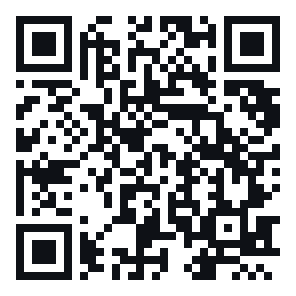
You can also scan the QR below to open the official Binance sign-up with the referral already applied:
Binance
Affiliate disclosure: some links are partner links. We may earn a commission at no extra cost to you. This is not investment advice.
8. How to verify your identity (KYC)
Identity verification (KYC, “Know Your Customer”) is required on Binance and almost every regulated exchange. It’s normal, it protects against fraud, and it unlocks full deposit, trading and withdrawal limits.
- Go to Verification (Account → Identification, or the prompt during sign-up).
- Enter your personal details exactly as they appear on your ID (name, date of birth, address).
- Upload your government ID — passport, national ID card, or driver’s licence. Use clear, glare-free photos.
- Complete the liveness/selfie check — follow the prompts (look at the camera, turn your head). This proves you’re a real person.
- Wait for approval. It is often automatic within minutes; occasionally it can take a few hours to a day at busy times.
9. How to secure your Binance account
This single step prevents the most common way people lose crypto: a hacked or phished account. Do it right after signing up, before you deposit anything meaningful.
| Security setting | Why it matters |
|---|---|
| Authenticator-app 2FA | Turn on two-factor authentication using an authenticator app (or a passkey/security key) rather than SMS where possible — SMS can be “SIM-swapped.” This is the single most important setting. |
| Anti-phishing code | Set a personal anti-phishing code in Binance settings. Genuine Binance emails will then show your code; fakes won’t — an instant way to spot phishing. |
| Withdrawal address whitelist | Enable address management/whitelist so funds can only be withdrawn to addresses you pre-approved, even if someone gets in. |
| Unique password + manager | Never reuse a password. A password manager makes a long, unique one effortless. |
10. How to make your first deposit & buy crypto
With your account verified and secured, you can buy your first crypto. Binance offers several methods — availability depends on your country.
| Method | How it works | Notes |
|---|---|---|
| Debit/credit card | Buy crypto instantly with a card | Fastest; usually higher fees |
| Bank transfer | Deposit your local currency, then buy | Often the cheapest on-ramp |
| P2P | Buy directly from other users via Binance’s escrow | Widely available; flexible payment methods |
| Third-party providers | Card purchases via integrated partners | Convenient where direct methods aren’t available |
To make your first purchase: open “Buy Crypto,” choose your local currency and the coin (most beginners start with Bitcoin or Ethereum), enter the amount, confirm the payment method, and review the total. The cleanest beginner tool is “Convert” — it swaps your local currency or stablecoin into a coin with one tap and no order-book complexity.
11. Binance fees explained (and how to pay less)
Fees feel confusing at first, but for a beginner they’re simple. Here’s what you’ll actually pay on Binance — and how the referral rebate fits in.
| Fee type | What it is |
|---|---|
| Spot trading fee | Around 0.1% per trade as the standard rate (lower at higher volumes). Example: a $100 trade costs about $0.10. |
| Referral rebate | Code CRYPTONAKTA gets you 10% of that spot trading fee back, converted to USDC every hour and credited to your spot account within 6 hours. The fee on each trade doesn’t change, so to see it working, look for the USDC credits arriving in your spot account. Futures and zero-fee pairs don’t earn a rebate. |
| BNB discount | Paying fees with BNB (Binance’s own token) gives a separate standing discount. Binance doesn’t spell out how it combines with the referral rebate, but the rebate appears to be worked out from the fee you actually pay. |
| Deposit/withdrawal | Crypto deposits are free; withdrawals cost a small network (blockchain) fee. Card purchases carry a higher processing fee than bank transfers. |
12. Binance features overview (what to use, what to avoid)
You don’t need most of these to start — but it helps to know what your one account can do, so you can grow into it safely.
| Feature | What it’s for | Beginner? |
|---|---|---|
| Buy Crypto / Convert | Simple buying with local currency; one-tap swaps | ✅ Start here |
| Spot trading | Standard buy/sell on the open market with limit/market orders | ✅ Once comfortable |
| Earn / Savings / Staking | Earn yield on idle crypto | ⚠️ Read terms; yields vary and carry risk |
| P2P | Buy/sell directly with other users via escrow | ✅ Useful for local payment methods |
| Futures / Margin | Leveraged trading | ❌ High risk — beginners should avoid |
13. Is Binance available in your country?
Whether you can use Binance — and which features are available — depends on your country and its regulations. This changes over time, so always confirm current availability on the official site and with your local rules.
- Available in many countries with full features (buying, trading, deposits/withdrawals), though some products are restricted in certain regions.
- Local entities or local platforms exist in some markets (for example a separate local Binance entity), which may use different sign-up and payment rules.
- Restricted or unavailable in some jurisdictions. Where global Binance isn’t available to you, a reputable alternative may be a better fit — compare options in our best crypto exchanges guide.
14. Common sign-up problems & how to fix them
Most sign-up issues are quick to fix. Here are the common ones:
| Problem | Fix |
|---|---|
| Verification (KYC) rejected | Usually a blurry or cropped photo. Retake in good light, capture the whole document, photograph the physical ID (not a screenshot), and ensure your name matches exactly. |
| Didn’t get the email/SMS code | Check spam, wait a minute and resend, confirm the address/number is correct, and whitelist Binance’s email domain. |
| “Referral code invalid” | Re-type CRYPTONAKTA carefully (no spaces). If a field truly won’t accept it, the QR link in this guide opens sign-up with the referral pre-applied. |
| Forgot the code at registration | You can link it within 30 days on Binance’s referral binding page, provided you haven’t deposited or traded, have no referrer yet, are on a main account, your KYC hasn’t been used on another account in the last 180 days, and you’re not flagged for wash trading. Once linked, it can’t be changed. |
| Locked out / lost 2FA | Use Binance’s official account-recovery flow. Never use a “support agent” who DMs you — that’s a scam. |
| Deposit not showing | Crypto deposits need network confirmations; bank transfers can take time. Check the transaction status before contacting support. |
15. Binance vs other exchanges
Binance is our top pick for most people, but it’s worth a quick honest comparison. Here’s how it stacks up against other major exchanges at a glance.
| Exchange | Known for | Referral here |
|---|---|---|
| Binance | Lowest fees, most coins, deepest liquidity — best all-rounder | CRYPTONAKTA (10% spot-fee rebate) |
| Bybit | Fast platform popular with active traders; strong in regions where it’s licensed | Available — see below |
| MEXC | Very low/zero spot fees and a huge range of smaller coins | Available — see below |
| Coinbase, Kraken | Simple, heavily regulated — often higher fees | — |
We compare fees, security, and country availability in depth — including which exchange fits your country best — in our best crypto exchanges guide. If you’d rather start with Bybit or MEXC, those sign-up steps mirror this one; the referral codes are 5ZGKX#0 (Bybit) and 43zJH (MEXC), also entered at registration.
Prefer a different exchange? We give Gate and KuCoin the same full step-by-step treatment, with dashboard-verified benefits: Gate sign-up guide (code VFIWUQTAUQ — 10% off fees, lifetime) and KuCoin sign-up guide (code CXEM4JP5 — 5% off, lifetime).
16. Is Binance right for you?
To keep it honest — Binance isn’t automatically right for everyone. Here’s the quick read.
| Binance is a great fit if you… | Consider an alternative if you… |
|---|---|
| Want the lowest fees and the widest coin selection | Want the simplest possible app and don’t mind paying more for it |
| Plan to grow from beginner into more features over time | Are in a country where global Binance isn’t available |
| Will secure your account and start with simple spot buying | Only want a fully local, bank-integrated experience |
17. Next steps
That’s the whole journey: you now know whether Binance is safe, how to register and verify, exactly where to enter referral code CRYPTONAKTA for a 10% rebate on spot fees, how to secure your account, and how to buy your first crypto. The best next move is small and practical — finish sign-up with the code, turn on authenticator-app 2FA, and buy a tiny amount to learn the flow before committing more. As your holdings grow, move the bulk into a wallet you control, and learn to spot the traps in our crypto scams guide. New to crypto entirely? Start with our complete beginner’s guide, brush up on Bitcoin and Ethereum, and compare every major platform in our best crypto exchanges guide. Start small, secure your account, and learn as you go.
Frequently asked questions
Sign up for Binance with code CRYPTONAKTA (10% fee rebate) →