2FA Reset on a Crypto Exchange: Lost Authenticator, Identity Review, Withdrawal Hold, TOTP Clock, Account Takeover
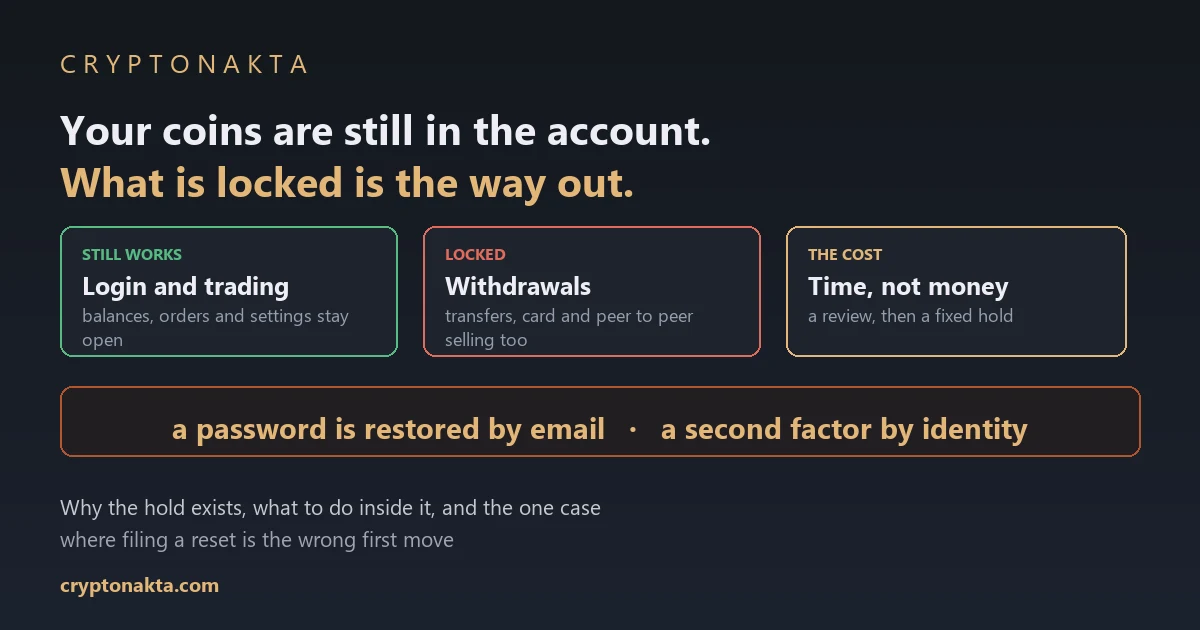
Lose the authenticator and the coins stay in the account. A password is restored by email and a second factor by identity, and the withdrawal hold that follows is not a punishment, it is the control that stops whoever is impersonating you.
| Question | Short answer |
|---|---|
| What happens to my coins? | Nothing. They stay in the account. A second factor guards actions, not the balance. |
| Can I get back in? | Yes, through the exchange’s own reset. A password is restored by email. A second factor is restored by identity. |
| What gets locked? | Withdrawals, and usually P2P selling, transfers, card spending. Logging in and trading generally still work. |
| For how long? | The review takes as long as it takes, then a fixed hold starts. Binance states 48 hours after a 2FA reset. Bybit, OKX and KuCoin describe 24. |
| Is the hold a punishment? | No. Whoever impersonates you has to walk the same route, and the hold is what stops them cashing out instantly. |
| What should I never do? | Hand the problem to anyone who offers to reset it for you. That offer is the second attack, not the fix. |
1. Your coins are in the account. Something else is locked
2. The six digits are computed, not delivered
3. Rejected codes are usually a clock, not a lockout
4. The setup key, the app and the backup codes are three different things
5. A password reset is automated. This one is not
6. Then the hold starts, and the hold is the point
7. The waiting period is the most useful hour you have
8. Three doors, and different controls on each
9. SMS is weak because the attack is aimed at your carrier
10. The real single point of failure is your email
11. When somebody else files the reset first
12. The second attack is waiting in the search results
13. What gets repeated, and what the documentation says
14. Where I land after reading four help centres side by side
Nobody reads about account recovery in advance. They read about it standing in front of a new phone with an empty authenticator app, wondering whether the balance is gone. It is not, and the reason it is not explains everything else about how the process works: your claim on the account rests on identity, and the second factor is a check layered on top of that claim rather than the claim itself. Below is what is locked and what is not, why the reset takes a review and a waiting period, what to do with those hours, and the one situation where filing a reset is the wrong first move.
1. Your coins are in the account. Something else is locked
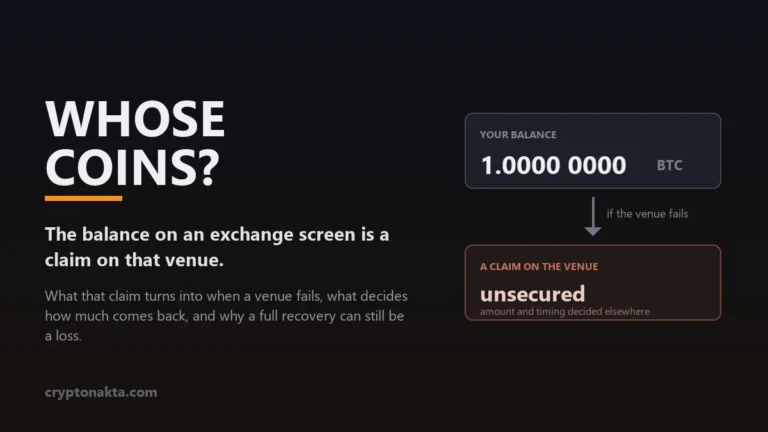
The question that brings people here is short. My authenticator is gone, so what happens to my coins? The answer is equally short: nothing happens to them. They are still credited to your account. What you have lost is not ownership, it is one of the checks the exchange runs before it lets certain actions through.
Losing the app is not losing the account, and that distinction is the whole article. Ownership of an exchange account is proven by identity, and that is why an account recovery route exists at all. The second factor sits on top of that proof. Remove it and you have made some actions harder to authorise, and you have not made the balance someone else’s.
What each situation actually costs you
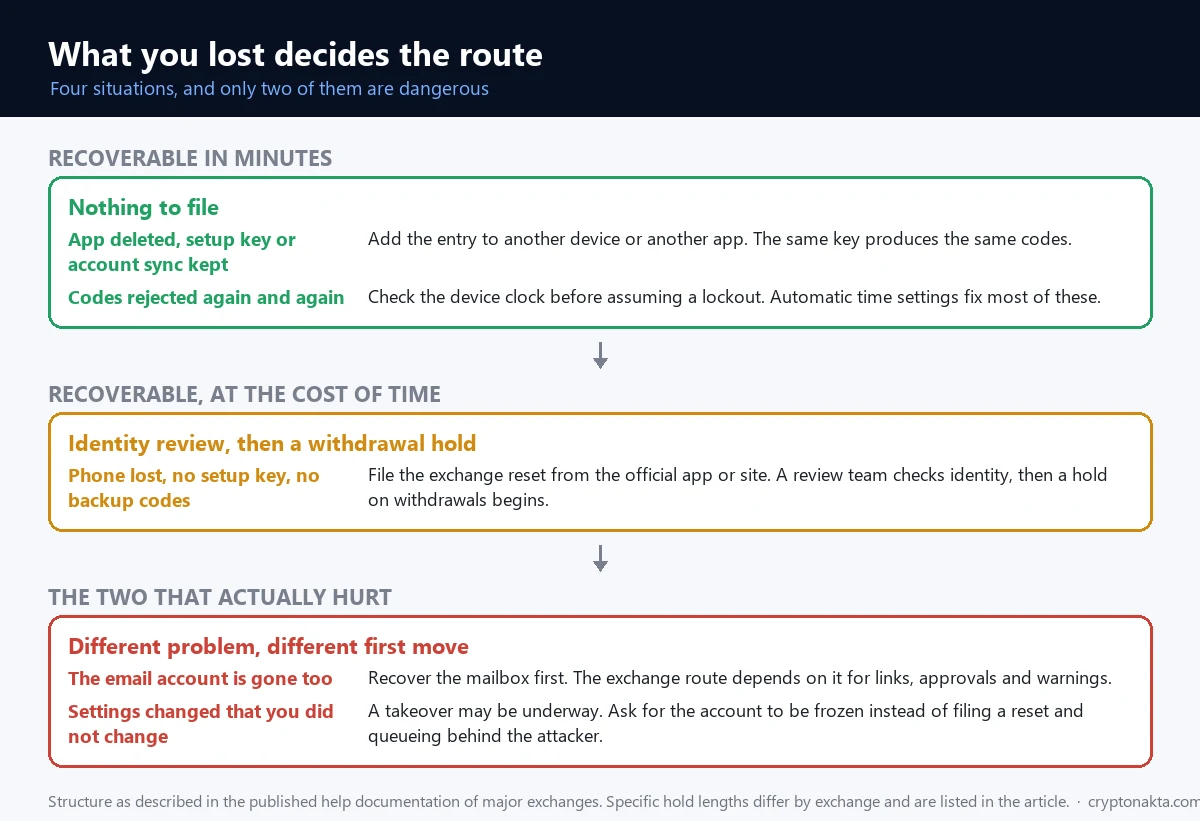
| What happened | State of the account | Route | What it costs |
|---|---|---|---|
| App deleted, but you kept the setup key, the string that regenerates the same codes in another app | Fine | Add it to another device or another app with the same key | Minutes |
| Phone lost, with no setup key and no backup codes, meaning the one-time list issued in advance | Fine | Request a reset from the exchange, verified by identity | Review time, then a withdrawal hold |
| Codes keep coming back as wrong | Fine | Check the clock before assuming a lockout | Minutes |
| You lost the email account as well | Serious | Recover the email first, then the exchange | Longer, and it depends on the mail provider |
| Your number went dead without warning | Urgent | Contact the carrier and tell the exchange in parallel | Act in minutes |
| Security settings changed without you | A takeover may be underway | Ask for the account to be frozen. Do not file a reset and wait | Immediate |
Only two of those six rows are genuinely dangerous, and neither of them is the one people panic about. Losing a phone is an inconvenience with a queue attached. Losing the mailbox, or being second in line behind somebody impersonating you, is the real problem.
2. The six digits are computed, not delivered
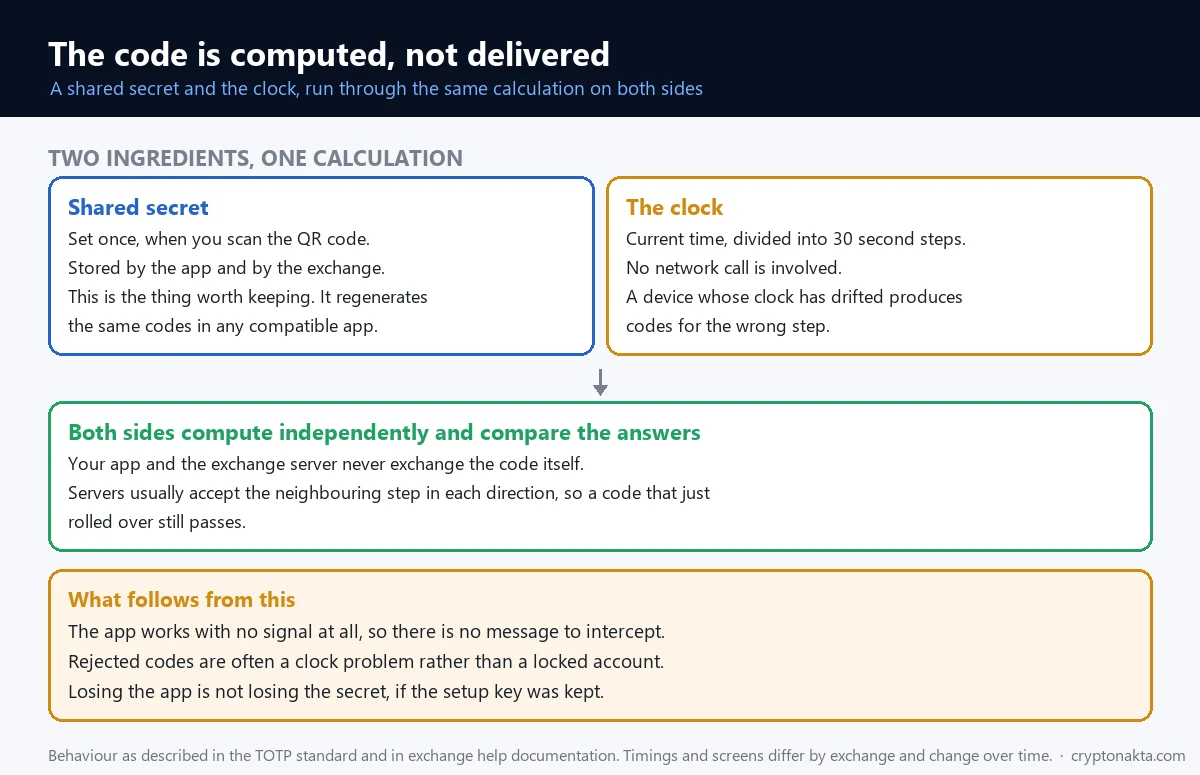
To understand why the recovery works the way it does, it helps to know where the six digits come from. They are not delivered to your phone. They are computed on it.
When you first enable the app, the exchange shows a QR code that carries a setup key, a long random string. Your app stores that key. From then on, both sides do the same arithmetic: take the shared secret, take the current time divided into thirty second steps, hash them together, and read six digits off the result. This is TOTP, and the clock is half of the recipe. Servers usually accept the neighbouring step in each direction, so a code that appeared a moment ago still passes.
Three consequences worth holding on to
First, the app works in aeroplane mode. Nothing is being sent, so there is no message to intercept and no network to depend on. Second, the credential is not the app, it is the setup key. Feed the same key into another app and the same codes appear, which is why exporting or syncing your entries makes a device swap uneventful. Third, an app on a phone with a wrong clock produces wrong codes while behaving perfectly normally.
That third point deserves its own section, because it sends people into a recovery process they did not need.
3. Rejected codes are usually a clock, not a lockout
Before you file anything, check the time on the device running the app. A phone whose clock has drifted by a minute produces codes for the wrong step, and the server rejects every one of them. The screen you get says the code is incorrect, which reads exactly like being locked out.
The fix is dull. Turn on automatic date and time so the device follows the network clock, or use the time correction option that authenticator apps provide for this purpose. Then try again with a fresh code rather than one that has been sitting on screen for twenty seconds.
For example, a phone that spent a week switched off, or one that came back from a repair with its clock reset, will produce a stream of rejected codes until this is corrected. Nothing is wrong with the account, and a reset request in that state costs you a withdrawal hold you had no reason to pay.
4. The setup key, the app and the backup codes are three different things
Three things get called the same thing in conversation, and separating them turns most of this topic into something manageable.
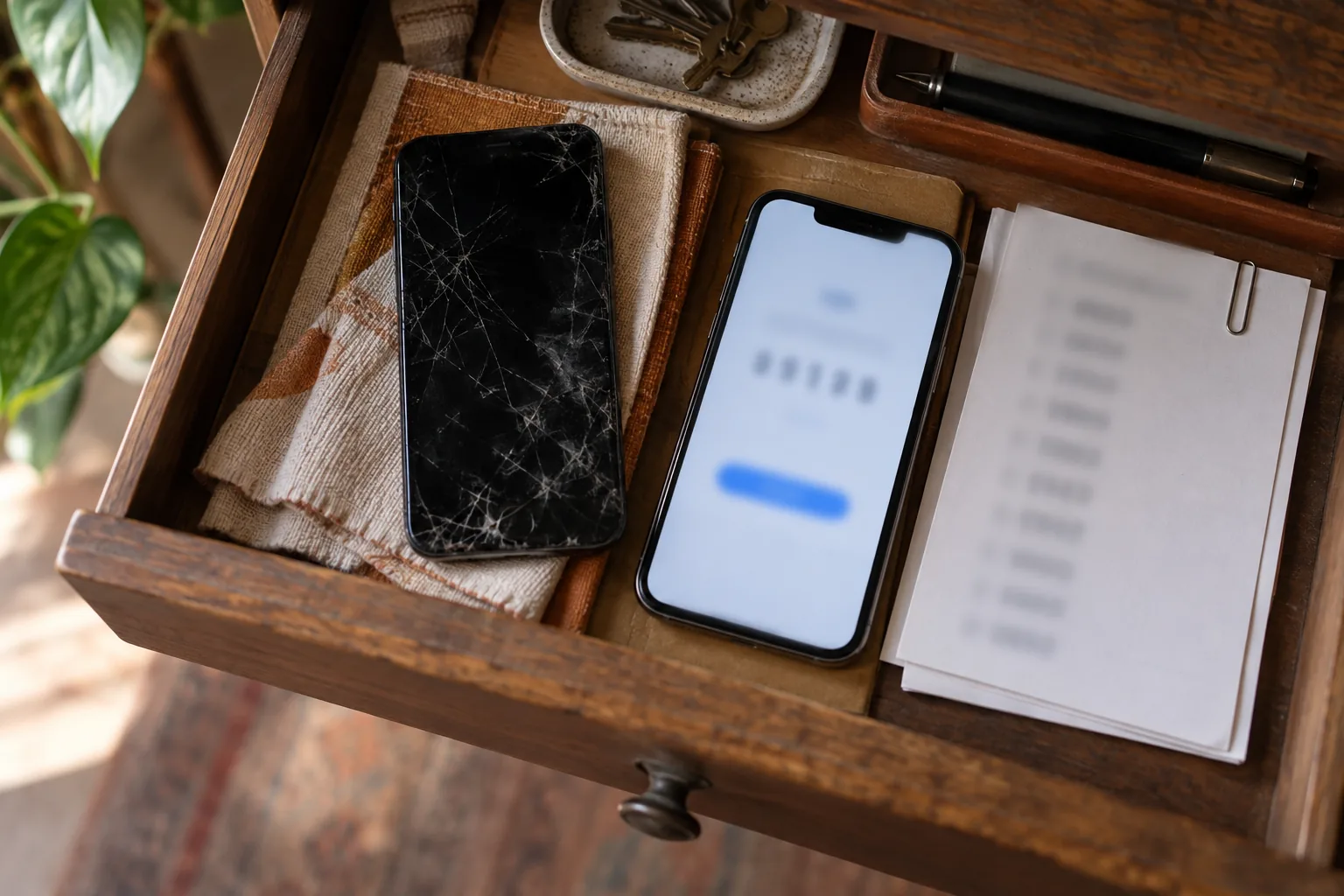
The setup key is the raw material. It is the string behind the QR code, and it is what regenerates the same codes in another app on another device. The app is a calculator that holds that key. It is replaceable and it holds nothing you cannot restore if you kept the key. Backup codes are a separate list of one-time strings, issued in advance, used instead of a code when you cannot produce one.
Where each one lives
| Second factor | How it works | Strong point | Weak point |
|---|---|---|---|
| SMS code | Sent as a message over the carrier network | Easy to set up, nothing to install | Move the number and the codes follow it |
| Authenticator app | Computed from a shared secret and the clock | Independent of the carrier, works offline | Lose the device with no key kept and you need a reset |
| Passkey | Authenticates with the biometrics or lock already on the device | Nothing phishable arrives by message | Losing the device means falling back to another method |
| Backup codes | A pre-issued one-time list | Works with no device at all | Wherever you store them becomes the weak spot |
Modern authenticator apps also offer account sync and an export QR that moves entries to a new phone. Those features change the shape of this problem: the common accident is no longer a lost phone, it is having none of the three things above when the phone goes.
5. A password reset is automated. This one is not
Now the reset itself. A password reset is automated because the mailbox proves enough. A second factor reset is not, because the thing being replaced is the check that stops an intruder who already has the password.
So the process is built around identity. You start from the login screen, choose the option that says you cannot complete verification, mark which factors you have lost, and register a new contact method. From there the request goes to a review team. Exchange documentation says plainly that the review can take time. There is no button that shortens it, and there is nobody to escalate to who can.
What that means in practice
Two things. The first is that you should file the request from the official app or site and then leave it alone, because duplicate tickets restart queues rather than shortening them. The second is that the reset does not end the story. What follows it is the part almost nobody is told about in advance.
One caution before you start: the reset flow asks for your identity, never for your password and never for a wallet recovery phrase. If a page or a person asks for either of those, you are not in the recovery process any more. That thread is picked up later in this article.
6. Then the hold starts, and the hold is the point
The reset completes and withdrawals stay shut. This surprises people more than the review does, and it is the single most useful thing to understand about the whole system.
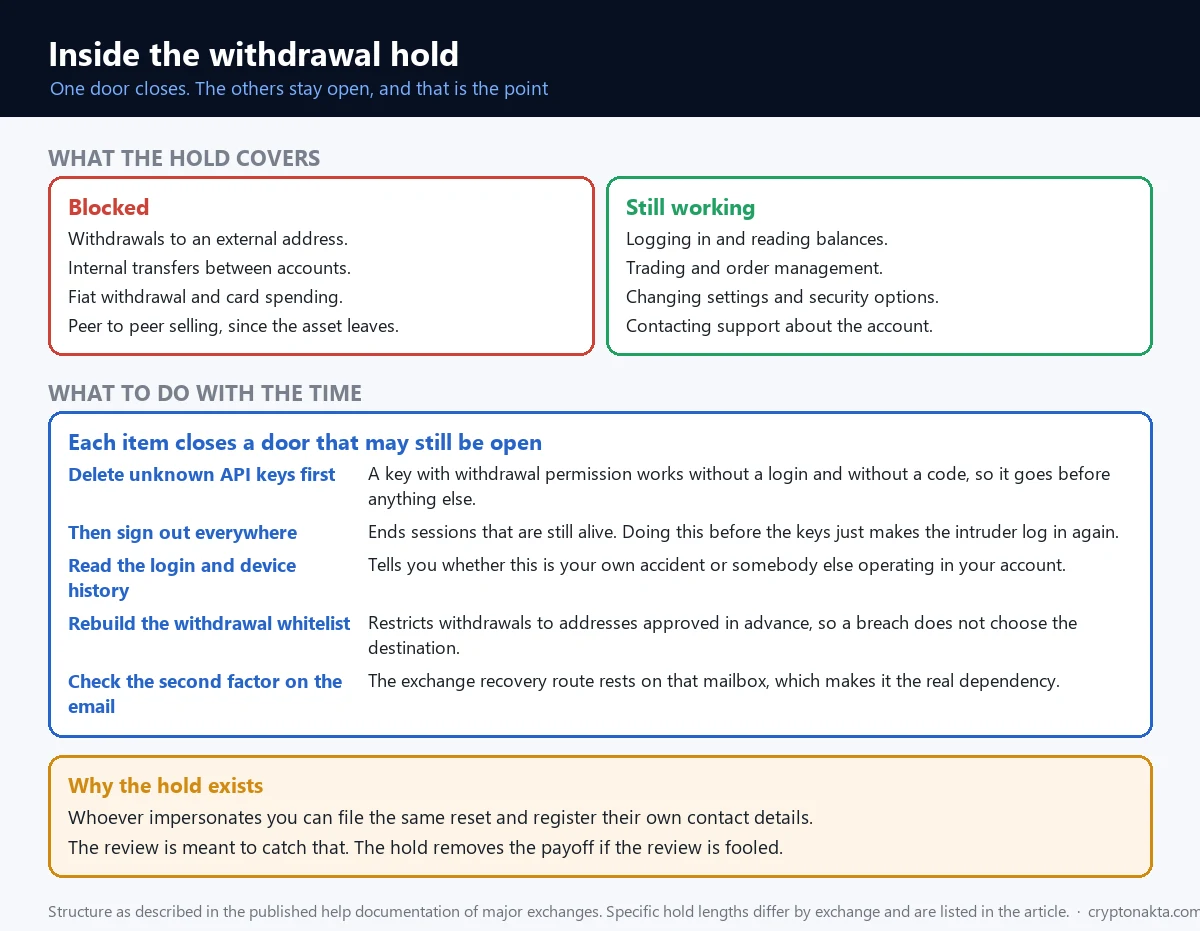
Binance states that withdrawals, P2P selling, payment services and card services are disabled for 48 hours after 2FA devices are reset. Bybit applies a 24 hour withdrawal restriction after security changes, and it counts on-chain withdrawals, internal transfers, fiat withdrawals, card transactions and P2P orders as withdrawals for this purpose, with the same restriction triggered by changing your email or turning off address book protections. OKX blocks withdrawals for 24 hours after an authenticator app is reset or changed, and the same applies to changing your phone number or email. KuCoin describes a 24 hour suspension that lifts automatically.
Why the hold exists at all
Read the reset process again from the other side. Someone who has taken over your account can also click the option that says they cannot complete verification. They can also register their own contact details. The identity review is designed to catch that, and the hold is what stops the attempt from paying off even if the review is fooled.
In other words, the hold is the compensating control. It converts the most valuable minute of an account takeover into a day or two of waiting, during which the real owner has a window to notice, call it in, and have the account frozen. Suppose the hold did not exist. The reset route would then be the fastest way to empty an account, and it would be the first thing every attacker tried.
Which reframes the annoying part. The wait is not the exchange doubting you specifically. It is the price of a recovery route existing for you at all. A different set of locked withdrawals, with different causes and different timelines, is covered in why an exchange freezes a withdrawal.
7. The waiting period is the most useful hour you have
The hold blocks withdrawals. It does not usually block logging in, checking balances, trading or changing settings. That distinction turns the waiting period from dead time into the most useful hours you have, because everything on this list closes a door that may still be open.
| What to do while you wait | What it closes |
|---|---|
| Sign out of all active sessions | An intruder session that is still alive somewhere |
| Review and delete API keys | Keys with withdrawal permission, which bypass the screen you are watching |
| Read the login and device history | Tells you whether this is your accident or somebody else’s operation |
| Rebuild the withdrawal whitelist | Funds leaving to an address you never approved, since a whitelist restricts withdrawals to addresses you added |
| Check the second factor on your email account | The dependency underneath everything else here |
| Store the new setup key somewhere separate | The same accident happening again next year |
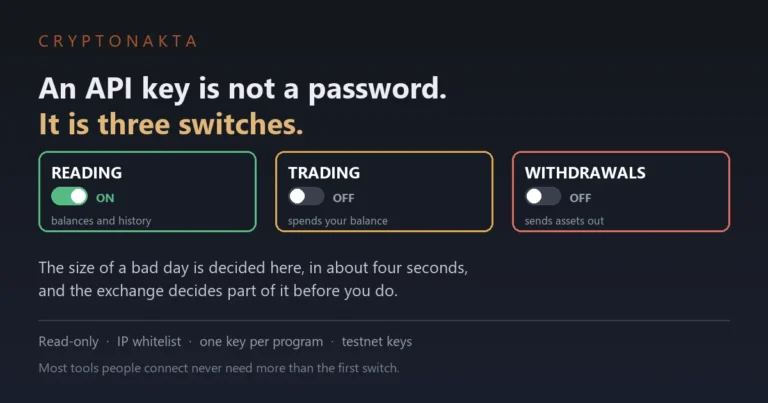
The API key row is the one most people skip and the one that has emptied the most accounts. A key issued for a trading bot months ago can carry withdrawal permission, and it does not prompt anyone for a six digit code. If you cannot remember creating a key, that is a reason to delete it rather than a reason to leave it.
8. Three doors, and different controls on each
Part of the panic comes from not knowing what is still working. It helps to see an exchange account as three doors rather than one lock, because they are guarded by different things and they fail separately.
| Door | What is being checked | What guards it | What a breach costs |
|---|---|---|---|
| Login | That you are you | Password, second factor, passkey, device checks | Balances and personal details are visible |
| Withdrawal | That funds may leave, and where to | Second factor, whitelist, new address locks, the hold | The funds go |
| Trading | That orders may be placed | Second factor, API key permissions, IP limits | The balance is drained through deliberately bad trades |
Different controls, different jobs
The same logic applies to the security features sitting in the settings menu, which are routinely treated as interchangeable. They are not. A second factor decides whether a sensitive action is allowed. A whitelist decides where funds are allowed to go, restricting withdrawals to approved addresses you added yourself. An anti-phishing code is a short string the exchange inserts into its genuine emails so you can tell them from forgeries. A passkey replaces the phishable factor entirely, authenticating with the biometrics or device lock you already use.
None of them substitutes for another. An account with a strong second factor and no whitelist is one successful login away from an empty balance, because nothing in that setup constrains the destination.
9. SMS is weak because the attack is aimed at your carrier
Among the second factors, SMS is the one worth moving away from, and the reason is not that phones are insecure.
The attack does not target your device at all. It targets your carrier. Someone gathers enough personal detail to sound convincing, contacts the operator, and has your number moved onto a SIM they control. From that moment every verification message and every reset link arrives on their handset. Nothing on your phone was compromised, and nothing you could have done to your phone would have prevented it.
Why this has become faster
Provisioning a number to an eSIM by QR code removed the physical step that used to slow the process down. What once needed a shop visit and a posted card can be completed remotely, so the window between the transfer and the account takeover has narrowed considerably.
The practical signal is abrupt and easy to miss: your phone loses service for no apparent reason. If that happens while you hold funds on an exchange, treat it as an incident rather than a network fault. Contact the carrier, and in parallel tell the exchange, because the sequence that follows a successful transfer is a password reset, a second factor reset, and a withdrawal, in that order. What that operation looks like from the inside is set out in how exchange accounts actually get taken over.
An authenticator app or a passkey is not stronger because it is newer. It is different because neither is tied to a phone number, which removes the carrier from the list of people who can give your account away.
10. The real single point of failure is your email
Here is the part that gets missed while everyone stares at the authenticator app. If you can recover the account through identity and a mailbox, then the mailbox is doing a great deal of quiet work. Reset links, approval notices and security alerts all arrive there.
So in most exchange setups the email account is the real single point of failure, not the second factor, and it is often protected by nothing more than a password that has appeared in a breach list somewhere. Whoever holds the mailbox can start the reset, receive the confirmation, and suppress the warning that would otherwise reach you.
The order that follows from that
Secure the mailbox at least as well as the exchange. That means a second factor there too, and ideally one that is not SMS. It also means checking the recovery options attached to the mail account itself, because an old forwarding rule or a stale recovery number is a back door into everything downstream.
Two smaller habits belong here. Read security notification emails rather than clearing them, since the notice that a security setting changed is the earliest warning you get. And keep the anti-phishing code in mind: a genuine notice carries the string you set, and a forgery does not.
11. When somebody else files the reset first
Everything so far assumed you are the one filing the reset. The worse case is arriving to find somebody ahead of you, and it presents differently.
An account takeover usually starts at the login door. Once inside, the attacker’s next move is to make the position permanent by changing the contact details and the second factor to their own. The signals are visible if you are looking. Settings changed that you did not change. Login alerts from places you have not been. A device you do not recognise in the session list. And sometimes the absence of mail, because a forwarding rule now diverts it.
What to do differently
The reflex is to file a reset. In this situation that is the wrong first move, because you are then queuing behind an attacker in the same process and hoping the review picks the right person. Ask the exchange to freeze the account and block withdrawals first. Every major exchange has a route for reporting a compromised account, and it is separate from the routine reset flow.
Then work backwards through the same list as before: sessions, API keys, the mailbox. If funds have already left, the realistic picture is set out in whether stolen crypto can be recovered, and it is worth reading before spending money chasing them. If the loss happened in a self custody wallet rather than an exchange account, the clock and the steps are different, and that case is in what to do when a recovery phrase is exposed.
12. The second attack is waiting in the search results
There is a second attack waiting specifically for people in this situation, and it does not target the account. It targets the search you make while trying to fix it.
Search for account recovery help and the results include people who will offer to do it for you. They appear as replies under posts describing the problem, as accounts using the exchange’s name and logo, and as sponsored links above the real support page. The offer is plausible precisely because the genuine process is slow and opaque.
| What you are seeing | What it means | What to do |
|---|---|---|
| Someone offering to reset it for you | The genuine process has no third party | Ignore it |
| Support asking for your password or a recovery phrase | No real process asks for either | Stop the conversation |
| A sponsored result above the support page | The address may be a near copy | Start from the app or the site you typed yourself |
| An agent who contacted you first | The direction of contact is inverted | Trust only the ticket you opened |
| A fee required before recovery | Recovery does not take a deposit | Stop |
The rule that survives all of it is simple. Support conversations start inside the official app or the official site, and they start with you. Anything that begins in a comment thread or a direct message begins in the wrong place. The wider pattern behind these approaches is in how crypto scams are structured.
13. What gets repeated, and what the documentation says
Six claims circulate about this situation. Each one is either wrong or true in a narrower way than it sounds.
| What gets repeated | What is actually the case | Where that comes from |
|---|---|---|
| Lose your 2FA and the coins are gone | The coins stay in the account and a recovery route exists | Ownership is proven by identity |
| The withdrawal hold is the exchange being difficult | It exists because an impersonator walks the same route | It removes the payoff from a successful takeover |
| SMS codes are good enough | The number can be moved, and the codes follow it | The attack targets the carrier, not the phone |
| Once the reset is done you can withdraw | The hold starts when the reset finishes | Binance describes 48 hours, Bybit, OKX and KuCoin describe 24 |
| Rejected codes mean the account is locked | A drifting clock produces rejected codes | The current time is an input to the calculation |
| A hardware wallet makes account security irrelevant | Neither one covers the other’s gap | Different doors, different assets |
The last row, expanded
A second factor protects access to an exchange account. It has no role in a wallet where you hold the key, because there is no login to guard. The reverse is equally true: a hardware wallet protects a key and not an account, and it does nothing for a password that leaked or a number that was ported. Deciding which of the two to strengthen starts with knowing where the assets actually sit, and if that split is new to you, what a crypto wallet is is the earlier step, with how to start with crypto earlier still.
Key terms, in one place
TOTP. The scheme behind authenticator codes. A shared secret plus the current time in thirty second steps, hashed to produce six digits, computed independently on both sides.
Setup key. The string behind the QR code you scanned. It regenerates the same codes in any compatible app, which makes it the thing worth keeping.
Backup codes. A pre-issued list of one-time strings, used instead of a generated code when you cannot produce one.
Passkey. A login method that authenticates with the biometrics or lock on your device instead of a code that can be intercepted or phished.
Withdrawal whitelist. A setting that restricts withdrawals to approved addresses you added in advance, so a login breach alone does not decide where funds go.
Anti-phishing code. A short string you set, which the exchange inserts into its genuine emails so forgeries are distinguishable at a glance.
SIM swap. An attack that moves your phone number to a SIM the attacker controls, so that messages and reset links arrive on their device.
14. Where I land after reading four help centres side by side
Reading the four exchanges’ own help pages next to each other leaves me with four things.
The design is coherent, and it is coherent in a way that is easy to resent. Identity restores the account, a review checks the identity, and a hold covers the case where the review was wrong. Every part of that exists because the recovery route is also available to whoever is impersonating you. Remove any one piece and the route becomes an attack.
What it suits is narrow. This system handles a lost device well. It handles a lost mailbox badly, and it handles a determined impersonator by buying time rather than by being certain. That is a reasonable trade, and it is not the same as being safe.
The weakest assumption is not in the process. It is that the warning reaches you. The hold only helps if you notice within it, and noticing depends on a notification arriving at an address the attacker may already control, or landing in a folder you do not read. The control is sound and its delivery is the soft part, so the mailbox deserves more attention than the authenticator app that prompted the search.
Where the opposite view holds up. Someone could argue that these holds punish ordinary users for a threat model most of them will never face, and there is something in that: the majority of resets are honest people with new phones, waiting because a minority are not. The counterweight is that the alternative has been tested. Instant resets are how accounts used to be emptied, and the industry did not add friction here for fun. What I would not accept is the framing that the wait means the exchange suspects you. It means the exchange cannot tell yet, which is a different and more honest statement. If your conclusion from all this is that less should sit on an exchange in the first place, what happens when an exchange fails and how to judge an exchange are the two arguments worth reading next.
Binance

Bybit
OKX

Affiliate disclosure: some links are partner links. We may earn a commission at no extra cost to you. This is not investment advice.