Crypto Exchange Account Hacked While the Password Held: The Three Doors In
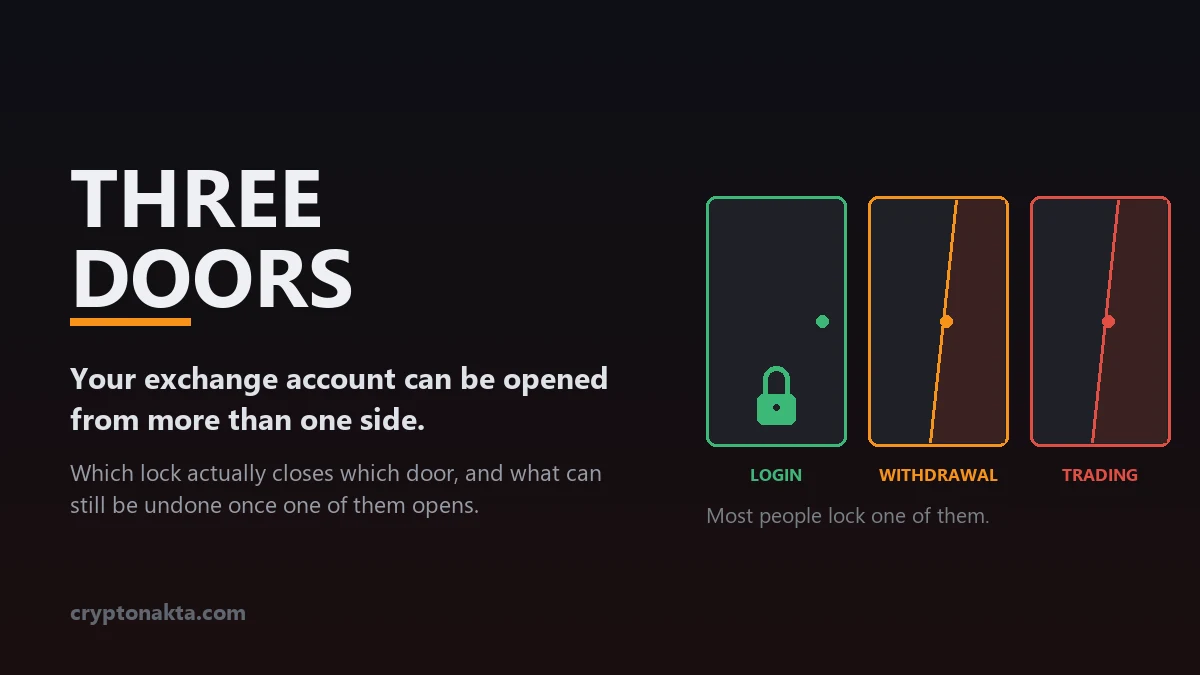
An exchange account has three separate entrances, and almost all security advice covers only the first one. What opens each door, which setting actually closes it, and how far back stolen funds can still be pulled.
| Door | How it opens | What locks it | The common mistake |
|---|---|---|---|
| Login | Password, second factor, and the recovery path behind them | Passkey or hardware key, authenticator app instead of SMS, SMS removed from recovery, email hardened first | Assuming 2FA finished the job |
| Withdrawal | A withdrawal request from inside the account | Address allowlist with a wait on new addresses, anti-phishing code, time-boxed withdrawal lock | Assuming the whitelist covers everything |
| Trading | An API key’s permissions, with no login involved | Split permissions, IP restriction, delete unused keys, withdrawal rights never granted | Not knowing this door exists |
The one deadline that matters: funds still inside the exchange can be frozen. Funds confirmed on-chain cannot be recovered by anyone.
1. The password was never cracked, and an account has three doors
2. Door 1, the login door: four ways someone ends up signed in as you
3. 2FA was already on, so why did any of that work?
4. Door 2, the withdrawal door: what an address allowlist really covers
5. Door 3, the trading door: draining an account without a single withdrawal
6. Email is the root account, and the reset link is the proof
7. Someone is in right now: what to lock, and in what order
8. What still comes back, and where the money stops being recoverable
9. How much stolen material is in circulation, and how fast it moves
10. The lock stack: one settings list per door
11. What people believe about exchange security, and what actually holds
12. Reporting it, and the second scam that shows up right after
13. The terms in this article, in plain language
Someone logged into your exchange account and got in on the first attempt, or the balance moved with no new login in the history at all. Either way the password held. Working backwards from the account history almost never explains it, because the history looks normal. This is a map of the three separate entrances an exchange account has, what opens each one, which lock actually closes it, and what can still be pulled back once one of them has been opened.
1. The password was never cracked, and an account has three doors
Almost everyone who loses a balance this way reaches the same conclusion within the hour: the exchange leaked something, or somebody who works there did it. The reasoning holds up on its face. The password was never changed, the account history shows nothing forced, and the money left anyway.
Both explanations are wrong far more often than they are right. Of the four routes into a login door, exactly one turns on your password, and that one simply replays a password you already used on another site. The remaining three skip the password step entirely. Some produce a login that looks perfectly legitimate to the exchange, because from its side it was: correct credentials, correct one-time code, correct device. Others produce no authentication event at all. Nothing lands in the log because nothing was ever authenticated. Chasing “how did they get my password” burns the only hours that matter. The useful question is narrower. Which door opened?
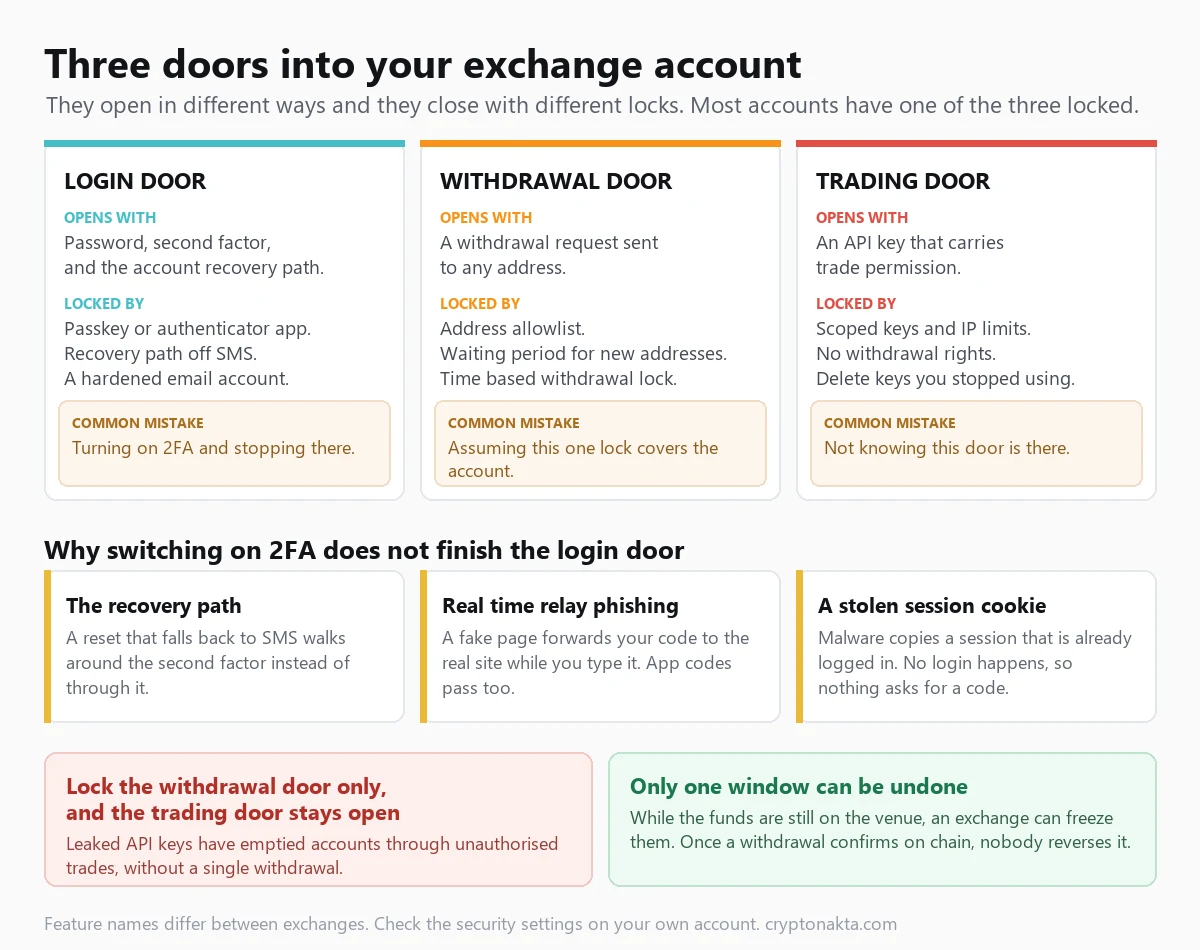
An exchange account is a room with three entrances. Each has its own settings page, each is opened by a different technique, and each is closed by a different lock. They do not back each other up.
The login door
Opened by your password, your second factor, and the recovery path that exists precisely so you can get in when you’ve lost the first two.
Closed by a passkey or hardware key, an authenticator app instead of text messages, SMS stripped out of every recovery option, and a hardened email account behind all of it.
The withdrawal door
Opened by a withdrawal request. Someone standing inside the account asks for funds to be sent to an address they control.
Closed by an address allowlist, a mandatory wait on newly added addresses, and, where offered, a time-boxed withdrawal lock the exchange won’t lift on request.
The trading door
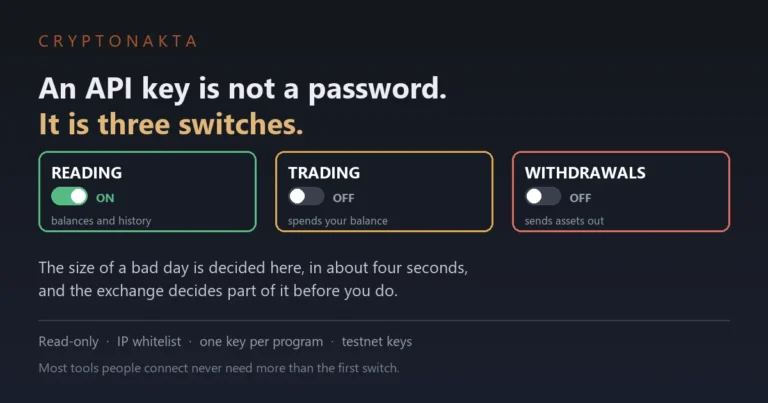
Opened by an API key’s permissions. No login, no password prompt, no second factor. A key is standing authorization you issued yourself, usually to a bot or a tracker.
Closed by splitting permissions, restricting the key to fixed IP addresses, deleting keys you stopped using, and never granting withdrawal rights to anything.
Nearly all consumer security advice covers the first door and stops there. The other two stay open because nobody mentions them. Someone can hold a twenty-character password, an authenticator app and a clean device, and still lose the account through a bot service that leaked their API keys two years ago.
This is about custodial accounts, where the platform holds the keys and you hold a login. If the problem is a self-custody wallet, the failure modes are different: a leaked recovery phrase is covered in what to do when a seed phrase is exposed, and a malicious contract permission in how to revoke token approvals.
2. Door 1, the login door: four ways someone ends up signed in as you
Four routes account for the overwhelming majority of exchange account takeovers, and they differ in how much they need from you. That difference decides which defenses are relevant.
1. Your password was already public. Credential stuffing is the unglamorous one: leaked email-and-password pairs from some unrelated site, replayed against exchange login forms at scale. It works on password reuse alone, at a scale covered further down. A script is trying a list and you are on it. This is the only one of the four that a long unique password solves, and it solves it completely.
2. Real-time relay phishing, where the fake page passes your code through. The old model was a static clone harvesting passwords for later, which one-time codes neatly killed. The current model is a live relay, sometimes called adversary-in-the-middle. The fake page forwards whatever you type to the genuine exchange as you type it: you enter your password, the real site issues a code challenge, the fake page shows it to you, you enter the code, and the relay hands it over inside its validity window. A session opens on the attacker’s machine.
The consequence is blunt. A text-message code and an authenticator-app code fail identically here. Both are six digits you can be persuaded to type into the wrong box. The clones are prebuilt: CloudSEK’s analysts took apart one kit, BlueKit, that ships ready-made copies of the Binance, Coinbase, Bybit, KuCoin, OKX and Gate login screens with account-takeover automation attached. The one kind of authentication that can’t be relayed is bound to the domain it was registered on: a passkey or hardware security key. It won’t authenticate on a lookalike domain, however convincing the page looks.
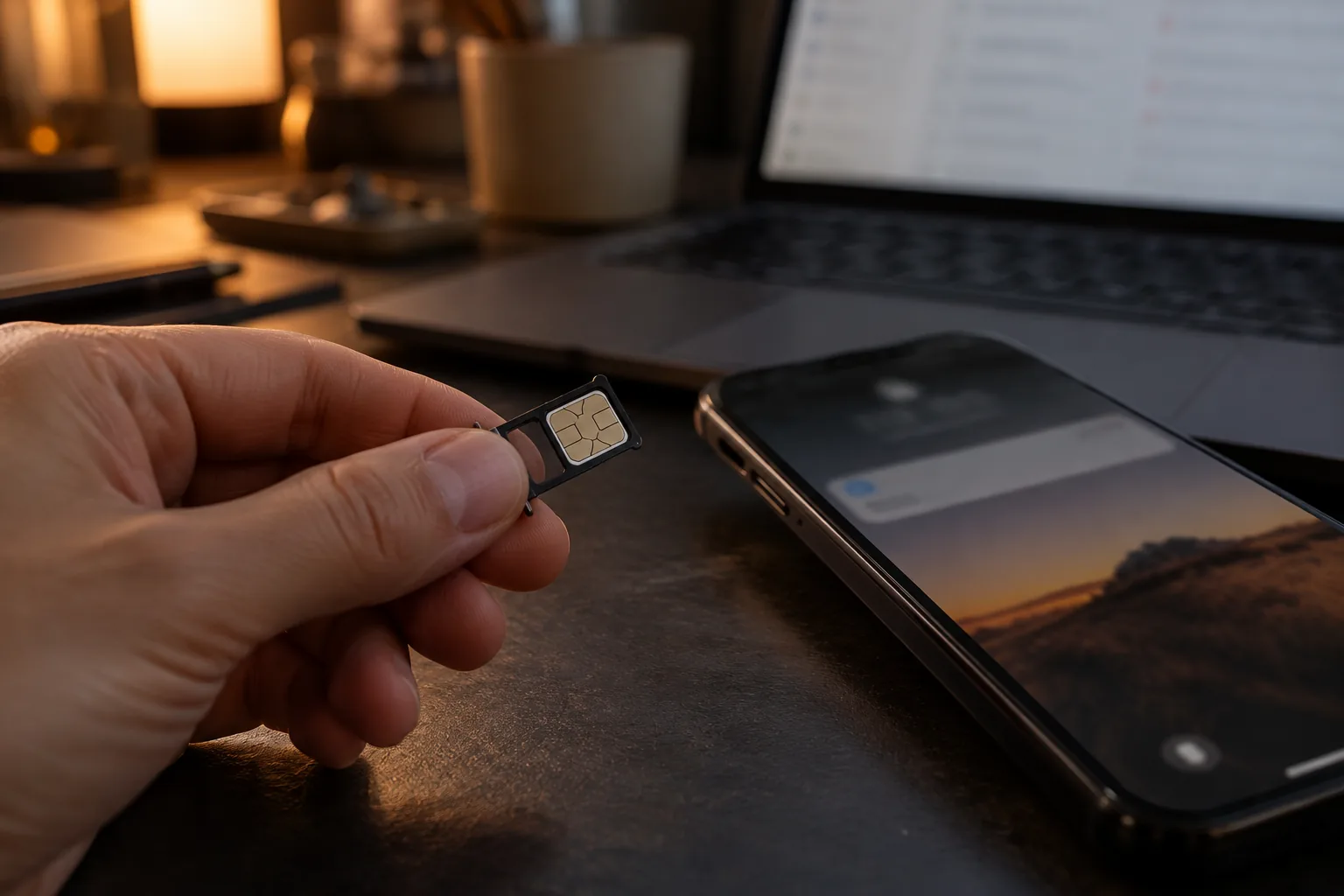
3. Someone else’s SIM is now answering your number. A number takeover, commonly called a SIM swap, doesn’t touch your handset or your accounts. The attacker convinces the carrier to move the number onto a SIM they hold, through a support call armed with your personal details, a walk-in with forged identification, or a paid insider. The compromise happens entirely on the carrier’s side, so password strength, patch level and device hygiene are all irrelevant to it. The first sign is mundane: the phone drops to no service and stays there, and every code and reset link now arrives on someone else’s device. Worth knowing only so you don’t over-trust the channel: messages can also be intercepted in transit by parties with access to the signaling network carriers use between each other, with no SIM swap involved.
4. Your session cookie was stolen, and nothing was ever authenticated. This is the quietest route and the one that catches security-literate people. When you sign in and stay signed in, the browser holds a session token proving you already authenticated. Infostealer malware, arriving through cracked software, a poisoned installer, a malicious browser extension or an attachment, copies that token out of the browser profile, and the attacker imports it and is inside your session directly.
Trace what that skips. No password is submitted, no code is requested, and no passkey challenge is issued, because there is no login to challenge. No authentication event occurs at all, which is why the log looks clean. One infection also tends to cost two things at once, since the same malware goes looking for local wallet files while it is on the machine.
3. 2FA was already on, so why did any of that work?
“I had 2FA on” appears in every account-takeover post and it is almost always true. Two-factor authentication removes an entire class of attack. It just doesn’t close the login door by itself, for three reasons that stack.
One: the recovery path is a second entrance, and it usually runs on SMS. Every platform has to answer “what if the user loses their authenticator?” The answer is a recovery procedure, and if that procedure can be satisfied by a text message or an email link, the strong factor you configured is optional. An attacker who receives your texts doesn’t defeat your authenticator app. They ask the platform to help them replace it.
The clearest documented case gets miscited constantly. In 2021 at least 6,000 Coinbase customers had funds taken, an incident still filed under SIM swap everywhere it gets retold. The actual cause was a flaw in the SMS-based account recovery process. The attackers used it to bypass SMS two-factor authentication while already holding each victim’s email, password, phone number and inbox access, credentials Coinbase judged had been phished. Coinbase reimbursed those customers and fixed the procedure. The structural lesson survives the correction: the recovery path is the weakest part of the login door, and platforms tend to harden it last.
Two: relay phishing passes codes straight through. Moving from SMS to an authenticator app closes number takeover and leaves relay phishing untouched.
Three: a stolen session cookie never triggers an authentication event. Two-factor authentication is a gate at the moment of login. Remove the login and the gate has nothing to inspect. This is the most under-reported fact in exchange account security.
None of this is a fringe view. The US digital identity guidelines, NIST Special Publication 800-63B-4, classify one-time codes delivered by SMS or voice call as a restricted authenticator, the only method placed in that category, citing exactly the mechanisms above: SIM swapping, signaling-network attacks and real-time phishing relays.
| Authentication method | Stops number takeover? | Stops relay phishing? | Stops session-cookie theft? |
|---|---|---|---|
| SMS one-time code | No | No | No |
| Authenticator app (TOTP) | Yes | No | No |
| Passkey or hardware security key | Yes | Yes | No (the session is the target, and it exists after login) |
| Routine device and session review, plus a clean machine | Not applicable | Not applicable | This is the only meaningful answer to it |
4. Door 2, the withdrawal door: what an address allowlist really covers
The second door is the one exchanges actually give you tools for, and the tools work. They are just narrower than their reputation. Feature names differ between platforms and menus get rearranged, so the descriptions below go by what each control does.
A withdrawal address allowlist (whitelist on most platforms) restricts withdrawals to addresses registered in advance. An attacker inside the account can request a withdrawal all they like; without their address on the list, the request has nowhere to go. Two mechanics make it stronger than it sounds. Adding a new address usually triggers a mandatory wait before it becomes usable, in the range of 24, 48 or 72 hours depending on the platform and asset. Switching the feature off counts as a security event in its own right, and platforms that treat it that way hold withdrawals for a set period afterwards. The list doesn’t only block the transfer, it forces the attacker to wait somewhere visible.
An anti-phishing code is a phrase you choose that the exchange then prints inside every genuine email and message it sends, offered by Binance, Bybit and OKX among others. A message without your phrase did not come from the exchange, however good the logo looks, and it takes two minutes to set. Device and session management is the neighboring page listing everywhere the account is signed in, with a button to terminate sessions remotely, and it is the only control here that touches stolen session cookies.
Time-boxed withdrawal locks freeze on-chain withdrawals for a fixed period you set in advance, typically anywhere from one to seven days. Where a platform offers this, it states that it will not lift the lock on request inside that window, which takes its own support desk out of the attack surface. A separate fund password and a manual trade approval step do a related job elsewhere.
Registering one address and checking that the wait on new additions is switched on takes a few minutes in the security settings, and both are worth doing before your next deposit lands.
5. Door 3, the trading door: draining an account without a single withdrawal
The third door is the one most people have never considered. An API key is a credential you generate so an external program can act on the account without signing in. Trading bots use them, portfolio trackers use them, tax software and copy-trading services use them. The key carries a permission set you choose at creation: read-only, trading, withdrawals. Crucially, when a program uses that key, no login occurs. No password prompt, no one-time code, no passkey challenge, no entry in your sign-in history. It is standing authorization you already granted.
The universal advice is to never grant withdrawal permission to a bot, and it’s good advice. It is also where the reasoning usually stops, and the gap it leaves is where the damage happens. An attacker with trading permission and no withdrawal permission can still take the value out of your account.
The mechanism, seen from the victim’s side: an attacker holding a set of compromised keys places orders across those accounts in a thinly traded pair while sitting on the other side of those trades. The victims’ balances buy an illiquid asset at a price nobody would otherwise pay, and the attacker’s side collects the difference. Nothing leaves the exchange, withdrawal controls are untouched because no withdrawal was requested, and to the platform an authorized key made authorized trades.
In December 2022 a breach at the trading bot service 3Commas exposed roughly 100,000 exchange API keys, and the losses that followed came from unauthorized trading in low-liquidity pairs rather than withdrawals, alongside phishing sites impersonating 3Commas that collected further keys directly. A similar pattern hit users of the bot platform Skyrex, where leaked keys placed unauthorized orders on Binance accounts that bought roughly a million dollars of AXS tokens. Both breaches began at the service provider, upstream of every setting the account holder controls. Keys also get created in a hurry and never removed, so one issued three years ago to a bot you tried for a weekend is still live and still stored on that company’s servers.
6. Email is the root account, and the reset link is the proof
Rank the accounts in your life by the damage their loss causes and the exchange comes second. Your email holds no money. It receives every reset link. The exchange, the bank, the broker and the password manager all defer to it, so whoever controls the inbox can request their way into everything downstream, one “forgot password” at a time.
That sets the order of operations in an incident: email first, exchange second. Change the exchange password while the attacker still reads your mail and they watch the confirmation arrive and start again.
- Put a passkey or hardware security key on the email account itself. The provider receiving your reset links deserves the strongest factor you own.
- Remove SMS from email recovery. If your phone number can restore access to the inbox, your carrier’s support desk is effectively a login method for every account you have.
- Use a separate address for exchange accounts, one not published anywhere and not sitting on old forum registrations. It takes you off the automated lists.
7. Someone is in right now: what to lock, and in what order
If someone is in the account now, sequence matters more than thoroughness. The ordering is deliberate, because doing step two before step one hands the attacker your confirmation email.
1. Get onto a device you trust. If the machine you normally use might be infected, every password you change on it is compromised as you type it. Use a different computer, or a phone that has never had software installed from outside the official store.
2. Lock the email account. Change the password, sign out all sessions from the provider’s security page, then check the three fields people forget: forwarding rules, filters, and the recovery phone number and backup address. A silent forwarding rule, or a filter that archives anything containing the word “withdrawal” so alerts never reach you, is what gets left behind for a return visit weeks later. Remove anything you didn’t set, and turn on the strongest second factor available.
3. Lock the exchange account. Change the password. Terminate every active session and authorized device from the device management page. Nothing else evicts a stolen cookie. Immediately after, open API management and delete or disable every key. Then contact support through the official app or website and ask for a withdrawal freeze, describing it as suspected unauthorized access. Do not search for a support phone number, because fake ones are seeded for exactly this moment.
4. Deal with the phone number. If the handset has lost service, or you received a notice about a transfer you didn’t request, treat the number as taken and call the carrier’s fraud department from another line. Ask for the number to be restored, then ask what controls they offer against unauthorized transfers. In most markets that means an account PIN or passcode required to authorize changes, and a port-out or number-transfer lock. Names vary by carrier, so ask for the function.
5. Reset the second factor and the recovery path. Remove SMS from both the exchange and the email account wherever allowed, re-enroll the authenticator app or add a passkey, and regenerate backup codes.
6. Capture the evidence while it is still visible. Screenshot the login history with timestamps and IP addresses, the withdrawal records including transaction IDs and destination addresses, and any messages you believe were part of the attack.
7. Clean or rebuild the original device before returning to it. If a stolen session was the route, the malware is still there, and signing back in issues the attacker a fresh session.
If a withdrawal has been submitted but hasn’t confirmed, the states an exchange puts withdrawals through are set out in why a withdrawal sits in pending. That window runs in minutes.
8. What still comes back, and where the money stops being recoverable
Recoverability depends almost entirely on where the money is at the moment you raise the alarm. The amount taken and the wording of your ticket barely move it.
The dividing line is custody. While funds sit inside the exchange they are entries in the exchange’s own ledger, and an exchange can freeze its own ledger. Once a withdrawal is broadcast and confirms on a blockchain, it is a settled transaction on a network nobody administers.
| Where the money is now | Room to recover | What decides it |
|---|---|---|
| Still inside the exchange account | Yes | How fast the account got locked. The only state in which anyone can freeze it |
| Withdrawal submitted, still under review or in a holding period | Possibly | Whether a withdrawal delay or security hold gives a cancellation request time to land |
| Confirmed on-chain | Effectively none | Nobody reverses it. From here it is tracing and reporting |
| Landed in an account at another exchange | Limited | A freeze request through law enforcement is the only lever, racing the attacker cashing out |
| Moved to a private wallet, a mixer, or across chains | Almost none | Nothing an individual can do at this stage |
| Value lost to unauthorized trades, no withdrawal | Almost none | Filled orders are not cancellable. Anything returned is discretionary |
The last row surprises people who assume that “the funds never left the exchange” means the exchange can undo it. Executed trades settled against real counterparties who did nothing wrong, and unwinding them means taking money from those counterparties. Platforms occasionally make goodwill decisions after an investigation, which is not a right you can claim. The fourth row is where speed still buys something, though it takes a law enforcement request to move the receiving exchange. The detailed assessment of when recovery is realistic is in whether scammed crypto can be recovered. Lock the account before you do anything else, because the top two rows expire in minutes.
9. How much stolen material is in circulation, and how fast it moves
Every figure below carries the year it was counted, because the same phenomenon measured by two different organizations produces two different numbers.
Stolen credentials are an industrial supply. Password reuse runs at roughly 80 to 85 percent of people, and about two billion email addresses already sit on credential-stuffing lists. Among all breaches counted for 2025, credential stuffing accounted for 22 percent, and stolen credentials figured in 31 percent of that same total. Phishing is sold on subscription as well, so putting up a convincing clone of an exchange login page takes no skill of its own.
Infostealer malware operates at a scale that makes session theft routine. Flashpoint’s count for 2025 puts 5.8 million infected devices and 1.8 billion stolen credentials in circulation, and stolen passwords and session cookies turn up in 86 percent of breaches. Recognizable families include LummaC2, RedLine, Raccoon and Vidar. Cookies typically leave the machine within minutes of infection. These families target crypto users deliberately, sweeping local wallet files and any document that looks like it holds a recovery phrase. If that applies to you, the recovery-phrase exposure guide is the companion piece.
Number transfers got faster. As remote eSIM provisioning became standard, the time needed to move a number onto an attacker’s device compressed to under five minutes. Analysis of 2026-generation voice cloning tools indicates they pass human agent voice verification at rates around 70 to 80 percent using only seconds of source audio, against support desks designed on the assumption that a caller’s voice is weak evidence but not free to forge.
The official counts, and why they read low. In FBI Internet Crime Complaint Center data, SIM swap was tracked as its own category with 982 complaints and $25,983,946 in reported losses for 2024, against 2,026 complaints and $72,652,571 for 2022, and IC3’s 2025 reporting placed SIM swapping at 10 percent among the top five threats. Elsewhere the direction is the opposite: the UK’s Cifas recorded unauthorized SIM swap cases rising from 289 in 2023 to around 2,900 in 2024, and Australia’s IDCARE reported number-transfer cases up about 240 percent in 2024 against 2023.
And the default hasn’t caught up. A 2024 survey of crypto exchanges found roughly 61 percent still offering SMS as their standard second factor.
10. The lock stack: one settings list per door
Everything above collapses into one table. Run it on every exchange where you hold a balance.
| Door | Turn this on | What it closes | What it leaves open |
|---|---|---|---|
| Login | A password used on this exchange and nowhere else, a passkey or hardware key over an authenticator app, and SMS out of the second factor and out of every recovery option | Credential stuffing, number takeover, and with a passkey, relay phishing | Stolen session cookies, which never reach a login |
| Login, upstream | Passkey on the email account, SMS out of email recovery, forwarding rules audited, a dedicated address for exchanges | The reset-link chain that reaches every other account | Nothing downstream is safe if this is skipped |
| Withdrawal | Address allowlist with the wait on new addresses enabled, anti-phishing code, time-boxed withdrawal lock where offered | Instant drains, converting a theft into a delay you can notice | API trading, and a patient attacker who waits out the timer |
| Trading | Delete unused API keys, withdrawal permission off on the rest, IP restriction where supported, read-only where a program only needs to look | Unauthorized trading through a leaked key | Nothing about who can log in |
| All three | Review device and session lists on a schedule, sign out anything unrecognized, keep the trading machine free of cracked software and unvetted extensions | The session-theft route, which no authentication setting reaches | Requires you to actually look, so calendar it |
Security pages get rearranged, so search your platform’s own settings for the function itself: address management or withdrawal whitelist, anti-phishing code, device management, API management. An exchange carrying none of those four has not built account security at all, and the checklist for judging whether an exchange is legitimate covers how to read that alongside the other signals. The venues below all provide the full set.
Binance

Bybit
OKX

Gate.io
KuCoin
MEXC
Affiliate disclosure: some links are partner links. We may earn a commission at no extra cost to you. This is not investment advice.
Comparative track records are in the exchange hack history comparison, and the broader shortlist sits in the exchange hub.
11. What people believe about exchange security, and what actually holds
Most of the confusion here comes from advice that was correct a decade ago and has been repeated since.
| What you hear | What actually holds |
|---|---|
| A long, complex password keeps the account safe | Only one of the four login routes involves defeating a password. The other three go around it. Still use a unique one, because it closes that route completely |
| 2FA is on, so I’m covered | An SMS recovery path bypasses it, relay phishing passes the code through, and session-cookie theft skips authentication entirely |
| I set a withdrawal whitelist, so nothing can leave | That locks the withdrawal door. API trading permission drains value through the order book with no withdrawal at all |
| I use a hardware wallet, so this doesn’t apply to me | Assets held at an exchange are unaffected by your hardware wallet. Two separate problems, two separate answers |
| The exchange will make me whole | Reimbursement happens and it is the exception. The usual outcome places responsibility for authentication settings with the account holder |
| My phone lost signal, must be the network | Sustained unexplained loss of service on one line while other devices work can be the signature of a number transfer |
| If I get hacked, I’ll hire a recovery specialist | Services charging an upfront fee to recover stolen crypto are a second scam aimed at people who were just robbed |
12. Reporting it, and the second scam that shows up right after
Reporting rarely gets the money back, and it is still worth doing properly, because a filed report is what a law enforcement freeze request to another exchange gets built on. Three channels, in parallel.
- The FBI’s Internet Crime Complaint Center, at ic3.gov. The primary federal intake for cyber-enabled financial crime in the US. File with transaction IDs, destination addresses, timestamps and the value at the time of transfer, because complaints get aggregated and a case with identifiable on-chain destinations can be joined to others.
- Your carrier’s fraud department, if the phone number was any part of it. A different desk from ordinary customer service, and the one that can document an unauthorized number transfer.
- The exchange’s own support ticket, opened only from inside the official app or a site you navigated to yourself. The account freeze support can apply is the fastest-acting item here.
Which exchange you’re dealing with changes what escalation exists. US-regulated venues such as Coinbase and Kraken operate under domestic supervision, giving you a state or federal complaint route alongside the platform’s own process. At global venues including Binance, Bybit, OKX, Gate, MEXC and KuCoin, compliance teams respond to law enforcement requests, but your leverage as an individual runs through support.
None of these three channels charges a fee. Hold on to that, because it is the test for everything in the next paragraph.
They resolve into three asks, and any one of them ends the conversation: an advance fee before any work, a request to connect your wallet so funds can be “released”, or a request for your recovery phrase or a fresh API key. Real tracing work gets commissioned by law enforcement and institutions through firms under contract. Nobody solicits it in a reply to your post.
The wider anatomy of these approaches is in the crypto scam red flags guide and how to tell a real airdrop from a wallet drainer. If you’re weighing whether to pay someone who says they can trace and return the funds, read the realistic recovery assessment first.
13. The terms in this article, in plain language
Short definitions, in the sense the terms are used above.
- Credential stuffing. Replaying email-and-password pairs leaked from one site against the login forms of others, at scale. It succeeds purely on password reuse.
- Relay phishing (adversary-in-the-middle). A fake login page that forwards your input to the genuine site in real time, so the one-time code you enter is used before it expires. Defeats SMS and authenticator codes equally.
- Session cookie. The token your browser holds after a successful login, proving you already authenticated so you aren’t challenged on every page. Stolen and imported elsewhere, it grants access with no login taking place.
- Infostealer. Malware that copies stored credentials, session cookies, wallet files and documents off an infected machine and sends them onward, usually within minutes.
- TOTP. The six-digit rotating code from an authenticator app, generated on your device so nothing travels over the phone network. Strong against number takeover, powerless against a relay.
- Passkey and hardware security key. Authentication bound cryptographically to the site it was registered for. The device refuses to authenticate on a lookalike domain, which is what makes relay phishing fail against it.
- Anti-phishing code. A phrase you register with the exchange that appears in every genuine email it sends. Its absence identifies a fake instantly.
- Withdrawal address allowlist (whitelist). A setting restricting withdrawals to addresses registered in advance, usually with a delay before a new address becomes usable.
- API key permissions. The scope attached to a key you issue to an external program: read-only, trading, or withdrawal. Trading permission alone is enough to lose value.
- Number takeover (SIM swap). Moving your phone number onto a SIM controlled by someone else. The carrier is persuaded or bribed into making the transfer, and your handset is never touched.
From the self-custody side instead, the parallel vocabulary of recovery phrases, contract approvals and wallet types is in the wallet security guide.