Why Is My Withdrawal Still “Pending”? How to Tell Where Your Crypto Actually Is (Binance & Bybit)
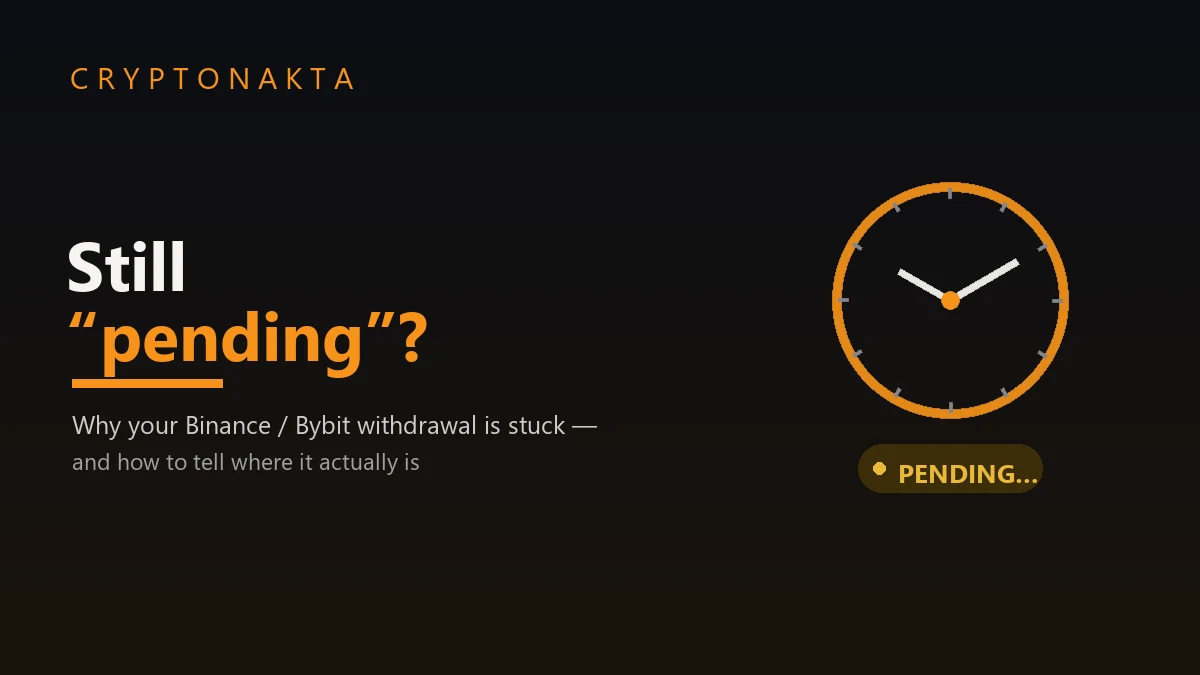
Your withdrawal says “pending” and you’re refreshing the page. Here’s the calm, honest version: what “pending” really means, the one question that locates your funds in seconds, how long is normal on Binance and Bybit, when it’s a security hold vs a network delay, and when to actually contact support. As of June 2026.
- A “pending” withdrawal is almost always normal waiting, not lost funds. The fastest way to understand it is one question: is there a TxID (transaction hash) yet?
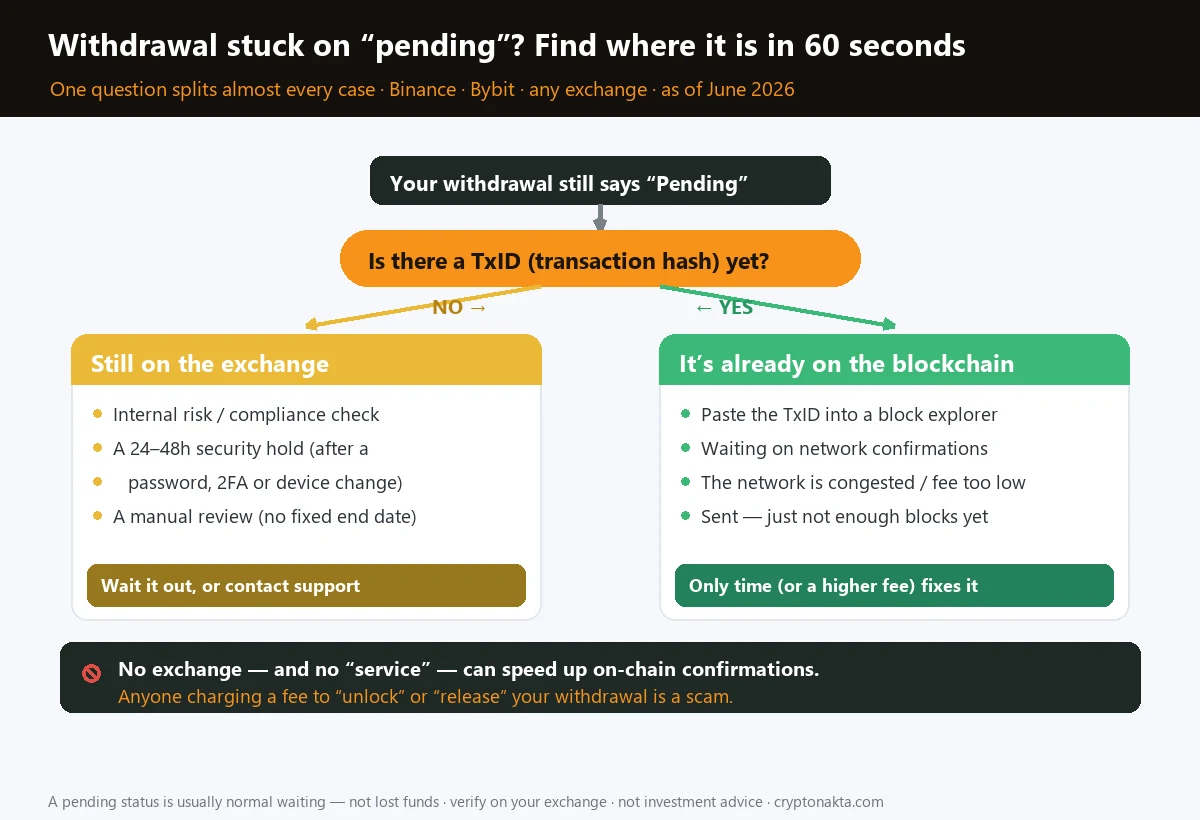
- No TxID → it’s still on the exchange — an internal risk check, an automatic 24–48h security hold (after a password/2FA/device change), or a manual review. Has a TxID → it’s already on the blockchain, waiting for network confirmations.
- Know what’s normal: Binance crypto withdrawals usually take ~30–60 minutes; Bybit “instant” ones up to ~15. Give it an hour or two before treating it as a problem (fiat can take days).
- If a TxID exists, no one can speed up the confirmations — not the exchange, and definitely not a paid “unlock service.” Anyone charging a fee to release your withdrawal is running a scam.
- A sudden security hold you didn’t trigger is a warning sign someone may be in your account — lock it down (password, sessions, 2FA, whitelist) rather than just waiting.
- This guide walks the withdrawal stages, the 60-second diagnosis, security holds vs network delays, when to contact support safely, and how to avoid slow withdrawals next time. Not investment advice.
1. The short answer: is there a TxID or not?
2. What a withdrawal actually goes through (the stages)
3. How long is normal on Binance and Bybit?
4. No TxID yet: it’s still on the exchange
5. There’s a TxID: it’s already on the blockchain
6. When to wait, and when to contact support
7. How to avoid slow withdrawals next time
8. Exchanges with clear, low-friction withdrawals
9. Next steps
1. The short answer: is there a TxID or not?
Quick version: a withdrawal stuck on “pending” is almost always normal waiting, not lost money. The single most useful thing you can do is check one detail: is there a TxID (a transaction hash) yet? If there isn’t, your coins are still sitting on the exchange — being risk-checked, held for security, or queued. If there is a TxID, the coins have already left and are on the blockchain, waiting for network confirmations. Those are two completely different situations with two completely different fixes.
| What you see | Where your funds are | What actually fixes it |
|---|---|---|
| “Pending” / “Processing”, no TxID | Still on the exchange | Time, or clearing a security hold / review (sometimes support) |
| “Pending”, a TxID is shown | On the blockchain already | Only network confirmations — time, or a higher fee next time |
2. What a withdrawal actually goes through (the stages)
It helps to know that a withdrawal isn’t one instant action — it moves through stages, and “pending” can mean any of them. Picture handing a parcel to a courier: first the shop checks the order, then the parcel actually leaves the building, then it travels, then it’s delivered. Your USDT or BTC goes through the same journey.
| Stage | What’s happening | TxID yet? |
|---|---|---|
| 1. Internal review | The exchange runs risk and compliance checks before sending anything | No |
| 2. Security hold | An automatic lock (e.g. after a password or device change) pauses withdrawals | No |
| 3. Broadcast | The exchange signs the transaction and pushes it onto the network — now a TxID exists | Yes |
| 4. Confirmations | The network adds blocks until the required number of confirmations is reached | Yes |
| First thing to check | Is there a TxID (transaction hash)? That one answer tells you where it is |
| No TxID yet | Still on the exchange — an internal check, a security hold, or a manual review |
| Has a TxID | Already on-chain — paste it into a block explorer and watch the confirmations |
| Normal wait | Binance crypto ~30–60 min · Bybit “instant” ~15 min · longer when chains are busy |
| 24–48h lock | Usually automatic after a password, 2FA or device change — it lifts on its own |
| The hard truth | No one can speed up on-chain confirmations — time or a higher fee is the only fix |
| Never | Pay a “service” to unlock or release a withdrawal — that is always a scam |
3. How long is normal on Binance and Bybit?
Before assuming anything is wrong, check it against the clock. Most “stuck” withdrawals aren’t stuck at all — they’re inside the normal window. Here’s what counts as normal in June 2026:
| Exchange | Typical crypto withdrawal time | When it runs longer |
|---|---|---|
| Binance | Usually ~30–60 minutes end to end | Busy networks, new account/device, large amount, manual review |
| Bybit | “Instant” withdrawals up to ~15 minutes | Network congestion, security hold, amount over instant limits |
| Any exchange, on-chain part | Seconds (Solana/Tron) to ~30–60 min (BTC) | Low fee, congested chain, high confirmation requirement |
So if it’s been ten minutes, breathe — you’re well inside normal. The honest rule of thumb: give a crypto withdrawal an hour or two before you treat it as a problem (fiat withdrawals can take a few business days, which is a separate banking issue). If it sails past that with no TxID and no message from the exchange, then it’s worth digging in — which is exactly what the next two sections are for.
4. No TxID yet: it’s still on the exchange
This is the “NO TxID” branch — the coins are still on the exchange. There are three common reasons, and they’re mostly benign:
| Reason | What it means | How long |
|---|---|---|
| Internal risk / compliance check | Routine screening before the funds are released; bigger or unusual transfers get a closer look | Minutes to a few hours, usually |
| Automatic security hold | A 24–48h withdrawal lock triggered by a recent password change, new 2FA, new device, or new withdrawal address | Lifts on its own, typically 24–48h |
| Manual review | A human compliance review — flagged counterparty address, stale KYC, or activity that doesn’t match your profile | No published end date; can run days |
The security hold catches people out the most, because it has nothing to do with the blockchain — it’s the exchange protecting the account. If you changed your password or logged in from a new phone in the last day or two, a 24–48 hour withdrawal pause is expected behaviour, not a bug. You don’t need to do anything; it clears itself.
5. There’s a TxID: it’s already on the blockchain
This is the “YES, there’s a TxID” branch — and it’s usually the easiest to resolve, because there’s nothing to resolve. The exchange has done its part; your coins are already on the network, and the blockchain is just working through its confirmations. Copy the TxID and paste it into the right block explorer to see exactly where it stands:
| Network | Block explorer | What “done” looks like |
|---|---|---|
| Bitcoin | mempool.space / blockstream.info | Enough confirmations (exchanges often want 1–3+) |
| Ethereum / L2 / BEP20 | etherscan.io / arbiscan / bscscan | Status “Success” + confirmations |
| Tron (TRC20) | tronscan.org | “Confirmed” |
| Solana | solscan.io | “Finalized” |
If the explorer shows your transaction as confirmed but the receiving wallet or exchange still hasn’t credited it, the ball is in the receiver’s court — many platforms wait for extra confirmations or batch-credit deposits, and some need a manual nudge via support. If the explorer shows it as pending/unconfirmed, it’s a network issue: the chain is busy or the fee attached was low, and it will clear (or, rarely, get dropped and the funds returned to the exchange) with time. Either way, no one can push it through faster — confirmations are set by the network, not the exchange.
6. When to wait, and when to contact support
So, “pending” for hours — when is it actually time to do something? Use this as your trigger list rather than refreshing the page every two minutes:
| Situation | What to do |
|---|---|
| No TxID, under ~2 hours | Wait. You’re almost certainly inside normal processing. |
| No TxID, you recently changed password/2FA/device | It’s the 24–48h security hold. Wait it out; nothing to fix. |
| No TxID, well past a couple of hours, no security change | Check your email/app for a verification or KYC request, then contact official support. |
| TxID exists, explorer says “confirmed”, not credited | Wait for the receiver’s confirmation count; if it’s an exchange, open a ticket with the TxID. |
| TxID exists, explorer says “pending” | It’s a network delay. Wait; don’t resend. |
7. How to avoid slow withdrawals next time
Most “why is it taking so long?” moments are avoidable. A few habits make your withdrawals fast and boring — which is exactly what you want:
| Habit | Why it speeds things up |
|---|---|
| Set up 2FA + a withdrawal whitelist early | Do account changes before you need to withdraw, so the 24–48h hold never lands at the wrong moment. |
| Don’t change password/device right before a big withdrawal | That’s the single most common self-inflicted delay. |
| Pick a cheap, fast network when you have the choice | TRC20, an L2, BEP20 or Solana confirm in seconds; a low fee on a busy chain is what drags. |
| Keep KYC current and withdraw amounts that match your profile | Big, out-of-character transfers are the ones that get pulled for manual review. |
| Send a small test first | For a new address or large sum, a tiny test confirms the route before you commit the rest. |
8. Exchanges with clear, low-friction withdrawals
Withdrawal experience genuinely varies between platforms — clear status messages, a visible TxID, sensible confirmation counts and low network fees make “pending” far less stressful. These are the exchanges we keep dashboard-verified sign-up guides for; entering a referral code at sign-up applies fee perks:
Binance

Bybit

OKX

Gate.io

KuCoin

Affiliate disclosure: some links are partner links. We may earn a commission at no extra cost to you. This is not investment advice.
9. Next steps
The honest summary: “pending” is a status, not a verdict. Find the TxID first — no hash means your funds are still on the exchange (an internal check, a 24–48h security hold, or a manual review), and a hash means they’re already on-chain, waiting on confirmations the exchange can’t hurry. Match your patience to the clock — an hour or two for crypto is normal — and reach for official support only when you’re genuinely past the window or there’s a verification request. Above all, never pay anyone to “unlock” or “accelerate” a withdrawal; that offer is the scam. If your problem is a wrong-network send rather than a wait, use the wrong-network recovery guide. To keep learning: secure your account and move long-term holdings to a wallet you control, learn the fraud patterns in the crypto scams guide, compare low-fee, smooth-withdrawal exchanges in the best exchanges guide, and if you’re new, start at the complete beginner’s guide.