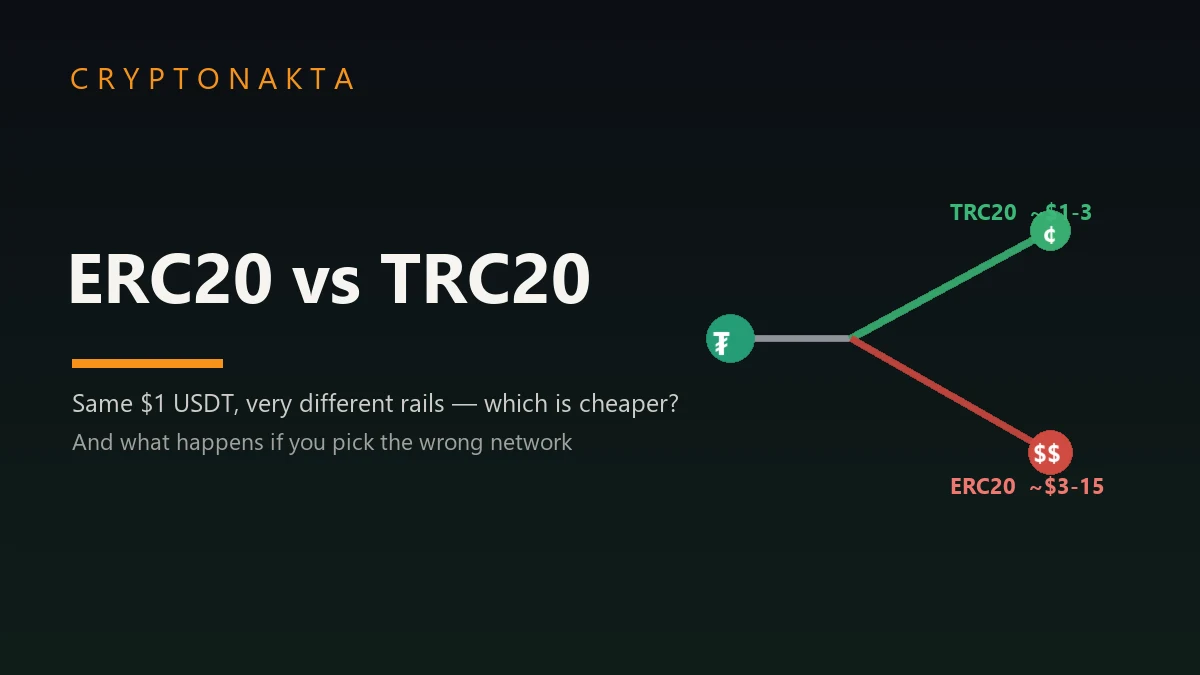
USDT: ERC20 vs TRC20 — Which Is Cheaper, and What Happens If You Pick the Wrong One?
A plain-English guide to USDT’s networks: why TRC20 (Tron) is the cheap, fast default, why ERC20 (Ethereum) costs more, where L2s, BEP20 and Solana fit, and — most importantly — what actually happens if you send USDT on a network the receiver doesn’t support. As of June 2026.
- USDT is the same $1 token on every network — ERC20, TRC20, BEP20 and others are just labels for which blockchain it lives on. The value is identical; the fee and speed are not.
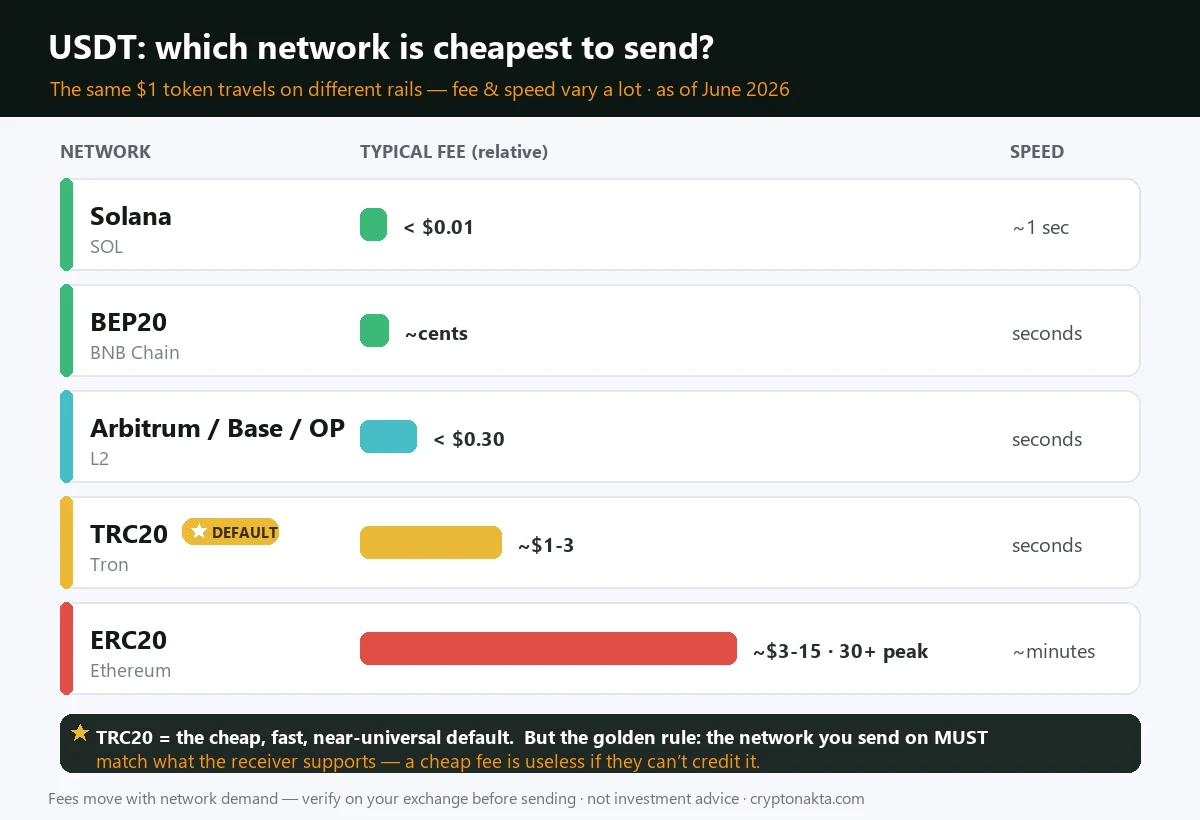
- For everyday transfers, TRC20 (Tron) is the cheapest mainstream choice (~$1–3, settles in seconds). Modern L2s (Arbitrum, Base, Optimism), BEP20 and Solana are cents-level too. ERC20 (Ethereum) is the most expensive (~$3–15, sometimes $30+) but the most widely accepted.
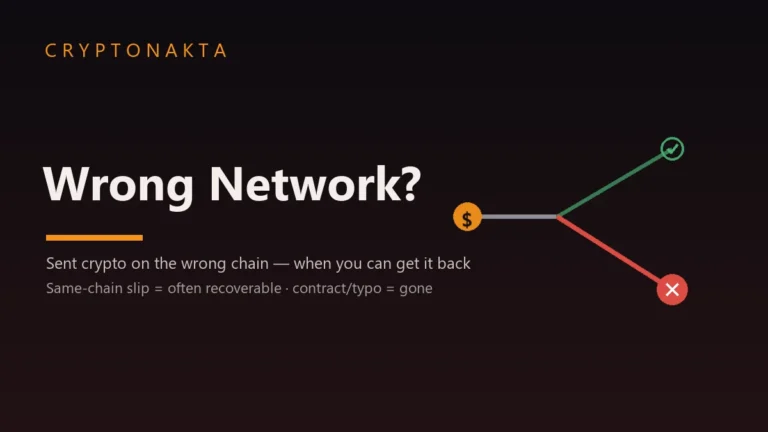
- The real risk isn’t the fee — it’s mismatching the network. If you send USDT on a network the receiving wallet or exchange doesn’t support, it can be recoverable or gone for good, depending on who controls the destination address.
- How to pick: open the receiving side first, see which USDT networks it lists, then choose the cheapest one both ends support. Usually that’s TRC20. Only use ERC20 when a receiver or an Ethereum app requires it.
- Avoid deprecated rails — Tether wound down USDT on Omni, EOS, Algorand, BCH-SLP and Kusama in 2025. Stick to actively supported networks your exchange and wallet both show.
- This guide covers the fee/speed comparison, why USDT exists on many chains, what to do if you already picked wrong, and how to send it safely. Not investment advice.
1. The short answer: which USDT network is cheaper?
2. Why USDT lives on many networks (ERC20, TRC20, BEP20…)
3. Fees & speed compared (the 2026 numbers)
4. What happens if you pick the wrong network
5. Which network should you actually pick?
6. USDT rails to avoid in 2026
7. How to send USDT safely, every time
8. Buy & withdraw USDT on the right network
9. Next steps
1. The short answer: which USDT network is cheaper?
Quick version: USDT (Tether) is the same $1 token no matter which network you use — but the rails it travels on charge wildly different fees and speeds. Send $500 of USDT and the network alone decides whether you pay a few cents or twenty-odd dollars. For ordinary transfers in June 2026, TRC20 (Tron) is the cheapest mainstream choice, modern Layer-2 networks are cheaper still, and ERC20 (Ethereum) is the priciest but the most widely accepted.
| USDT network | Typical fee | Speed | Best for |
|---|---|---|---|
| TRC20 (Tron) | ~$1–3 | Seconds | Everyday transfers, exchange-to-exchange, sending to friends |
| Arbitrum / Base / Optimism (L2) | Often < $0.30 | Seconds | Cheap transfers if both sides support the L2 |
| BEP20 (BNB Chain) | Cents | Seconds | Binance ecosystem, cheap transfers |
| Solana / Polygon / TON | Cents | Seconds | Apps and wallets on those chains |
| ERC20 (Ethereum) | ~$3–15 (can top $30) | ~A few minutes | DeFi, institutions, max compatibility |
2. Why USDT lives on many networks (ERC20, TRC20, BEP20…)
This trips up almost every beginner, so let’s make it concrete. USDT is not one thing — it’s the same dollar issued separately on many blockchains. Tether mints “USDT on Ethereum,” “USDT on Tron,” “USDT on Solana,” and so on. Each is worth $1 and is redeemable, but they live on different networks that can’t talk to each other directly.
The names you see at withdrawal — ERC20, TRC20, BEP20 — are just token standards that tell you which network the USDT lives on:
| Label | Network it means | Plain English |
|---|---|---|
| ERC20 | Ethereum | USDT on the Ethereum blockchain |
| TRC20 | Tron | USDT on the Tron blockchain |
| BEP20 | BNB Smart Chain | USDT on BNB Chain |
| SOL / Polygon / TON / Arbitrum… | Those chains | USDT on each respective network |
| Cheapest mainstream | TRC20 (Tron) — roughly $1–3 per transfer, settles in seconds |
| Even cheaper | L2s like Arbitrum / Base / Optimism — often under $0.30 |
| Most expensive | ERC20 (Ethereum) — about $3–15, can spike past $30 when busy |
| Other low-cost rails | BEP20 (BNB Chain), Solana, Polygon, TON — all cents-level |
| The golden rule | The network you send on MUST match what the receiver supports |
| If you pick wrong | It can be recoverable — or gone for good. Depends who controls the address |
| Avoid | Deprecated rails: Omni, EOS, Algorand, BCH-SLP, Kusama (Tether wound these down) |
3. Fees & speed compared (the 2026 numbers)
Here’s the honest, up-to-date picture of what each route costs and how fast it settles. Fees move with network demand, so treat these as typical ranges as of June 2026, not fixed prices:
| Network | Fee per USDT transfer | Settlement | Notes |
|---|---|---|---|
| TRC20 (Tron) | ~$1–3 (paid in TRX) | Seconds | The default “cheap & fast” choice; supported almost everywhere |
| ERC20 (Ethereum) | ~$3–15, spikes past $30 when congested | A few minutes | Most expensive, but the most universally accepted |
| Arbitrum / Base / Optimism | Often under $0.30 | Seconds | Ethereum-security at a fraction of the cost — if both sides support the L2 |
| BEP20 (BNB Chain) | A few cents (paid in BNB) | Seconds | Very cheap; popular in the Binance ecosystem |
| Solana | Fractions of a cent | ~A second | Extremely cheap and fast |
Put it in money terms: that same $500 of USDT costs roughly $1–3 to move on TRC20, cents on an L2 or BEP20, and anywhere from $3 to $30+ on ERC20 — for an identical result, the dollars landing in the same place. So why would anyone ever use ERC20 if it’s the most expensive? Because Ethereum is where most DeFi, institutional flows and smart-contract apps live. If you’re moving USDT into a protocol that only exists on Ethereum — or a counterparty insists on it — you pay the gas. For simply sending dollars from A to B (say, paying an overseas freelancer or topping up another exchange), you almost never need to.
4. What happens if you pick the wrong network
This is the part that actually costs people money — far more than any fee. The danger isn’t picking the “expensive” network; it’s picking a network the receiving side doesn’t support. Picture sending a friend $1,000 of USDT-TRC20 to an address that only accepts ERC20: the funds don’t bounce back. They leave your account and land somewhere on a network nobody’s watching for them. Saving $10 in fees can cost you the whole $1,000 if you mismatch the rails.
What happens next depends entirely on who controls the destination address — exactly the same logic as any wrong-network mistake:
| Situation | Recoverable? |
|---|---|
| Sent to your own self-custody wallet address on the wrong (but EVM) chain | ✅ Usually — add that network to your wallet and the USDT appears |
| Sent to an exchange on a network it does support for USDT, just not the one you meant | 🟡 Sometimes — contact support with your TxID; fee + wait; not guaranteed |
| Sent to an exchange on a network it doesn’t support at all | 🔴 Rarely — they may have no way to credit it |
| Sent to a contract or mistyped address nobody holds the key to | 🔴 Almost never — permanent loss |
5. Which network should you actually pick?
Forget the theory — here’s which network to actually pick, by what you’re doing:
| Your goal | Best network | Why |
|---|---|---|
| Send USDT to a friend / another person | TRC20 (or whatever their wallet supports) | Cheap, fast, near-universal. Confirm what their wallet accepts first. |
| Move USDT between two exchanges | TRC20, or an L2/BEP20 if both list it | Lowest fee that both exchanges support. Check the deposit network on the receiving exchange. |
| Use an Ethereum DeFi app | ERC20 | That’s where the app lives; keep a little ETH for gas. |
| Use a Solana / TON / BNB app | Solana / TON / BEP20 | Match the chain the app runs on. |
| Long-term holding in self-custody | Whatever your wallet supports well | For a hardware wallet, pick a chain it fully supports; cost matters less for a one-time move. |
6. USDT rails to avoid in 2026
A few USDT rails are effectively dead ends in 2026, and sending to them can mean your dollars sit on a network with no official support. In 2025 Tether wound down USDT issuance and redemption on five legacy chains — Omni, EOS, Algorand, Bitcoin Cash (SLP) and Kusama — to focus on more active networks. Tokens already there can still be transferred between wallets, but they no longer carry the same backing or official support, and you can’t mint or redeem fresh USDT on them.
| Avoid as a USDT rail | Why |
|---|---|
| Omni (the original USDT layer on Bitcoin) | Discontinued; barely supported by exchanges anymore |
| EOS, Algorand, BCH-SLP, Kusama | Tether ended issuance/redemption in 2025; no fresh backing |
| Any network your receiver doesn’t list | Cheap or not, if they can’t credit it, it’s a problem |
7. How to send USDT safely, every time
Sending USDT safely is a 60-second habit. Do this every time and you’ll never hit the wrong-network trap:
| Step | What to do |
|---|---|
| 1. Check the receiving side first | Open the destination wallet or exchange deposit page for USDT. See which networks it lists (e.g. “USDT-TRC20”, “USDT-ERC20”). That list decides your options. |
| 2. Pick the cheapest network both sides support | Usually TRC20. Only go ERC20 if that’s what the receiver requires or you’re using an Ethereum app. |
| 3. Copy the exact deposit address for that network | The address is tied to the network. Copy the one shown under the network you chose — never reuse an address from a different network’s tab. |
| 4. Match the network on the sending screen | On the withdrawal page, select the same network. Good exchanges warn you if it looks mismatched — read that screen, don’t click through it. |
| 5. Send a small test first | For a new address or a large amount, send a few dollars, confirm it arrives, then send the rest. Cheap insurance. |
8. Buy & withdraw USDT on the right network
Most network mistakes happen at the withdrawal screen, so the simplest protection is an exchange that supports many USDT networks and labels them clearly — and charges low fees on the cheap rails. These are the exchanges we keep dashboard-verified sign-up guides for; entering a referral code at sign-up applies fee perks:
Binance

Bybit

OKX

Gate.io

KuCoin

Affiliate disclosure: some links are partner links. We may earn a commission at no extra cost to you. This is not investment advice.
9. Next steps
The honest summary: USDT is one dollar token issued on many networks, and the labels — ERC20, TRC20, BEP20 — just tell you which blockchain it’s on. For sending dollars around, TRC20 is the cheap, fast default, with L2s, BEP20 and Solana also costing cents; ERC20 costs more and is mainly worth it for Ethereum DeFi and maximum compatibility. But the fee is the small decision. The big one is matching the network: always open the receiving wallet or exchange, see which USDT networks it accepts, and pick the cheapest one both sides support. If you’ve already sent on the wrong network, don’t panic and don’t pay a ‘recovery service’ — work through the wrong-network recovery guide instead. To keep learning: secure your holdings in a wallet you control, learn the fraud patterns in the crypto scams guide, compare low-fee places to buy and withdraw in the best exchanges guide, and if you’re brand new, start at the complete beginner’s guide.