Transaction Stuck Pending: Cancel a Crypto Transfer, Speed Up a Bitcoin Transaction, Fix MetaMask Pending
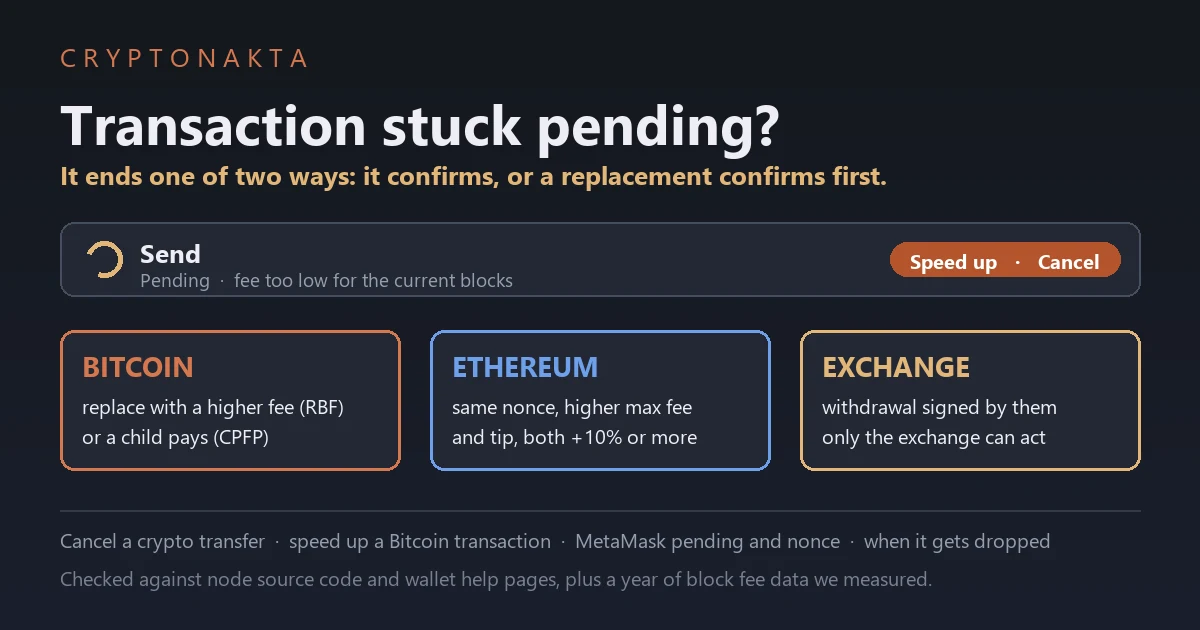
On Bitcoin and Ethereum, a transfer that hasn’t confirmed can only be ended early by a replacement transaction, and only the wallet that sent it can sign one. On Bitcoin the replacement spends the same coins. On Ethereum it reuses the same nonce. If an exchange or an app like Cash App sent it, the platform has to do it.
I wanted real answers instead of forum guesses. So in October 2026 I read the Bitcoin Core and go-ethereum source code, their release notes, and the wallets’ help pages, all on the same day. Then I took a year of Bitcoin blocks and Ethereum base fees and pretended to send a transaction every hour. Below is how long those sends waited, what makes one disappear, and which buttons actually work.
In this article (14)
Unconfirmed for days: will it come back, and can I cancel it?How do I check if my transaction is really stuck?Why is my Bitcoin transaction unconfirmed?How long do unconfirmed Bitcoin transactions take? We measured a yearWill an unconfirmed Bitcoin transaction be returned after 14 days?How to speed up a Bitcoin transaction with RBF or CPFPCan you cancel a Bitcoin transaction before confirmation?Why is my Ethereum transaction stuck pending, with others Queued behind it?What a year of Ethereum base fees says about MetaMask pending for daysHow to speed up or cancel a pending MetaMask transactionPolygon, Solana, TRON, TON and Litecoin: what stuck means thereSent from Coinbase, Cash App or an exchange? Only the platform can actBitcoin transaction accelerators: free, paid and fakeMy take
Unconfirmed for days: will it come back, and can I cancel it?
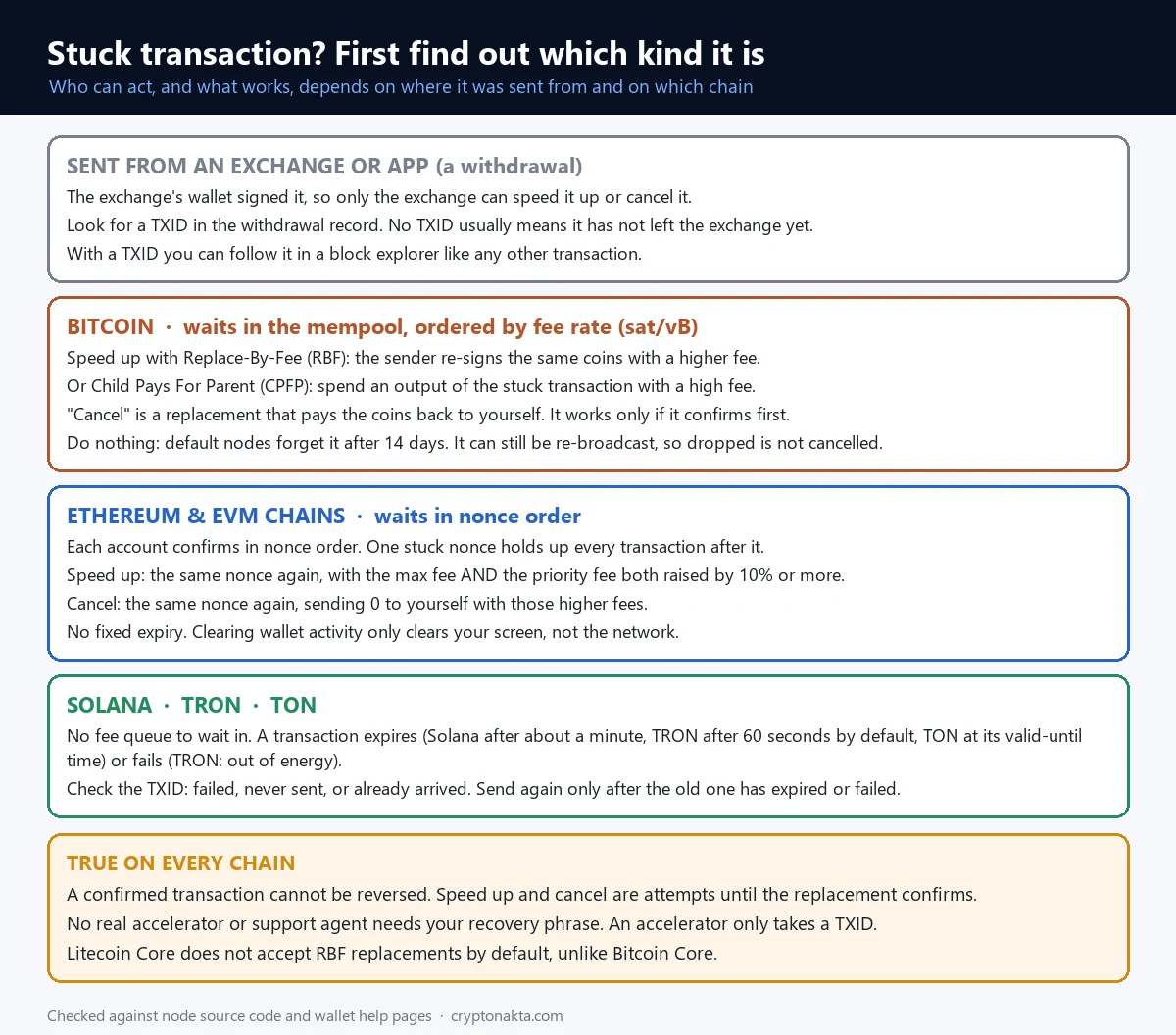
An unconfirmed Bitcoin or Ethereum transaction doesn’t bounce back to you on a timer. It either confirms, or a replacement confirms in its place. Only the wallet that sent it can make that replacement, and even then it’s an attempt. So the answer depends on who sent it and on which chain.
First, who signed it? Did you press send in your own wallet, like Electrum or MetaMask? Then you hold the keys and can replace it. If you withdrew from Coinbase, Cash App or another exchange, the platform’s wallet signed it. You can’t touch it from your side.
Second, which chain? Bitcoin sorts waiting transactions by fee rate. Ethereum lines up each account’s transactions by number. Solana, TRON and TON mostly don’t let a transaction wait. It expires or fails within minutes.
While it’s unconfirmed, your coins haven’t gone anywhere. Nothing needs to “come back”. The real question is which transaction confirms first.
| Where it was sent from | Chain | Who can act | What can end it early |
|---|---|---|---|
| An exchange or app (Coinbase, Cash App, Binance and so on) | Any | Only the platform | Nothing on your side. Ask support with the TXID |
| Your own wallet | Bitcoin | You, from the same wallet | RBF replacement, or CPFP from an output you control |
| Your own wallet | Ethereum, Polygon, BNB Smart Chain | You, from the same wallet | A new transaction with the same nonce and higher fees |
| Your own wallet | Solana, TRON, TON | Nobody needs to | It expires or fails. Then you sign a new one |
| Anywhere, already confirmed | Any | Nobody | Nothing. A confirmed transaction can’t be reversed |
 View full size ↗
How do I check if my transaction is really stuck?
To check if a transaction is really stuck, paste its TXID into a block explorer for that chain. The explorer shows whether the network has it and whether it’s waiting, failed or confirmed. That one check tells you which part of this guide applies.
A TXID is the transaction ID, a long string of letters and numbers. Your wallet shows it in the transaction details. A block explorer is a public website that shows every transaction on a chain. People use mempool.space for Bitcoin and Etherscan for Ethereum. Our guide on what a TXID is walks through the screens.
A confirmation means a block has included the transaction. Here is what you might see.
- Not found. The network never got it, or the explorer’s nodes dropped it. MetaMask Smart Transactions can also hide a pending send from other explorers.
- Pending or unconfirmed. It’s waiting. Most of this guide is about this case.
- Confirmed. It’s done and can’t be undone. If the other side doesn’t see it, the problem is on their side.
- Failed. On Ethereum or TRON it made it into a block but didn’t go through. The fee is still spent, and you can send again.
- Dropped & Replaced. Etherscan shows this when another transaction with the same nonce confirmed instead. Often that’s your own speed-up or cancel.
An exchange withdrawal with no TXID usually hasn’t left the exchange yet. That’s covered in why a withdrawal is still pending.
Why is my Bitcoin transaction unconfirmed?

A Bitcoin transaction stays unconfirmed because miners fill each block with the highest fee rates first. If yours pays less per byte than others, newer transactions with higher fees keep getting picked ahead of it. It isn’t broken. It’s waiting its turn by price.
The fee rate is the fee divided by the transaction’s size, in satoshis per virtual byte (sat/vB). Size depends on how many coins you spend and how many outputs you create. The amount doesn’t matter. For example, a 200 vB transaction at 0.5 sat/vB pays 100 satoshis whether it moves 1 BTC or 0.001 BTC.
Waiting transactions sit in the mempool. That’s the list of valid unconfirmed transactions each node keeps. Every node has its own copy. So one explorer can show a transaction that another doesn’t.
Blocks don’t come on a schedule. Bitcoin aims for one every 10 minutes on average. In our year of data the median gap was 7.1 minutes, and 89.4% of blocks were full. Bitcoin.org says there is “no guaranteed minimum or maximum delay” for a confirmation.
Very cheap sends are more common now. Bitcoin Core 29.1 and 30.0 lowered the default minimum relay fee to 0.1 sat/vB. The release notes warn that such transactions “are not guaranteed to propagate or confirm” unless the new default spreads. So a transaction at the new minimum may not reach every node.
If a node refuses it outright, you’ll see an error like “min relay fee not met” or “mempool full”. Then it never got into that node’s mempool at all, and you can send a new one.
How long do unconfirmed Bitcoin transactions take? We measured a year
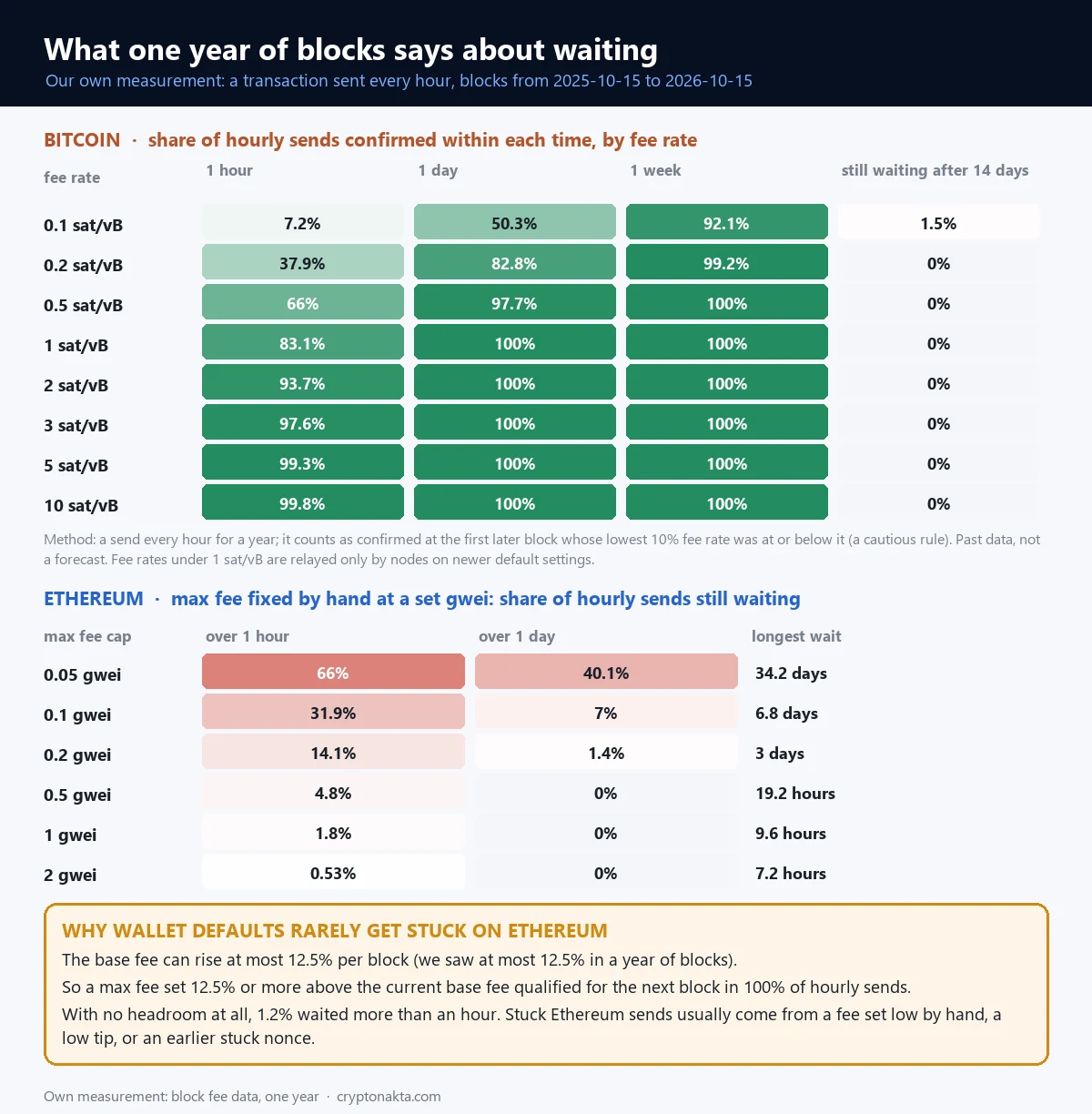
In our test run on October 15, 2026, Bitcoin transactions sent at 1 sat/vB confirmed within an hour 83.1% of the time over a full year of blocks. At 0.1 sat/vB, only 50.3% got in within a day. And 1.5% were still waiting after 14 days.
Here is the method. I pulled fee data for 52,380 blocks from 2025-10-15 to 2026-10-15 from the public mempool.emzy.de API. Then I pretended to send at the top of every hour, 8,760 times per fee rate. A send counted as confirmed at the first later block whose cheapest 10% paid that rate or less.
That rule is cautious on purpose, so real waits were often shorter. I started no sends in the last 14 days, so every send had a full 14 days to confirm. Also, rates under 1 sat/vB only travel through nodes running the newer defaults (Bitcoin Core 29.1, 30.0 or later).
Our measurement, October 15, 2026: 8,760 hourly sends over Bitcoin blocks from 2025-10-15 to 2026-10-15. Past data, not a forecast.
| Fee rate | In 1 hour | In 1 day | In 1 week | Still waiting after 14 days | Median wait | 9 in 10 got in within |
|---|---|---|---|---|---|---|
| 0.1 sat/vB | 7.2% | 50.3% | 92.1% | 1.5% | 23.8 hours | 151.5 hours |
| 0.2 sat/vB | 37.9% | 82.8% | 99.2% | 0% | 2.3 hours | 49.8 hours |
| 0.5 sat/vB | 66% | 97.7% | 100% | 0% | 28 min | 5 hours |
| 1 sat/vB | 83.1% | 100% | 100% | 0% | 13 min | 1.6 hours |
| 2 sat/vB | 93.7% | 100% | 100% | 0% | 8 min | 0.7 hours |
| 3 sat/vB | 97.6% | 100% | 100% | 0% | 7 min | 0.5 hours |
| 5 sat/vB | 99.3% | 100% | 100% | 0% | 7 min | 0.4 hours |
| 10 sat/vB | 99.8% | 100% | 100% | 0% | 7 min | 0.4 hours |
 View full size ↗
Cheap transactions got in more often than people expect. In 51.9% of blocks, the cheapest 10% paid under 1 sat/vB. At 1 sat/vB, every send got in within a day, with a median wait of 13 min.
The bottom end is where “stuck for days” comes from. At 0.1 sat/vB the median wait was 23.8 hours. One in ten took over 151.5 hours. Still, 92.1% made it within a week.
These are past results from the last year of blocks, not a promise about how long yours will take.
Will an unconfirmed Bitcoin transaction be returned after 14 days?
An unconfirmed Bitcoin transaction isn’t returned, because the coins never left your address. Bitcoin Core nodes drop it from their mempool after 336 hours (14 days) by default. A dropped transaction is not a cancelled one, though. It’s still signed, so anyone with a copy can broadcast it again.
The 14 days is a node setting called “-mempoolexpiry”, and each node can change it. The mempool also has a 300 MB default limit. When it fills, the lowest fee rates get pushed out first. That can happen long before 14 days.
The “3 days” in old forum posts was real once. Bitcoin Core 0.14.0 raised the expiry from 72 hours to two weeks in 2017. Many guides never caught up.
Dropping isn’t final. The Bitcoin Core wallet resends its own unconfirmed transactions every 12 to 36 hours. The recipient or any node could rebroadcast it too. So a clean ending needs a replacement that spends the same coins and confirms. Electrum’s FAQ admits that just waiting “might take several days”.
| What people say | Where it comes from | What the source says (checked 2026-10-15) |
|---|---|---|
| “It comes back after 3 days.” | Bitcoin Core used 72 hours until version 0.14.0 in 2017. | The default is now 336 hours (14 days). Dropping it from a node is not the same as cancelling it. |
| “Reset MetaMask to cancel it.” | Old forum advice. | Delete activity and nonce data only wipes what your wallet remembers. MetaMask says to use it only when the transaction isn’t on the block explorer. |
| “You had to turn on RBF before sending.” | Older node policy. | Bitcoin Core 28.0 (October 2024) accepts replacements without the flag by default, and 29.0 removed the option. Some wallets still check the flag. |
| “A pending Ethereum transaction expires after a few days.” | Guesswork. | go-ethereum has no set expiry for a pending transaction that can run. Only ones queued behind a nonce gap are dropped after 3 hours. |
How to speed up a Bitcoin transaction with RBF or CPFP
You can speed up a Bitcoin transaction in two ways. With RBF (Replace-By-Fee), the sender signs the same coins again with a higher fee. With CPFP (Child Pays For Parent), someone spends an output of the stuck transaction with a high fee. Miners then take both together.
RBF needs the sending wallet. The new version must pay more in total than the one it replaces. On top of that, it pays a little extra for its own size. For a lone transaction, a higher fee and a higher fee rate are enough.
 View full size ↗
Many guides say RBF had to be on before you sent. That was older node policy. Bitcoin Core 28.0 (October 2024) made nodes accept replacements without the flag. Version 29.0 (April 2025) removed the switch for good.
The network accepts the replacement, but your wallet decides whether to show the button. Electrum still checks the old flag before it offers “Increase fee”. Exodus turns on RBF only if you sent with a custom fee.
CPFP works from the other end. If one output of the stuck transaction is yours, you spend it with a big fee. Electrum’s FAQ says the recipient can do it, or the sender if there’s a change output. Since Bitcoin Core 31.0, the parent can even pay zero.
Here’s an example with round numbers. The parent is 200 vB and paid 100 satoshis. Your child is 150 vB. For the pair to average 5 sat/vB they need 1,750 satoshis. So the child pays 1,650.
| Option | Who can do it | What it needs | Catch |
|---|---|---|---|
| RBF (replace) | The sender | A wallet that offers a fee bump on that transaction | The wallet may hide the button if the original wasn’t flagged |
| CPFP (child pays) | The recipient, or the sender if there is change | An unspent output of the stuck transaction | You pay for both transactions’ size |
| Paid accelerator | Anyone with the TXID | A payment to the service | Only works when a partner pool finds a block. mempool.space can’t be cancelled once requested, and AntPool says no refunds |
| Wait | Anyone | Nothing | No time promise. Nodes may drop it after 14 days |
Can you cancel a Bitcoin transaction before confirmation?
Yes, you can try to cancel a Bitcoin transaction before it confirms. Your wallet signs a replacement that sends the same coins back to your own address with a higher fee. If the original confirms first, the money goes to the recipient anyway.
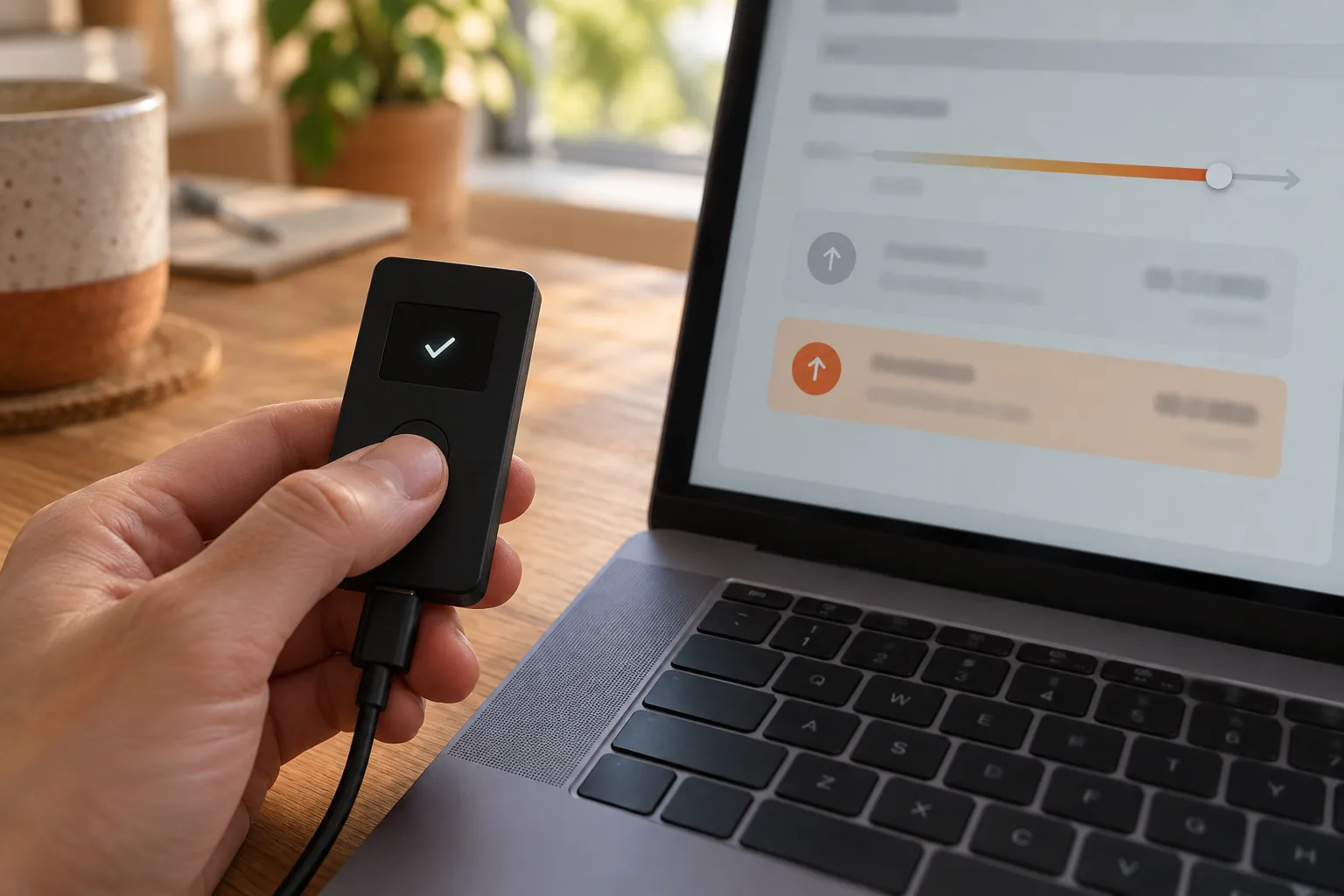
Cancelling is only an attempt, and you pay the higher fee even when it works. Ledger’s screen puts it bluntly: “Cancellation is not guaranteed”. If the original gets processed first, “the funds will still be sent to the recipient”.
Electrum calls its button “Cancel (double-spend)”. That only means spending the same coins a second time, back to yourself. Nobody else’s money is involved.
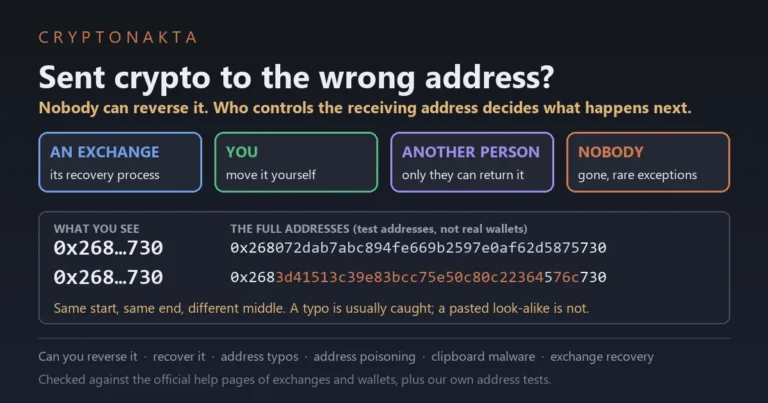
A confirmed transaction can’t be reversed by anyone. If it already went to the wrong place, see our guide on sending crypto to the wrong address.
Wallets differ in the details. Ledger Wallet cancels by sending “0 BTC to your own address” with a 10% higher fee. Its speed-up, not the cancel, is the one limited to your latest transaction. Exodus has no cancel in the app and points you to Electrum instead. Trust Wallet’s help article on this returned “not found” on October 15, 2026, so I can’t confirm its buttons.
Button names from each wallet’s help page or screen text, checked 2026-10-15.
| Wallet | Speed up | Cancel | CPFP | Condition |
|---|---|---|---|---|
| Electrum | Increase fee | Cancel (double-spend) | Child pays for parent | Menu shows only if the original was flagged as replaceable. Electrum flags it by default |
| Sparrow | Increase Fee (RBF) | Cancel Transaction (RBF) | Increase Effective Fee (CPFP) | Right-click the transaction |
| BlueWallet | Speed Up | Cancel | Bump Fee (CPFP) | Shows “This transaction is not replaceable.” if it can’t |
| Trezor Suite | Speed up, then Replace transaction | Cancel transaction (desktop 25.3.1 or later, Bitcoin only) | Not listed | The new fee must be higher than the old one |
| Ledger Wallet | Speed up or Cancel, then SPEED UP | CANCEL (0 BTC to your own address) | Not listed | Both raise the fee 10%. Speed up works on the most recent transaction only |
| Exodus | Accelerate (picks RBF or CPFP) | None in the app | Through Accelerate | RBF only if you sent with a custom fee |
| Trust Wallet | Not confirmed | Not confirmed | Not confirmed | Its help article on this was removed |
Why is my Ethereum transaction stuck pending, with others Queued behind it?

An Ethereum transaction stays pending when its max fee is below the current base fee, or its tip is too low. Every later transaction from the same account then waits behind it. Ethereum runs each account’s transactions in nonce order, and MetaMask labels the waiting ones Queued.
The nonce is your account’s transaction number. It starts at 0 and goes up by one with each send. So transaction 42 can’t run before 41. MetaMask mobile says a later one “won’t go through until the previous transaction is complete”.
 View full size ↗
The base fee is the network’s price per unit of gas, and it moves every block. The priority fee, or tip, goes to the validator. The max fee is the most you agree to pay. Ethereum.org’s rule is that “the max fee must exceed the sum of the base fee and the tip”. More in our guide to gas fees.
How long can it wait? go-ethereum is the most used client. It sets no expiry for a pending transaction that can run. Its 3-hour limit applies only to ones stuck behind a nonce gap. A full pool pushes out the cheapest first. That’s how a MetaMask transaction can sit pending for days.
The fix starts at the oldest one. MetaMask says to “replace the oldest transaction first”. Ledger and Rabby only let you change the lowest pending nonce.
What a year of Ethereum base fees says about MetaMask pending for days
On October 15, 2026, we checked a year of Ethereum blocks and found the base fee never rose more than 12.5% in one block. So a max fee 12.5% above the base fee at sending always made the next block. Long waits came from fees fixed low by hand. A max fee fixed at 0.1 gwei waited over an hour 31.9% of the time.
Here is the method. I pulled every block’s base fee from 2025-10-15 to 2026-10-15 from two public RPC endpoints. I checked that the two matched. Then I pretended to send every 300 blocks, about once an hour, 8,737 times. I assumed the tip was high enough.
The year was cheap. The median base fee was 0.105 gwei, and the highest single block hit 97.7 gwei. Within one hour, the highest base fee was typically 2.2 times the lowest.
Headroom made all the difference. With the max fee exactly at the base fee, 1.2% of sends waited over an hour. The longest took 24.3 days. With 12.5% or more on top, 100% made the next block.
Our measurement, October 15, 2026: 8,737 hourly sends over Ethereum base fees from 2025-10-15 to 2026-10-15. The tip is assumed high enough. Past data, not a forecast.
| Max fee fixed at | Waited over 1 hour | Waited over 1 day | Longest wait |
|---|---|---|---|
| 0.05 gwei | 66% | 40.1% | 34.2 days |
| 0.1 gwei | 31.9% | 7% | 6.8 days |
| 0.2 gwei | 14.1% | 1.4% | 3 days |
| 0.5 gwei | 4.8% | 0% | 19.2 hours |
| 1 gwei | 1.8% | 0% | 9.6 hours |
| 2 gwei | 0.53% | 0% | 7.2 hours |
The 0.1 gwei row sits close to the year’s median base fee. So fixing your max fee at the going rate meant about one wait in three went past an hour. I couldn’t find official documents on how much headroom each wallet adds by default.
How to speed up or cancel a pending MetaMask transaction
To speed up or cancel a pending MetaMask transaction, open its details and pick Speed up or Cancel. Both send a new transaction with the same nonce and higher fees. Speed up resends the same transfer. Cancel sends 0 ETH to your own address.
- Close the browser fully, reopen it and log back in to MetaMask. MetaMask’s help page lists this first.
- On Extension 13.30 or later, open the “Transaction submitted” notice in the sidebar while it’s pending. Otherwise, find it in your activity list.
- Pick Speed up or Cancel. Fee options under a 10% raise are greyed out.
- If several are pending, start with the lowest nonce.
Only one of the two transactions can confirm, so you don’t pay gas twice. The mobile app warns that a cancel attempt “does not guarantee your original transaction will be cancelled”.
To replace one by hand, turn off Smart Transactions under Settings, then Transactions. The custom nonce box stays hidden while it’s on. Send 0 ETH to yourself with the stuck nonce. MetaMask says to set the priority fee at least 10% higher and the max fee at least 30% higher than the original.
replacement transaction underpriced
This error means your replacement didn’t raise the fees enough. go-ethereum wants both the max fee and the priority fee at least 10% higher. Raising just one fails.
nonce too low
This error means a transaction with that nonce already confirmed. Usually the original or an earlier speed-up went through. Check the explorer to see which one.
Delete activity and nonce data is not a cancel
This is the old “Reset account”, now under Settings, then Developer tools. Mobile still calls it Reset account. Delete activity and nonce data only clears your wallet’s memory. A transaction already on the network can still confirm.
MetaMask says to use it only “if your transaction is not visible on the block explorer”. Rabby says the same about Clear Pending Locally: the removed transaction “may still be confirmed on-chain unless it is replaced”.
Checked against each wallet’s help page or screen text on 2026-10-15.
| Wallet | Speed up | Cancel | Worth knowing |
|---|---|---|---|
| MetaMask | Speed up | Cancel | Same nonce again. Options under a 10% raise are greyed out |
| Rabby | Speed up | Quick Cancel (not broadcast yet, no fee) or On-chain Cancel (costs gas) | “Clear Pending Locally” only hides it. Only the first pending transaction can be changed |
| Ledger Wallet (Ethereum) | Paused | Paused | Turned off by a notice dated May 26, 2026. Ledger suggests connecting the device to MetaMask or Rabby. Normally Cancel sends 0 ETH to yourself with a 30% higher fee |
| Base app (formerly Coinbase Wallet) | Blue lightning button | X button | EVM networks only |
| Exodus | Accelerate | None in the app | Only if you sent with a custom fee |
| Trust Wallet | Not confirmed | Not confirmed | Its help article on this was removed |
Polygon, Solana, TRON, TON and Litecoin: what stuck means there
Polygon and BNB Smart Chain work like Ethereum, with nonce order and same-nonce replacement. Solana, TRON and TON don’t keep a fee queue where a transaction sits for days. There a transaction expires or fails, and you sign a new one. Litecoin waits like Bitcoin, but its nodes refuse RBF by default.
Polygon needs a tip of at least 25 gwei. Its docs say “a minimum priority fee of 25 gWei is required”. A lower tip isn’t accepted at all, so check the tip first.
Solana’s docs say “there is no concept of a mempool”. A transaction is only good for about 60 to 90 seconds. After that it will never be processed, and you can safely sign it again.
USDT-TRC20 runs on TRON. A TRON transaction expires 60 seconds after it’s built, by default.
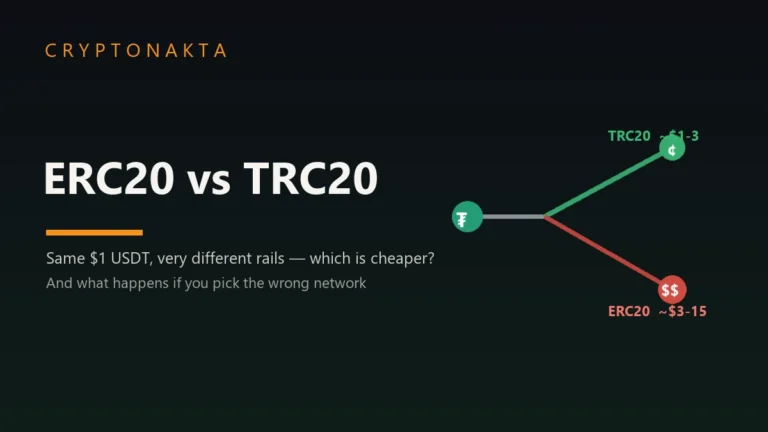
A token transfer needs energy. If you’re short, TRON burns TRX to pay for it. It fails with OUT_OF_ENERGY only when the energy and the TRX allowed for it (the fee limit) both run out, and energy already spent isn’t refunded. So a TRON send that “didn’t arrive” has usually failed, hasn’t really been sent yet, or already arrived. See USDT on ERC20 vs TRC20.
TON messages carry a valid-until time. Once it passes, the network rejects them and you sign again with the current seqno. If you used the wrong chain altogether, see sent crypto on the wrong network.
| Chain | Can it sit for days? | What ends it | What you do |
|---|---|---|---|
| Polygon PoS | Yes, in nonce order | Confirming, or a same-nonce replacement | Tips below 25 gwei aren’t accepted, so raise the tip and replace |
| BNB Smart Chain | Yes, in nonce order | Confirming, or a same-nonce replacement | Same 10% replacement rule as Ethereum |
| Solana | No | It expires after about 60 to 90 seconds | Sign it again. The old one will never be processed |
| TRON (USDT-TRC20) | No | It expires (60 seconds by default) or fails, often with OUT_OF_ENERGY when energy and TRX both ran short | Check the TXID. Spent energy isn’t refunded |
| TON | No | Its valid-until time passes | Sign a new one with the current seqno |
| Litecoin | Yes, by fee rate | Confirming, or dropping after 336 hours | Don’t count on RBF. Nodes refuse it by default |
Sent from Coinbase, Cash App or an exchange? Only the platform can act
If you withdrew from Coinbase, Cash App or any exchange, the exchange’s wallet signed it, so you can’t speed it up or cancel it. You can look for a TXID and give it to support. No TXID usually means it hasn’t left the platform.
OKX says a pending withdrawal is still inside OKX and “no manual interventions are possible”. Binance says the TxID usually appears within 30 minutes. None of the exchange help pages I read offers users a speed-up.
I didn’t check Cash App’s or Coinbase’s withdrawal screens, so I won’t guess at their menus. The Base app, formerly Coinbase Wallet, is self-custody. It has a blue lightning button to speed up and an X to cancel, on EVM networks.
A recipient has one option, in theory. If a Bitcoin withdrawal paid your own wallet, a wallet with CPFP could spend that output with a higher fee. Whether exchanges use CPFP on their own withdrawals, no help page I read says. If it confirmed but doesn’t show up, see crypto deposit not credited. If there’s no TXID yet, see why your withdrawal is still pending. Our Binance sign-up guide covers opening an account.
| What you see | What it usually means | Who can act |
|---|---|---|
| Withdrawal pending or in progress, no TXID | It hasn’t left the platform yet | Only the platform. Ask support |
| A TXID, and the explorer says unconfirmed | It’s on the chain and waiting | The platform signed it. If it pays Bitcoin to your own wallet, CPFP is possible in theory |
| A TXID, and the explorer says confirmed | The sending side is done | The receiving side. See why deposits don’t show up |
Binance

Bybit

OKX

Affiliate disclosure: some links are partner links. We may earn a commission at no extra cost to you. This is not investment advice.
Bitcoin transaction accelerators: free, paid and fake
A real Bitcoin transaction accelerator only asks for your TXID. Free ones accept only transactions that already pay a fair fee rate, and paid ones set their own terms on cancelling and refunds. Treat anyone who wants your recovery phrase, or messages you first, as a scammer.

A transaction accelerator is a service that asks mining pools to put your transaction in their blocks. It only helps when one of those pools finds a block.
ViaBTC’s free tool wants a login and a transaction of 0.5 KB or less. It also wants at least 0.0001 BTC per KB, about 10 sat/vB. There’s an hourly quota too. So a very cheap transaction doesn’t qualify.
The mempool.space Accelerator isn’t a pool. It’s a paid service that passes your request to partner pools, and it needs no new signature. Its page says a request “cannot currently be modified or canceled by the user”. It doesn’t name its partner pools. AntPool’s paid service says it “does not offer a refund”.
No one needs your recovery phrase to speed up or cancel a transaction. MetaMask warns that scammers offer to look into a pending transaction and then ask for your Secret Recovery Phrase. It also says MetaMask Support has no phone number and never DMs you first. Ledger and Trezor say they’ll never ask for your backup words.
- They contacted you first.
- They want your recovery phrase, private key or wallet file.
- They charge a fee to “release” anything you sent.
- They promise to undo a confirmed transaction.
More in our crypto scams guide. If you typed your phrase somewhere, read what to do if your seed phrase is exposed. If money is gone, see whether scammed crypto can be recovered before paying any “recovery” service.
My take
My take after a year of block data: very cheap Bitcoin sends often took more than a day, yet almost all of them got in. On Ethereum, a send stuck for days usually has a fee lowered by hand or an earlier nonce in front of it.
At 0.1 sat/vB, about half our sends waited over a day. Still, 92.1% made it within a week. On Ethereum the 12.5% rule held for every block of the year.
When something’s stuck, I’d go in this order. Find the TXID. Check the chain and who signed it. Then replace it from the sending wallet, or give the TXID to the exchange.
What I trust least is help that finds you first. A DM from “support” or an “accelerator” that wants your seed is a scam sign. So is anyone who charges to “release” funds.
There’s a fair case for waiting. It costs no fee, and most cheap sends got in eventually. Resetting MetaMask is also right in one case, when the explorer doesn’t show the transaction at all.
This site uses affiliate links, including the exchange cards above. They don’t change any number in this guide.
Stuck transaction questions people ask
- Bitcoin Core: mempool expiry and size defaults · checked 2026-10-15
- Bitcoin Core wallet: rebroadcast timing · checked 2026-10-15
- Bitcoin Core 28.0 release notes · checked 2026-10-15
- Bitcoin Core 29.0 release notes · checked 2026-10-15
- Bitcoin Core 30.0 release notes · checked 2026-10-15
- Bitcoin Core 31.0 release notes · checked 2026-10-15
- Bitcoin Core: mempool replacement rules · checked 2026-10-15
- Electrum FAQ · checked 2026-10-15
- BlueWallet screen text · checked 2026-10-15
- Ledger: Speed up or cancel pending Bitcoin transactions · checked 2026-10-15
- Ledger: Pending Ethereum transactions · checked 2026-10-15
- Trezor: Can I cancel or reverse a transaction · checked 2026-10-15
- Exodus: Accelerate a stuck transaction · checked 2026-10-15
- ethereum.org: Gas and fees · checked 2026-10-15
- ethereum.org: Transactions · checked 2026-10-15
- go-ethereum: transaction pool defaults · checked 2026-10-15
- MetaMask: How to speed up or cancel a pending transaction · checked 2026-10-15
- MetaMask: How to customize a transaction nonce · checked 2026-10-15
- MetaMask: Clear account activity (reset account) · checked 2026-10-15
- MetaMask: Spoofing scams · checked 2026-10-15
- Rabby screen text · checked 2026-10-15
- Coinbase Help: Adjusting miner fees (Base app) · checked 2026-10-15
- Polygon: Gas station · checked 2026-10-15
- Solana: Retrying transactions · checked 2026-10-15
- TRON: Transactions · checked 2026-10-15
- TON: How wallets work · checked 2026-10-15
- Litecoin Core: replacement default · checked 2026-10-15
- OKX: Why hasn’t my withdrawal arrived · checked 2026-10-15
- Binance: Why hasn’t my withdrawal arrived · checked 2026-10-15
- Bybit: Crypto withdrawal FAQ · checked 2026-10-15
- mempool.space Accelerator · checked 2026-10-15
- ViaBTC transaction accelerator · checked 2026-10-15
- AntPool transaction acceleration · checked 2026-10-15
This guide explains how stuck transactions work and what our own measurements showed. It isn’t financial advice. Wallet menus change, so go by what your own screen shows.