Crypto Deposit Not Showing Up? The One-Check Way to Find Where It’s Stuck
Paste your TxID into the right block explorer — one fork tells you whether it’s the network or the exchange, and nobody can make confirmations go faster.
| The one thing to check | Find your transaction ID (TxID) and open the right block explorer for that chain |
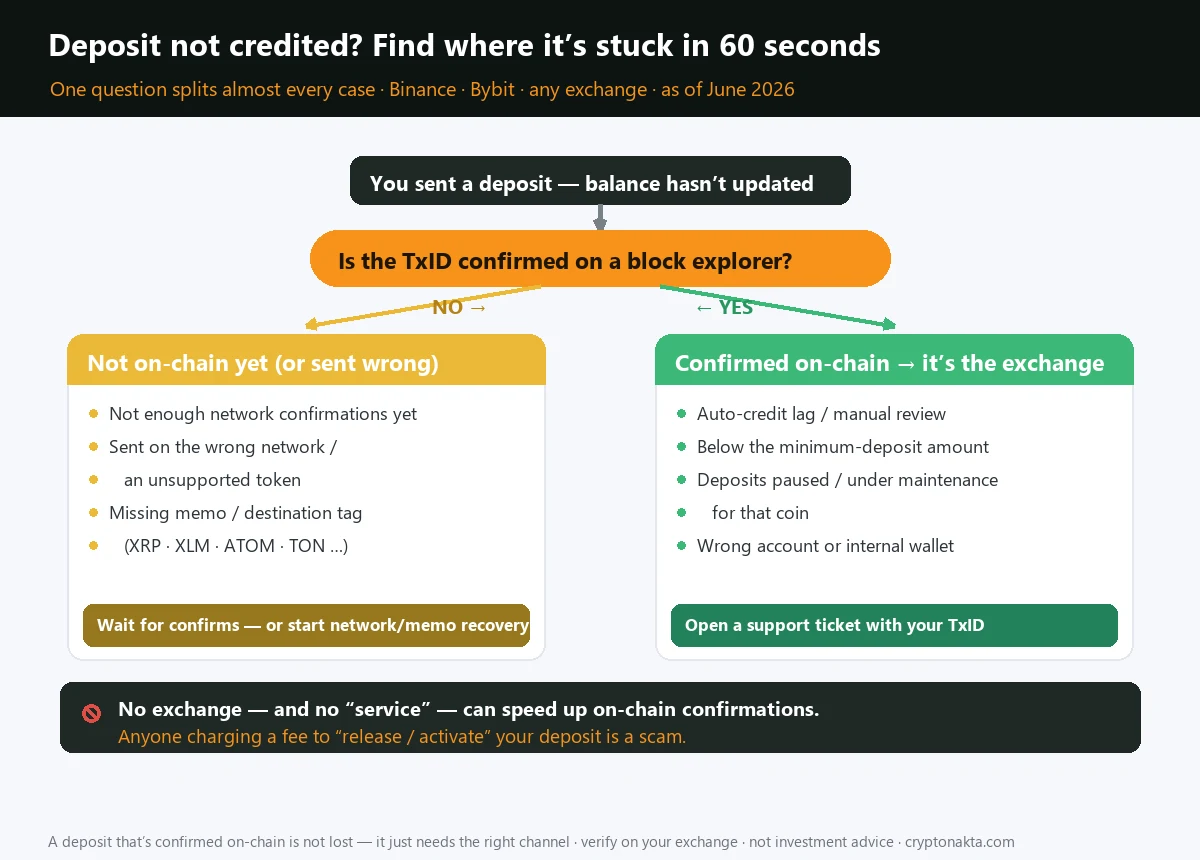
| If the explorer says “confirmed” | The coin is on-chain — the holdup is now the exchange’s. Open a ticket with the TxID |
| If the TxID isn’t on the explorer | Still propagating, or it was sent to the wrong place / wrong network |
| Typical credit time | BTC ~20–40 min · ETH/ERC-20 ~3–13 min · TRC-20 USDT ~1–5 min |
| The fact that kills the panic | No exchange and no third party can speed up on-chain confirmations |
| Always a scam | Any “deposit release fee,” “activation fee,” or “prepay your tax to unlock funds” demand |
| First move | Don’t send anything else. Copy the TxID. Identify the network. |
1. First, don’t panic — and don’t pay anyone
2. The one check that tells you whose problem it is: TxID + the right block explorer
3. Branch A — your TxID isn’t on the explorer yet
4. Branch B — “confirmed” on-chain, but your balance is still zero
5. How long is normal? Confirmations and credit times for BTC, ETH and TRC-20 USDT
6. Why a confirmed deposit still isn’t credited: lag, review, minimums, maintenance
7. Did you forget the memo or destination tag? XRP, XLM, ATOM, TON & friends
8. Wrong network or unsupported token: when your USDT lands on a chain the exchange can’t see
9. The dead ends: below-minimum, contract addresses, and retired addresses
10. Writing the support ticket that actually gets your deposit released
11. The recovery-scam playbook: “release fees,” “activation fees,” and “prepay the tax”
12. Quick reference: thresholds, the diagnosis tree, and scam red flags
13. Where this fits: the rest of the stuck-transfer cluster
Your crypto deposit hasn’t arrived, the balance still reads zero, and the worry is creeping in. Take a breath: almost every “stuck” deposit is simply confirming, and there is exactly one check that tells you whether the holdup is the network or the exchange. This guide walks that single check — your TxID and the right block explorer — and branches from there to every cause, the normal wait times, the support ticket that fixes it, and the “release fee” scam you must never pay.
1. First, don’t panic — and don’t pay anyone
If you just sent crypto to an exchange and the balance is still sitting at zero, here is the first thing worth knowing: in the overwhelming majority of cases, nothing is wrong. The coin is in transit, the network is doing exactly what it’s supposed to do, and it will land. Deposits feel broken because we’re used to a bank app where money appears the instant it’s sent. Blockchains don’t work like that. They settle in confirmations, and confirmations take real time that nobody can rush.
So before you do anything, internalize the single fact that defuses 90% of the stress around a stuck deposit:
The flip side of that fact is the warning that protects your money: because confirmations can’t be bought or accelerated, anyone who offers to “release,” “activate,” or “unlock” your deposit for a fee is lying to you. A real exchange never charges you to receive your own incoming coins. Hold that thought — there’s a whole section on the scam playbook later, because it’s the one part of this where you can actually lose money you haven’t already.
For the moment, do three small things and nothing else: (1) stop sending. Don’t fire off a second transaction to “fix” it. (2) Find your transaction ID. (3) Note which network you sent on. Everything from here branches off those three.
2. The one check that tells you whose problem it is: TxID + the right block explorer
You don’t need to understand blockchains to diagnose this. You need one piece of data and one website.
Step 1 — Find your TxID (transaction hash)
The TxID is a long string of letters and numbers that uniquely identifies your transfer. It’s your tracking number. Where to find it depends on where the coins came from:
- From an exchange (Coinbase, Kraken, Binance…): open your withdrawal history. The completed withdrawal will show a transaction hash, often with a small link icon next to it.
- From a self-custody wallet (MetaMask, Ledger Live, Trust Wallet…): open the transaction in your activity list; it shows the hash and usually a “view on explorer” button.
Step 2 — Open the right block explorer
This is where people misdiagnose themselves. You have to look at the explorer for the network the coin actually traveled on, not the coin you think you sent. USDT, for example, lives on several chains at once, and each has its own explorer:
| Network | Block explorer to use | Common coins |
|---|---|---|
| Bitcoin | mempool.space / blockstream.info | BTC |
| Ethereum (ERC-20) | etherscan.io | ETH, USDT-ERC20, USDC, most tokens |
| TRON (TRC-20) | tronscan.org | TRX, USDT-TRC20 |
| BNB Smart Chain (BEP-20) | bscscan.com | BNB, BSC tokens |
| Solana | solscan.io | SOL, SPL tokens |
| XRP Ledger | xrpscan.com | XRP |
Step 3 — Paste the TxID and read the fork
Type or paste your hash into the explorer’s search box. One of two things happens, and that single fork tells you whose problem this is:
The next two sections walk each branch.
3. Branch A — your TxID isn’t on the explorer yet
You pasted the TxID and the explorer returned nothing, or it shows “unconfirmed / pending / not found.” Two very different things can cause this.
It’s still propagating (the boring, good outcome)
A freshly broadcast transaction can take a beat to show up, and even once it appears it needs its confirmations before an exchange counts it. If the explorer does eventually show your hash with a rising confirmation count, you’re simply waiting — skip ahead to the “how long is normal” section and relax.
You’re looking at the wrong explorer
Before assuming the worst, double-check you matched the network correctly. Searching for a TRC-20 USDT hash on Etherscan will always come back empty, because that transaction never touched Ethereum. Go back to the table above and confirm you’re on the explorer for the chain you actually selected when sending.
It genuinely went to the wrong place
If the hash truly doesn’t exist on any explorer you’d expect, the coin was likely sent on a network the receiving exchange doesn’t credit, or to an address that isn’t what you think it is. That’s no longer a “waiting” problem — it’s a recovery problem, and it has its own playbook:
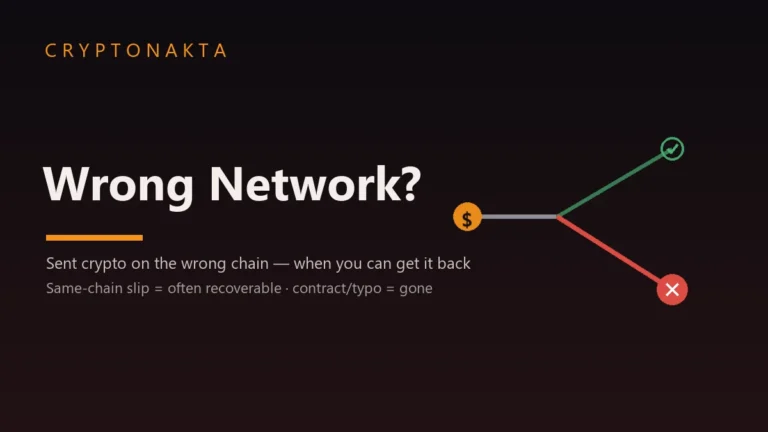
- Sent USDT (or anything) on a network the exchange doesn’t support for that coin? See the dedicated walkthrough: Sent crypto to the wrong network — when you can get it back.
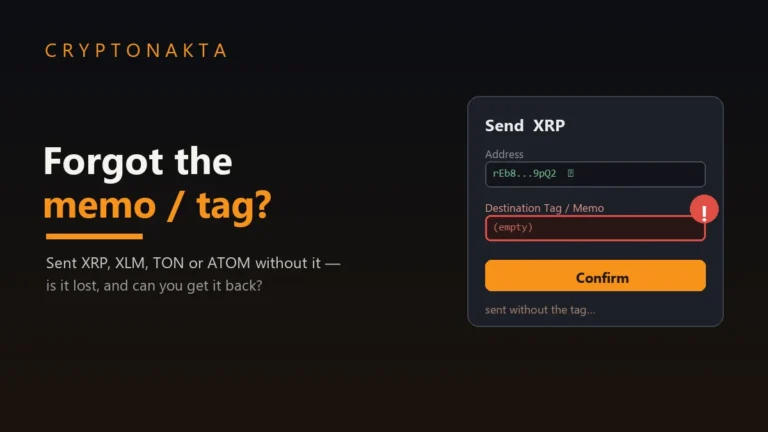
- Sent a coin that needed a memo or destination tag, and you left it blank? The funds may have reached the exchange but can’t be matched to you. See: Sent crypto without a memo/tag — is it lost?
4. Branch B — “confirmed” on-chain, but your balance is still zero
This is the more common branch, and the good news is the coin is safe — it exists on the blockchain, fully confirmed. The exchange just hasn’t put it in your account yet. Once a transaction is confirmed on-chain, you are no longer at the mercy of the network; you’re in the exchange’s internal queue, and that queue moves on the exchange’s schedule, not the blockchain’s.
What’s happening behind the scenes can be any of these, and all of them are normal:
- Auto-credit lag. Most deposits credit automatically, but the system that watches the chain and posts the balance runs on its own cycle. A few minutes of gap between “confirmed” and “credited” is routine.
- A compliance / AML review. Incoming deposits — especially larger ones, or coins arriving from certain sources — can be held for a lawful anti-money-laundering check. This is the exchange following the rules, not freezing your funds. It’s legal, it’s temporary, and it is not the same thing as an account being locked.
- The coin is under maintenance. Exchanges periodically suspend deposits for a specific coin during a network upgrade or wallet maintenance. Your deposit waits in line and credits once they re-enable it.
What to do: once the explorer shows enough confirmations and a reasonable amount of time has passed (use the table in the next section as your yardstick), open a support ticket and attach your TxID. That single piece of data lets the exchange locate your exact transaction and credit it manually. There is nothing else to do — and nothing you should pay to make it happen faster.
5. How long is normal? Confirmations and credit times for BTC, ETH and TRC-20 USDT
“Enough confirmations” means different things on different chains, and — frustratingly — even the same coin on the same chain can have a different “normal” wait depending on which exchange you used. That’s not a glitch; each exchange sets its own confirmation threshold based on how much finality it wants before crediting you.
A concrete example so this isn’t abstract: send BTC to Binance and it credits at 2 confirmations; send the same BTC to Kraken and it wants 4 (about 40 minutes). Send TRC-20 USDT to Binance and 1 confirmation (under ~5 minutes) does it; send it to Coinbase and it waits for TRON’s full 19-block solidification. Same coin, very different clock.
| Coin / network | Typical confirmations to credit | Block interval | Normal credit time |
|---|---|---|---|
| BTC | 2–4 (Binance 2, Kraken 4) | ~10 min | ~20–40 min |
| ETH · ERC-20 | 12–32 (Binance 12) | ~12 sec | ~3–13 min |
| USDT (TRC-20) | 1–19 (Binance 1) | ~3 sec | ~1–5 min |
| USDT (ERC-20) | 12–14 (Coinbase 14) | ~12 sec | ~3–7 min |
| XRP | 1 validation (memo required) | ~3–5 sec | a few minutes |
| SOL | tens–hundreds of slots | ~0.4 sec | a few minutes |
6. Why a confirmed deposit still isn’t credited: lag, review, minimums, maintenance
Here’s the subtle part that trips people up: a transaction can be fully confirmed on the blockchain and still not be in your account. “Confirmed on-chain” and “credited to your balance” are two separate events. The first is the network’s job and it’s done. The second is the exchange’s job and it can have its own delays — every one of them legitimate.
Run down this short list before you assume something is broken:
| Reason it’s not credited yet | What it means |
|---|---|
| Auto-credit hasn’t cycled | The deposit is queued; the crediting system simply hasn’t posted it yet. Minutes, usually. |
| Manual compliance / AML review | A lawful hold on an incoming deposit. Legal and temporary — not a freeze, not theft. |
| Below the minimum deposit | You sent less than the coin’s minimum (e.g. Binance USDT-TRC20 minimum is 0.01 USDT). Below the threshold, it may never credit. |
| Deposits suspended for that coin | The coin is under wallet maintenance or a network upgrade. It credits once deposits re-open. |
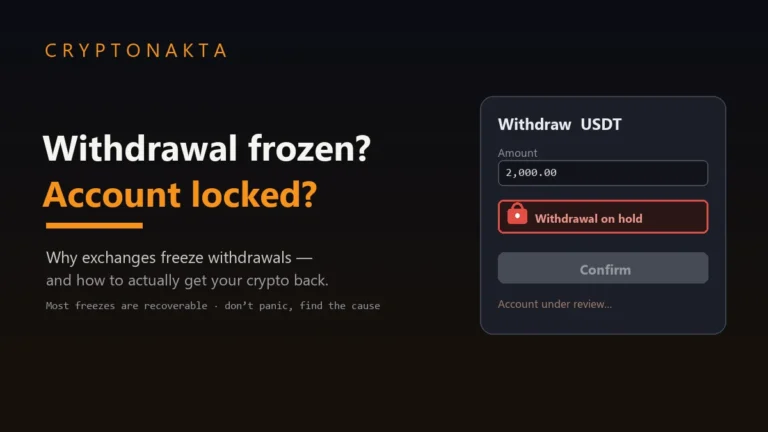
If none of these explain it after a fair wait, that’s your cue for the support ticket — covered below. And if you suspect this is bigger than a deposit delay — your whole account is restricted, not just one incoming transfer — that’s a different situation entirely: see crypto withdrawal frozen / account locked.
7. Did you forget the memo or destination tag? XRP, XLM, ATOM, TON & friends
Some coins need a second piece of information beyond the address: a memo or destination tag. These exist because exchanges often pool many users behind a single deposit address, and the memo is what tells them which customer the incoming coins belong to. Leave it blank and the coins can land at the exchange with no way to match them to you — confirmed on-chain, invisible in your account.
The coins that commonly require one:
| Coin | What it’s called | Format |
|---|---|---|
| XRP | Destination Tag | Numbers only |
| XLM (Stellar) | Memo | Text or number |
| ATOM, HBAR, TON, EOS | Memo / Tag | Varies by chain |
If you sent a memo-required coin and forgot the tag, the coin isn’t necessarily gone — an exchange running a single shared deposit address can often locate and credit it from your TxID. The full recovery procedure (and its limits) is here: sent crypto without a memo/tag — how to recover it.
8. Wrong network or unsupported token: when your USDT lands on a chain the exchange can’t see
The other classic self-inflicted holdup, and the number-one one for English-speaking users moving USDT between Coinbase/Kraken and Binance/Bybit/OKX, is picking the wrong network on the deposit screen. USDT alone lives on ERC-20, TRC-20, BEP-20 and more; the address you copied is only valid on the network it was generated for.
Two outcomes, depending on the receiving exchange:
- The exchange supports the network you used, just not for that coin / not the one it gave you. The coins are there but landed “off-label.” Support can sometimes credit them manually — a ticket with the TxID is your route, and it may take time.
- The exchange doesn’t support that chain at all. Then it has no wallet watching it, no way to see the coins, and crediting may simply not be possible.
The deciding factor is always whether someone controls the address the funds landed on. The complete, situation-by-situation recovery map lives in the dedicated guide: sent crypto to the wrong network — when you can get it back.
9. The dead ends: below-minimum, contract addresses, and retired addresses
A few situations don’t end in recovery, and it’s kinder to know that up front than to chase them.
- Below-minimum deposits. Send less than the coin’s minimum and many exchanges won’t (and structurally can’t) credit it. There’s usually no recovery path — the amount is simply written off. The fix is prevention: read the minimum on the deposit page.
- Coins sent to a smart-contract address. If the destination is a token contract rather than a personal or exchange wallet, no private key controls it. The funds are stuck with no realistic way out. Exchanges may try to help if it was one of theirs, but there’s no guarantee.
- Reused or retired deposit addresses. Some exchanges rotate deposit addresses; sending to an old one — or reusing an address that’s since been deprecated — can route funds somewhere that needs manual intervention. Open a ticket with the TxID; recovery isn’t guaranteed and can take a while.
10. Writing the support ticket that actually gets your deposit released
When the explorer confirms the coin is on-chain but your balance stays zero past a fair wait, the support ticket is the entire fix. A good ticket gets resolved fast; a vague one bounces around for days. Give them everything to locate your exact transaction:
| Attach / state this | Why it matters |
|---|---|
| The TxID (transaction hash) | The single most important field. It lets support find your exact transfer on-chain in seconds. |
| The exact network used (ERC-20 / TRC-20 / BEP-20 …) | Tells them which wallet to look in. The most common cause of a stuck deposit. |
| The deposit address you sent to | Confirms it’s actually one of their addresses, and which account it maps to. |
| Memo / tag if the coin needed one | If you left it blank, say so — it tells them which recovery flow to run. |
| Amount and date/time | Secondary identifiers that speed up matching. |
| A screenshot of the confirmed explorer page | Shows the transaction is settled, so the ball is clearly in their court. |
11. The recovery-scam playbook: “release fees,” “activation fees,” and “prepay the tax”
This is the one part of a stuck deposit where you can still lose money — so it gets its own section. The moment your funds are delayed, scammers come looking, because a worried person waiting on money is the easiest mark there is. Every version of this scam ends with you sending more crypto to “unlock” the crypto you’re waiting on.
| What they demand | Verdict |
|---|---|
| A “deposit / withdrawal release fee” | 🔴 Scam |
| An “account activation fee” to unlock funds | 🔴 Scam |
| “Prepay your tax (in crypto) before we release it” | 🔴 Scam |
| Repeated “one more network fee” requests | 🔴 Scam |
| A free support ticket with your TxID attached | ✅ Normal |
US authorities have warned about exactly this for years. The CFTC, the FBI’s IC3, and California’s DFPI have all flagged “release fee,” “activation fee,” and “prepay your IRS tax in crypto to unlock your funds” demands as advance-fee / recovery scams. Two facts make this easy to remember:
- No real exchange ever charges you to receive your own incoming deposit. Crediting a deposit costs them nothing — there is no fee to waive, release, or activate.
- No tax authority is paid in crypto, ever. The IRS treats crypto as property you report at tax time; it does not phone you to collect a coin payment to “unlock” an account. Anyone claiming otherwise is impersonating an authority.
12. Quick reference: thresholds, the diagnosis tree, and scam red flags
Everything above, condensed into three things you can glance at.
Confirmation thresholds (typical)
| Coin | Confirmations | Normal wait |
|---|---|---|
| BTC | 2–4 | 20–40 min |
| ETH / ERC-20 | 12–32 | 3–13 min |
| USDT (TRC-20) | 1–19 | 1–5 min |
| USDT (ERC-20) | 12–14 | 3–7 min |
The diagnosis tree
| Symptom | Where it’s stuck | What to do |
|---|---|---|
| TxID not on the explorer | Still propagating, or sent wrong | Re-check address + network; wait |
| Explorer “confirmed,” balance zero | Exchange side (auto-credit lag / review / maintenance) | Support ticket with TxID |
| Memo / tag left blank (XRP, XLM…) | Can’t be matched to you | Follow the memo-recovery guide |
| Wrong / unsupported network | Landed on a chain the exchange can’t see | Follow the wrong-network guide |
| Below the minimum deposit | Under the threshold | Usually unrecoverable — check the notice |
| Contract / mismatched address | Non-standard destination | No guarantee — ticket |
Scam red flags
If anyone asks you to pay to receive your own deposit — a release fee, activation fee, prepaid tax, or yet another network fee — it’s a scam, every single time. A free support ticket with your TxID is the only real fix.
13. Where this fits: the rest of the stuck-transfer cluster
A stuck deposit is one of four cousins in the same family of cross-border-transfer problems. If your symptom doesn’t quite match this article, one of these probably fits:
- Sent crypto to the wrong network — the recovery map for coins that landed on a chain the exchange doesn’t credit for that coin.
- Why is my withdrawal still pending? — the mirror image of this one, for coins leaving an exchange instead of arriving.
- Sent crypto without a memo/tag — for XRP, XLM, ATOM, TON and the other tag-required coins.
- Crypto withdrawal frozen / account locked — when it’s not one deposit but your whole account that’s restricted.
New to all of this and not sure your transfer was set up right in the first place? Start with the basics: how to start with crypto, and our guide to the best crypto exchanges for choosing platforms with clear multi-network deposit screens.
Buying or moving more, on the right network
If you’re here because you were funding an account to trade, these are solid platforms with clean multi-network deposit flows and a visible Memo/Tag field for the coins that need one. Confirm availability in your country first.