How to Use Uniswap: UNI Token Burn, Swap Fees, Fixing a Failed Swap
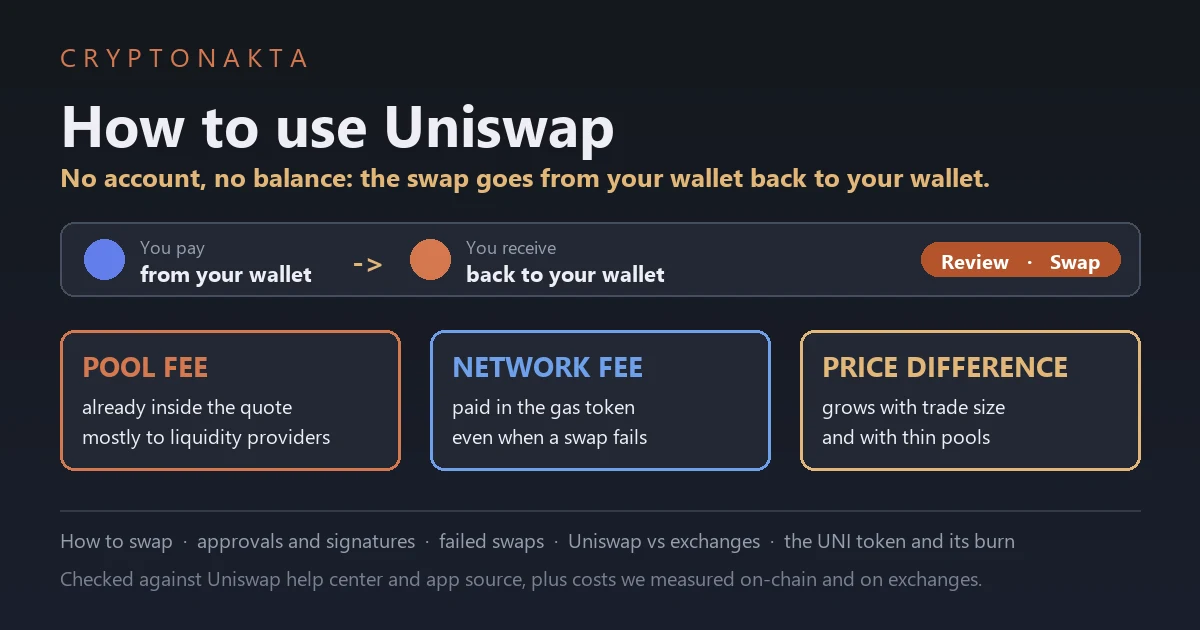
Uniswap lets you swap one token for another straight from your own wallet, with no account and no sign-up. You connect a wallet like MetaMask on a supported network, approve the token you’re selling, check the review screen and press Swap. The new tokens come back to the same wallet.
People keep asking whether that’s cheaper than Coinbase, and what the Fee line means now that it says Free. So in October 2026 I read Uniswap’s whole help center and its app code on one day. Then I priced the same ETH purchase on Uniswap and on two big exchanges at the same moments, and checked what real swaps paid in gas. Here’s what I found, plus every step and error message you’ll meet.
In this article (14)
Is Uniswap cheaper than Coinbase, and why does the Fee line say Free?What is Uniswap if there’s no account to sign up for?Uniswap fees vs Binance and Upbit: what we measured at the same momentsUniswap gas fees: what one swap on Ethereum cost over a yearWhich network do I withdraw on to use Uniswap? (TRC20 and TON aren’t on the list)How to cash out from Uniswap to a bank accountHow to use Uniswap, start to finishHow to use Uniswap with MetaMask, Trust Wallet or Coinbase WalletWhy does my first swap say Approve and swap, then ask for a signature?Price difference (old: price impact) and Max slippage are two different numbersUniswap swap failed? Not enough ETH, Swap failed and the other messagesIs Uniswap safe? Fake sites, a fake customer service phone number and fake tokensUNI token burn, the fee switch and why there’s no staking payoutMy take
Is Uniswap cheaper than Coinbase, and why does the Fee line say Free?
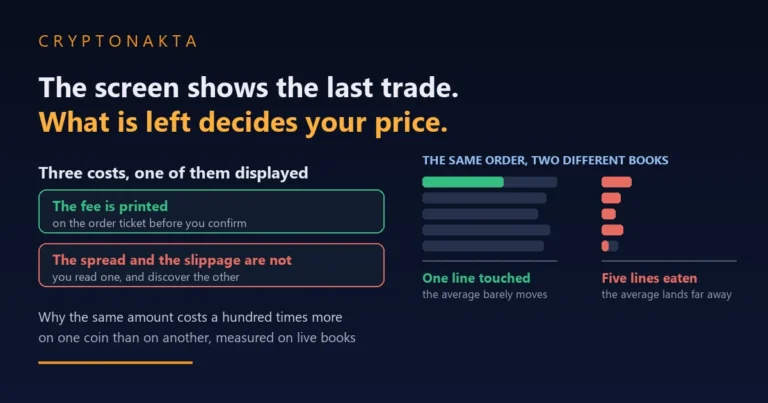
Uniswap can cost less than a big exchange, or more. Against Binance and Upbit, it depended on the network and the trade size. On Uniswap you pay a pool fee inside the quote, a network fee to the blockchain and a price difference. The Fee line says Free because Uniswap Labs has charged no app fee since December 27, 2025.
Coinbase wasn’t in our test, so I won’t guess its number. To compare, enter the same amount on its buy screen and read the total before you confirm. Below is how Uniswap’s cost is built, and what it came to next to Binance and Upbit.
Uniswap is a decentralized exchange (DEX), so no company holds your coins. You trade against a liquidity pool, a smart contract holding two tokens that other people deposited. They earn the pool fee, a small cut of the token you put in. It’s already counted in the amount the app says you’ll receive.
| Line on the review screen | What it is | Who gets it | Can it be zero? |
|---|---|---|---|
| Fee (shows Free) | Uniswap Labs’ own app fee | Uniswap Labs | Zero in the web app and wallet since December 27, 2025. Solana swaps can carry a Jupiter fee |
| Pool fee (no line of its own) | 0.01% to 1% on v3 pools. Set per pool on v4 | Liquidity providers, plus a protocol share on v2 and v3 | No. It’s already inside the quote |
| Network cost | Gas paid to process the transaction | The network’s validators, not Uniswap | No. It’s charged even when the swap fails |
| Price difference (old: price impact) | How far your own trade moves the pool’s price | It isn’t a fee. It’s a worse average price | Close to zero on deep pools. Large on thin ones |
So Free only means the app’s own cut is zero for now. Uniswap Labs said its pricing “will continue to evolve over time”, so read the Fee line on each swap. A zero Labs fee doesn’t make the swap free. The pool fee, the network cost and the price difference are still there.
The fee switch turned on in December 2025 didn’t raise what you pay on v2 and v3 pools either. The protocol’s share comes out of the existing pool fee. On a v2 pool the 0.3% now splits into 0.25% for liquidity providers and 0.05% for the protocol.
What is Uniswap if there’s no account to sign up for?
Uniswap is a trading protocol on Ethereum and other networks. You connect your own wallet, swap against a pool, and the new tokens land back in that wallet. There’s no sign-up, no deposit, no withdrawal button and no phone line.
Three names get mixed up. The Uniswap protocol is the set of smart contracts. Uniswap Labs is the company that builds the apps, mainly the web app at app.uniswap.org and the Uniswap Wallet. UNI is the token holders use to vote on protocol changes.
Uniswap has no account and no balance of yours to hold. Your money sits in your wallet from start to finish. If you lose that wallet, nobody can give the coins back. And once a swap confirms, it can’t be reversed or refunded.
You don’t need to pick a protocol version. The app’s router looks across v2, v3 and v4 pools and picks a route for you. For this guide I read all 362 articles in Uniswap’s English help center on one day. I also went through its developer docs and the app’s translation files, which is where the button names below come from.
Uniswap fees vs Binance and Upbit: what we measured at the same moments
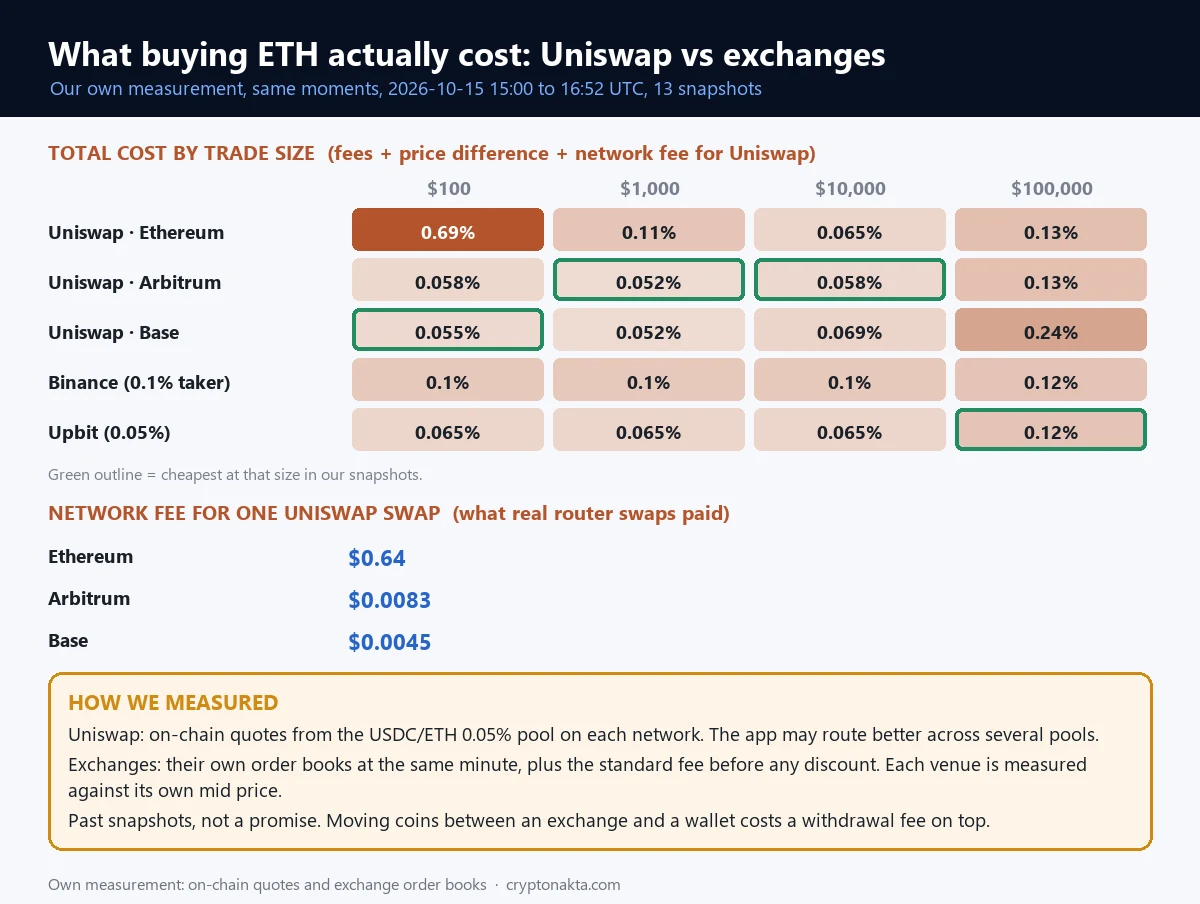
On October 16, 2026, we priced the same ETH purchase on Uniswap and two big exchanges at the same moments. All-in, a $100 swap on Uniswap came to 0.69% on Ethereum mainnet and 0.058% on Arbitrum, against 0.1% on Binance and 0.065% on Upbit. At $1,000, Binance came to 0.1% and Upbit to 0.065%.
We took 13 snapshots roughly ten minutes apart, between 15:00 and 16:52 UTC on October 15, 2026 (already October 16, 2026 in Korea). Each time we quoted Uniswap’s v3 USDC/ETH 0.05% pool on Ethereum, Arbitrum and Base. In the same minute we read Binance’s ETH/USDC order book and the top 30 price levels of Upbit’s ETH/KRW book. Upbit is a big Korean exchange that trades in won.
Each venue is measured against its own mid price. Exchange cost means the standard fee (0.1% and 0.05%) plus the spread and the depth of the book. For Uniswap we added the median network fee that real router swaps paid on that chain.
Our measurement, October 16, 2026 (Korea time): median total cost of buying ETH, with the lowest and highest of our 13 snapshots in brackets. Uniswap includes the network fee.
| Trade size | Uniswap · Ethereum | Uniswap · Arbitrum | Uniswap · Base | Binance | Upbit |
|---|---|---|---|---|---|
| $100 | 0.69% (0.68% to 0.69%) | 0.058% (0.058% to 0.059%) | 0.055% (0.054% to 0.057%) | 0.1% (0.1% to 0.11%) | 0.065% (0.065% to 0.096%) |
| $1,000 | 0.11% (0.11% to 0.11%) | 0.052% (0.051% to 0.052%) | 0.052% (0.051% to 0.055%) | 0.1% (0.1% to 0.11%) | 0.065% (0.065% to 0.096%) |
| $10,000 | 0.065% (0.063% to 0.065%) | 0.058% (0.057% to 0.058%) | 0.069% (0.068% to 0.084%) | 0.1% (0.1% to 0.11%) | 0.065% (0.065% to 0.13%) |
| $100,000 | 0.13% (0.12% to 0.14%) | 0.13% (0.12% to 0.13%) | 0.24% (0.23% to 0.26%) | 0.12% (0.11% to 0.13%) | 0.12% (0.065% to 0.15%) |
 View full size ↗
On mainnet, small trades are where the network fee hurts. Of the 0.69% on a $100 swap, the network fee alone was 0.64%. At that size, mainnet cost about 12 times as much as Arbitrum. At $1,000 it fell to 0.11%, since the same fee was spread over more money.
Big trades change the picture. Without the network fee, mainnet’s pool cost rose from 0.05% at $100 to 0.13% at $100,000. That rise is the price difference, which is how far your own trade pushes the pool’s price. Binance and Upbit both came to 0.12% at $100,000.
The lowest median at $100 was Uniswap on Base (0.055%). At $1,000 it was Uniswap on Arbitrum and Uniswap on Base (0.052%). At $10,000 it was Uniswap on Arbitrum (0.058%). At $100,000 it was Binance and Upbit (0.12%).
These numbers are snapshots from one session, quoted from one pool per chain. The app can split a trade across several pools or UniswapX and beat our quote. Prices and gas also move.
One cost sits outside the table. On October 16, 2026, Binance charged 0.00005 ETH ($0.12) to withdraw ETH on Arbitrum. A $100 swap on Arbitrum cost about $0.058 in our test. So for a small first swap, the trip out of the exchange can cost more than the swap itself.
If you’d rather buy on an exchange, here are three that list UNI. Our Binance referral code guide covers signing up.
Binance

Bybit
OKX

Affiliate disclosure: some links are partner links. We may earn a commission at no extra cost to you. This is not investment advice.
Uniswap gas fees: what one swap on Ethereum cost over a year
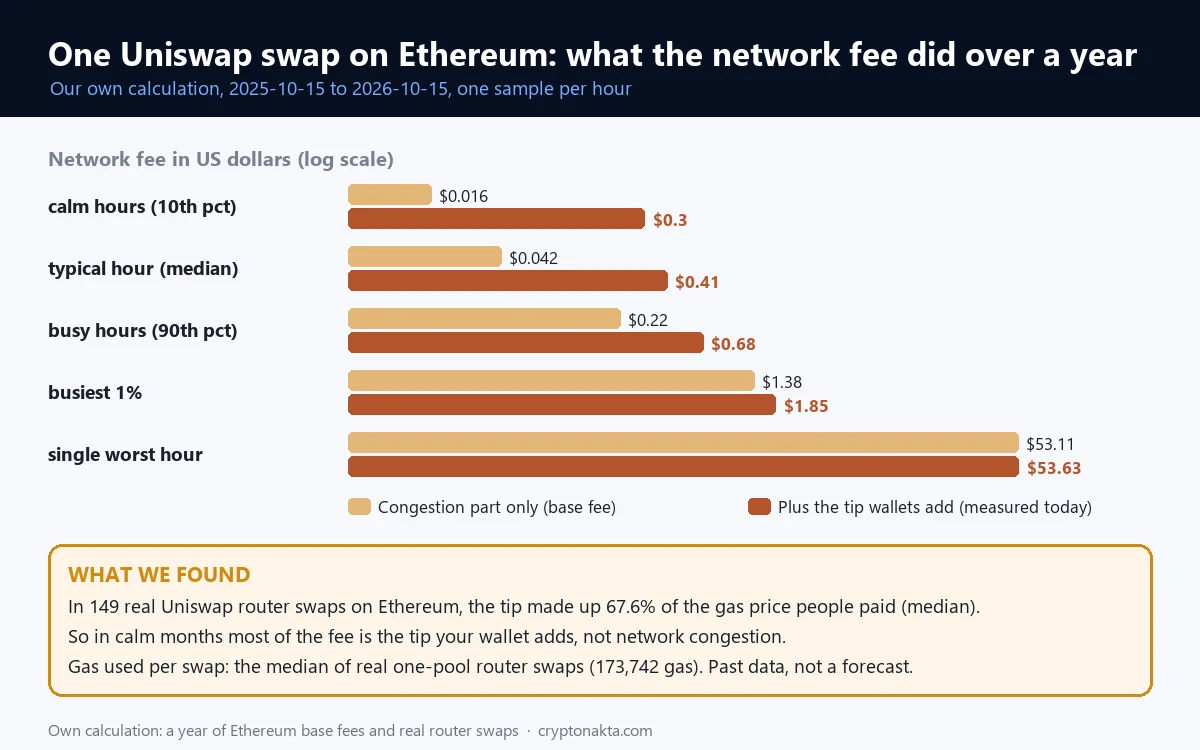
On Ethereum mainnet, one Uniswap swap had a median network fee of $0.042 over the past year, counting only congestion. If we assume wallets added the tip we measured on October 16, 2026 to every hour of that year, the median becomes $0.41. On Arbitrum and Base, real swaps paid $0.0083 and $0.0045 on October 16, 2026.
A network cost, also called gas, is what you pay a blockchain to process your transaction. Uniswap doesn’t receive it, except for a share on Unichain. You pay it in the network’s own coin.
For the year we took every hour from October 15, 2025 to October 15, 2026. We multiplied that hour’s base fee by 173,742 gas, the median for real single-pool router swaps on mainnet. Then we converted at that day’s ETH price.
The surprise was the tip, an extra amount your wallet adds so a validator picks the transaction up fast. In 149 recent mainnet router swaps, the tip was a median 67.6% of the gas price paid. The median gas price was 1.5 gwei, against a median base fee of 0.27 gwei. Each median was taken on its own, so they don’t add up.
 View full size ↗
So in the swaps we checked, most of a mainnet swap fee was the tip the wallet picked. With that tip added to every hour, the year’s median comes out about 10 times the congestion-only figure. On congestion alone, a swap cost over $1 in 1.7% of hours, and the worst hour hit $53.11. With the tip added, it would have been over $1 in 3.8% of hours, and the worst hour would have reached $53.63.
Network fee per swap from real Uniswap router swaps, and Binance’s ETH withdrawal fee, both checked 2026-10-16. Gas tokens from Uniswap’s help center.
| Network | Gas token | One Uniswap swap paid (median) | Binance fee to withdraw ETH here |
|---|---|---|---|
| Ethereum | ETH | $0.64 (22 swaps) | 0.00015 ETH ($0.36) |
| Arbitrum | ETH | $0.0083 (26 swaps) | 0.00005 ETH ($0.12) |
| Base | ETH | $0.0045 (37 swaps) | 0.00005 ETH ($0.12) |
| Polygon | POL | Not measured | Not checked |
| BNB Smart Chain | BNB | Not measured | Not checked |
| Solana (web app only) | SOL | Not measured | Not checked |
Some swaps go through UniswapX instead of a pool. You sign an order and outside “fillers” compete to fill it. They pay most of the gas and price it in. If nobody fills it within a minute, it expires at no cost. Our guide to gas fees explains base fee and tip in more detail.
Which network do I withdraw on to use Uniswap? (TRC20 and TON aren’t on the list)
To use Uniswap, withdraw on a network Uniswap supports. Ethereum, Arbitrum and Base all work. Send a little ETH on that same network too, because the swap needs gas. TRON (TRC20) and TON aren’t on Uniswap’s list, so coins sent there won’t show up.
From Uniswap’s network list, updated October 14, 2026 and checked 2026-10-16.
| Network on the withdrawal screen | In Uniswap’s apps? | Gas token to send along |
|---|---|---|
| Ethereum (ERC20) | Yes | ETH |
| Arbitrum One | Yes | ETH |
| Base | Yes | ETH |
| Optimism | Yes | ETH |
| Polygon | Yes | POL |
| BNB Smart Chain (BEP20) | Yes | BNB |
| Solana | Web app only | SOL |
| TRON (TRC20) | No | Coins sent here won’t show in Uniswap |
| TON | No | Coins sent here won’t show in Uniswap |
That’s the usual reason USDT seems to vanish. Many people hold USDT on TRON because it’s cheap to send. Our guide on USDT on ERC20 and TRC20 explains the difference.
One wallet address works on all the Ethereum-style networks. A coin sent on Arbitrum does arrive, but it shows only when the wallet is on Arbitrum. If you picked the wrong one, see sent crypto on the wrong network.
On the exchange side it goes like this.
- Copy the address from your wallet and paste it. Uniswap’s advice is never to type a wallet address by hand.
- Pick the withdrawal network that matches the one you’ll swap on.
- Withdraw some ETH on that network as well, even if you’re mainly moving USDC.
Send only USDC with no ETH and the app shows Not enough ETH. We only checked Binance’s withdrawal fees for this guide. On Coinbase, OKX or Bybit, match the network list on the withdrawal screen with the table above.
How to cash out from Uniswap to a bank account
You can’t withdraw from Uniswap to a bank account, because Uniswap never held your money. To cash out, send the coins from your wallet to an exchange deposit address on the same network and sell there. The app’s Sell option is the other route.
For the exchange route, copy the deposit address and pick the network the coins are on. Check that the exchange accepts that token on that network. Our guide to transfer fees between platforms covers what the trip costs.
In the app, go to Buy/Sell, then Sell. It only takes stablecoins and network coins like ETH. Robinhood and Coinbase are among the providers, along with MoonPay and Transak. Which ones you see depends on your region. The bank deposit can take several days.
How to use Uniswap, start to finish
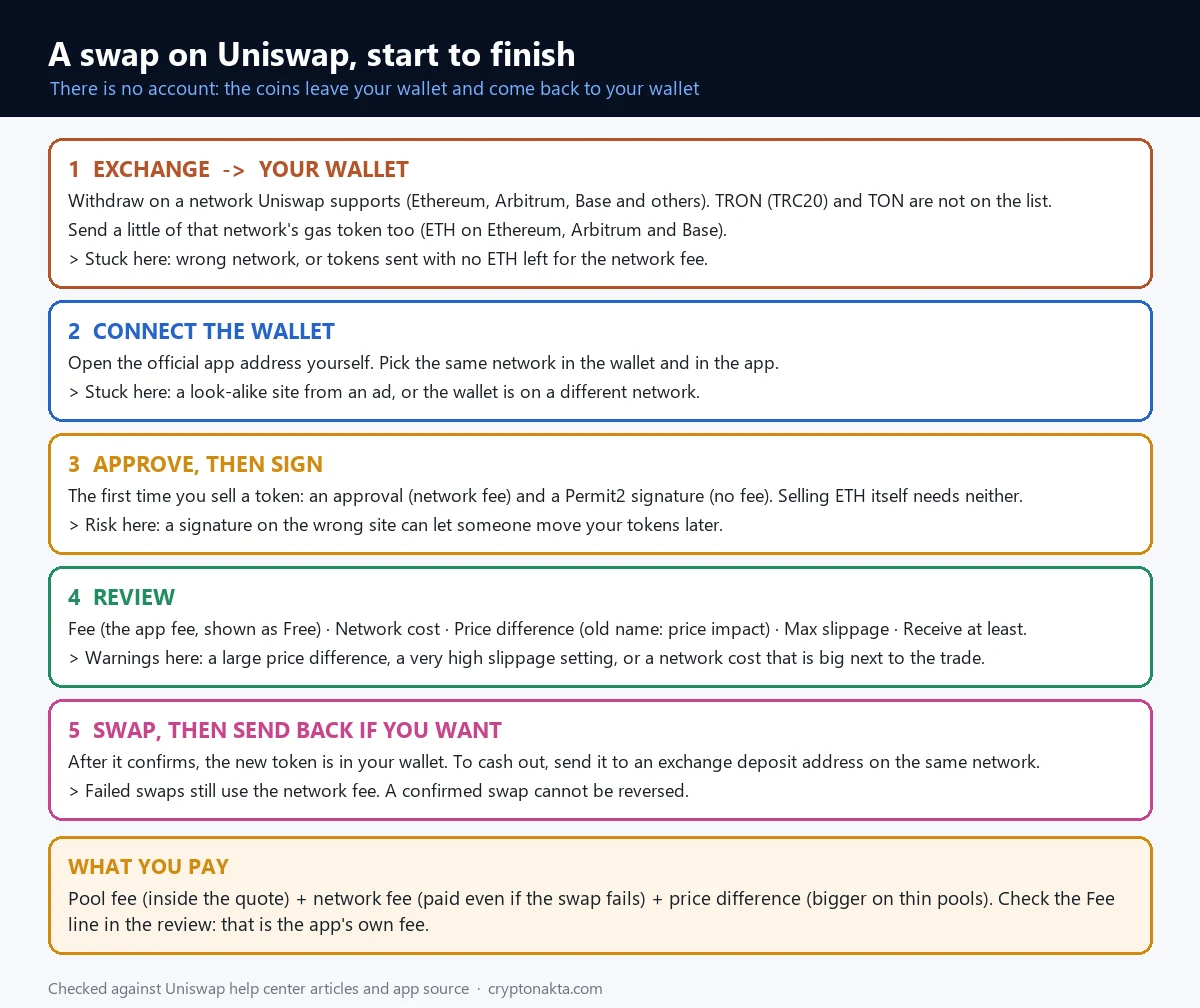
Using Uniswap takes five steps. Fund your wallet on a supported network, open app.uniswap.org and connect, pick the tokens, approve if needed, then review and swap.
 View full size ↗
- Get the token you’ll sell, plus some gas, into your wallet on one network.
- Type app.uniswap.org yourself or use a bookmark. Press Connect wallet.
- Pick the token you’re selling on top and the one you want below.
- If the button says Approve and swap, confirm the approval and the signature.
- Read the review screen, press Swap and confirm in the wallet.
The review screen is where the cost shows. Fee is the Labs fee, now Free. Network cost is the gas. Receive at least is the least you can end up with. A swap also has a deadline, 30 minutes by default, after which it reverts.
How to use Uniswap with MetaMask, Trust Wallet or Coinbase Wallet
To use Uniswap with MetaMask, open app.uniswap.org, press Connect wallet and choose MetaMask. Trust Wallet and Coinbase Wallet connect the same way. On a phone you can usually open the site in the wallet’s built-in browser or connect through WalletConnect.
Then check the network. The app and the wallet need to be on the same one. A zero balance for coins you know you have usually means the wallet is on another network. If you don’t have a wallet yet, our crypto wallet guide compares the types.
Picking the token is where people get caught. Anyone can create a token on Uniswap, and copies use the same name and logo. So use the contract address, the token’s unique address on that network. Copy it from the project’s own site or a block explorer and paste it into the search.
Uniswap’s help center puts it simply. “Use the contract address to be sure you are swapping the token you intend to.” If Impersonator token detected appears, stop and check again.
Why does my first swap say Approve and swap, then ask for a signature?
The first time you sell a token on Uniswap, the button reads Approve and swap. Your wallet then asks for an approval, a Permit2 signature and the swap. The approval and the swap each cost a network fee, while the signature is free.
An approval lets a contract move one specific token out of your wallet. Uniswap uses Permit2, a shared approval contract from Uniswap Labs. You approve the token to Permit2 once. The signature then lets the app use that token for 30 days, not just for this one swap, and after that the app asks you to sign again. Selling ETH skips all this, since only ERC-20 tokens like USDC need approval.
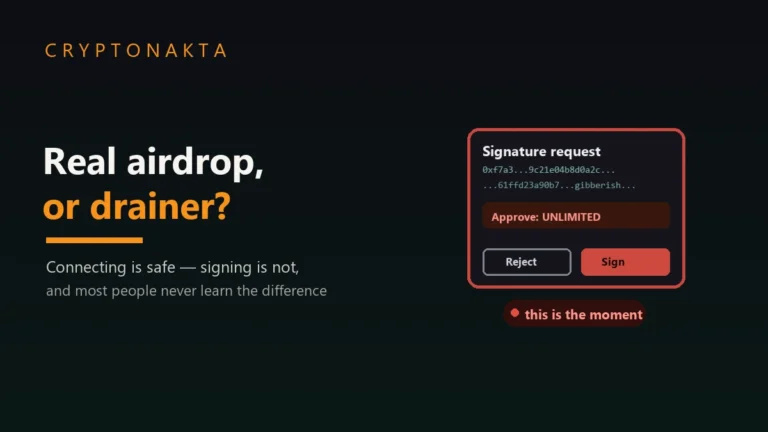
The approval usually gives Permit2 unlimited access to that token. A fake site that gets your signature can use it to move the token. You can cancel approvals later on a block explorer’s approval checker or on Revoke.cash, which costs gas. See how to revoke token approvals.
USDT and CRV make you cancel an old approval before approving a new amount. If an approval keeps failing on one of them, that’s usually why.
Price difference (old: price impact) and Max slippage are two different numbers

Price difference is how far your own trade moves the pool’s price, and Uniswap shows it with the quote. Max slippage is how much worse the price may get after you send, before the swap cancels. The app renamed price impact to Price difference in 2026.
 View full size ↗
Take a pool with 100 ETH and 250,000 USDC as an example. It prices ETH at 2,500 USDC. Buying 1 ETH barely moves it. Buying 20 ETH moves it a lot, because each ETH you take makes the next one more expensive.
Slippage is the gap between the quote and what you finally get, caused by trades that land first. You set it under the gear icon, then Max slippage. On Auto the web app picks between 0.5% and 5%, based on network cost and trade size. Receive at least shows the least you’ll get with that setting.
App defaults and warning levels from Uniswap’s help center and app code, checked 2026-10-16.
| Price difference (old: price impact) | Max slippage | |
|---|---|---|
| What it measures | How far your own trade moves the pool | How much worse the price may get after you send |
| Who sets it | Nobody. The app shows it with the quote | You, or Auto |
| App default | None | Auto: 0.5% to 5% on the web app, up to 5.5% in the wallet |
| Warning | Above 5%. Marked high at 10% or more | Very high slippage above 20% |
| Grows with | Trade size against pool depth | Other trades landing first, slow confirmation |
Above 5% price difference the app warns you, and at 10% it marks it high. You can still go ahead with Swap anyway. Above 20% Max slippage the app shows Very high slippage, because bots can trade in front of you.
Raising slippage can stop a swap from failing, but you may then get that much less. A high price difference is a size problem, and a bigger slippage number doesn’t fix it. Exchanges have the same effect, covered in our guide to order book slippage.
The Uniswap Wallet’s Swap protection is on by default for mainnet. It sends swaps privately so bots can’t sandwich them. UniswapX orders can’t be sandwiched either. Uniswap’s docs don’t say what the web app does here.
Uniswap swap failed? Not enough ETH, Swap failed and the other messages
A Uniswap swap usually fails for one of four reasons. The gas token ran short, the price moved past Max slippage, the deadline passed, or the token blocks selling. A failed swap still pays its network fee, and you don’t get it back.
| Message | What it means | What to look at |
|---|---|---|
| Not enough ETH (“You don’t have enough ETH to cover the network cost”) | The gas token on this network is short | Send ETH on the same network. Using Max on ETH leaves nothing for gas |
| Not enough USDC (or another token) | You’re selling more than this wallet holds here | The amount, and which network the wallet is on |
| Enter a larger amount | The amount is too small to route | The amount |
| No routes available | No pool path for this pair on this network | The network and the contract address |
| This swap may fail | The app expects a revert | A sell fee on the token, its warning label |
| Approve and swap greyed out | One of the lines above is blocking it | The message under the button |
| Swap failed | The web app couldn’t complete it | Reconnect the wallet, clear the cache for the site, hard refresh |
| Transaction is expected to fail (wallet) | The wallet stopped a swap that would revert | Often a sell fee or a token you can’t sell |
Not enough ETH means too little gas coin on this network. ETH sent on another network won’t help, even to the same address. Swap failed is the web app’s general error. Uniswap says it “does not mean the swapper lost funds paying for the network cost”.
If an error keeps coming back, look at the token. Some take a fee on every sell, and your slippage then has to be above that fee. Rebasing, reflection and debasing tokens aren’t supported by the v3 and v4 routers, so those swaps fail. A token you can buy but not sell often shows Transaction is expected to fail. More attempts only add network costs.
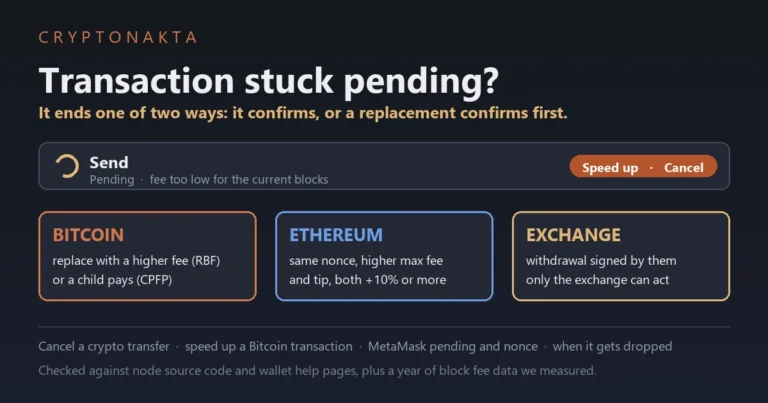
A deadline failure usually means the fee was set too low and the swap waited too long. If a swap is still pending, see our guide to a stuck pending transaction.
Is Uniswap safe? Fake sites, a fake customer service phone number and fake tokens
Uniswap itself is a protocol that has run since 2018, and the main risks sit around it. Fake sites, fake support and fake tokens are the three to know. Uniswap Labs only offers support by email at support@uniswap.org. There is no customer service phone number.
| What it is | How it shows up | What Uniswap says |
|---|---|---|
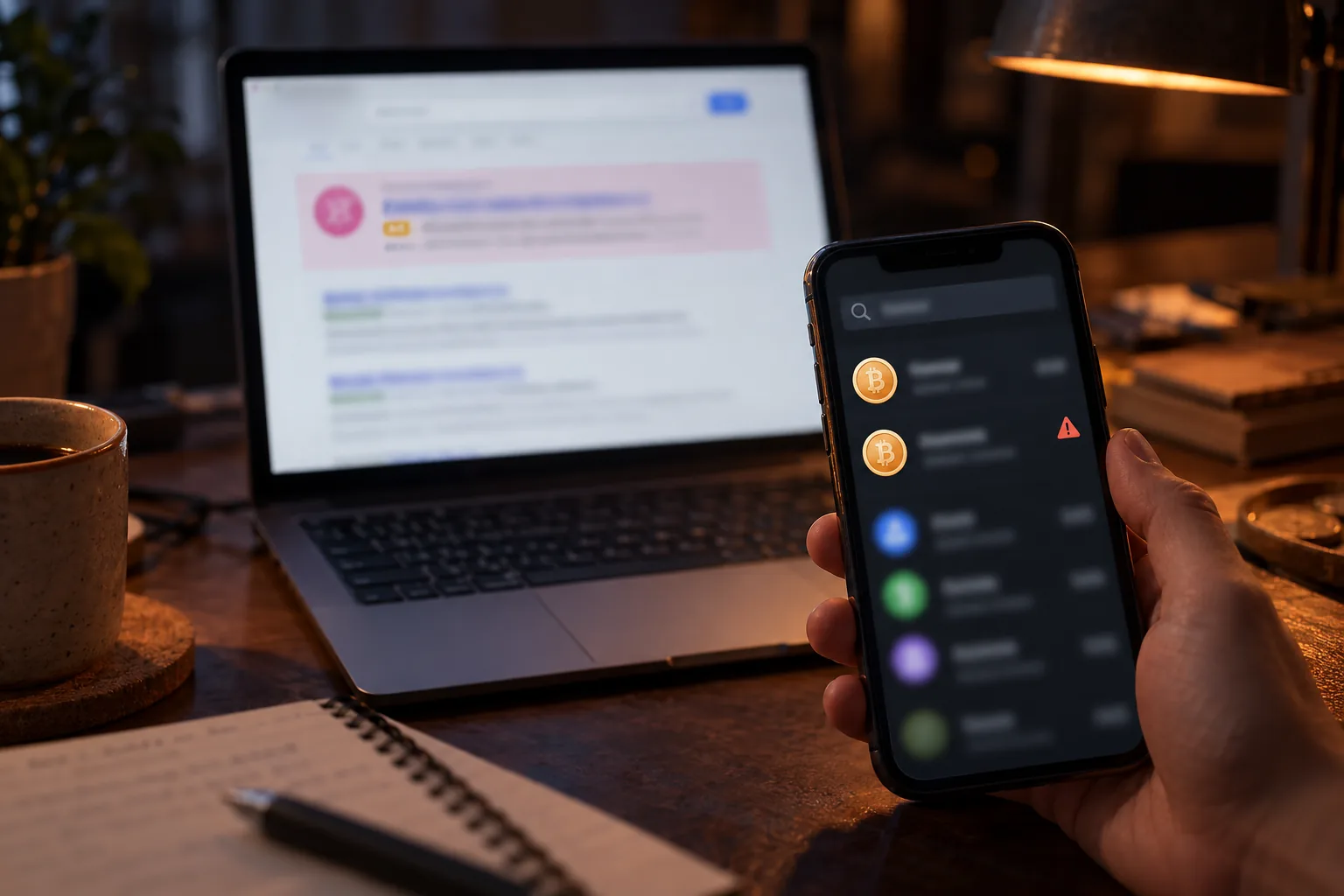
| Fake Uniswap site | A sponsored search result or a look-alike address asking you to connect and approve | The official app is app.uniswap.org |
| Fake support | A phone number on a random page, or a DM on Discord, Telegram or WhatsApp | Support is by email only. Labs never asks for your recovery phrase |
| Fake “Uniswap exchange” | Asks you to register an account and deposit | The protocol has no accounts |
| Fake token | Same name and logo as a real token | Check the contract address |
| Honeypot | Buying works, selling fails | Repeated attempts only add network costs |
| Signature phishing | A “claim” or “migration” page asking you to sign | A signature can move tokens approved to Permit2 |
Scammers buy search ads and register look-alike addresses. In February and May 2026, news reports described losses through sponsored results that led to copies of the app. Uniswap warns that approving a malicious contract on such a site “can result in a total loss of your tokens”.
Phone numbers posted under the Uniswap name aren’t Uniswap’s. Labs never asks for your recovery phrase, remote access or a transfer to another address. If someone got your phrase, see what to do when a seed phrase is exposed.
Anyone can list a token on Uniswap. The app flags some with labels like Impersonator token detected or Spam token detected, using data from Blockaid. The app’s token warnings help, but Uniswap Labs doesn’t guarantee they’re accurate. The contract address is still the real check.
A honeypot is a token you can buy but not sell, and its creators often pull the liquidity. Unknown airdropped tokens deserve the same caution. Our guide to a real airdrop or a wallet drainer shows the signs.
UNI token burn, the fee switch and why there’s no staking payout
UNI is Uniswap’s governance token. In December 2025 holders voted to turn on the fee switch and burn 100 million UNI from the treasury. Protocol fees now go toward burning more UNI, and holders get no payout.
Governance means UNI holders vote on protocol changes. The fee switch sends part of the pool fee on v2 and v3 pools to the protocol. It’s off for v4 pools and UniswapX, which would need a new vote. To burn a token is to send it to an address nobody controls.
The plan was called UNIfication. Its on-chain vote ended on December 25, 2025 with 125,342,017 UNI for and 742 against. Fees collect in a contract called TokenJar and can only be taken out by burning UNI. Uniswap’s governance FAQ says there are “no direct distributions of any kind”.
The burn sends UNI to the 0xdead address, so total supply still reads 1 billion. On October 16, 2026, our chain lookup found about 112.9 million UNI there.
From Uniswap’s governance docs and our own chain lookup, checked 2026-10-16.
| Item | Detail |
|---|---|
| Launched | September 16, 2020, with an airdrop to past users |
| Starting supply | 1 billion UNI |
| Initial split | Treasury 43% · airdrop 15% · team 21.27% · investors 18.04% · advisors 0.69% · liquidity mining 2% |
| Vesting | Finished in September 2025 |
| New issuance | Up to 2% a year is allowed. It has never been used |
| Circulating (docs, July 6, 2026) | 892,876,000 UNI |
| Burned so far (held at the 0xdead address) | About 112.9 million UNI |
| Voting | Delegate first. A proposal needs 1 million UNI, and passing needs 40 million For votes |
| Ethereum contract | 0x1f9840a85d5aF5bf1D1762F925BDADdC4201F984 |
| Pairs on exchanges | Binance UNIUSDT and UNIBTC · OKX UNI-USDT · Bybit UNIUSDT |
The fee switch pays for burning UNI. It doesn’t pay holders, and there’s no official UNI staking. UNI Rewards go to liquidity providers on some v4 pools. Exchange staking products for UNI are the exchange’s own.
Binance’s BEP20 UNI (starting 0xbf51) isn’t the same token as the BNB Chain UNI in Uniswap’s docs (starting 0x06e8). Check the contract before you send UNI anywhere.
My take
My take after measuring it is that the cheapest place moves with the network and the trade size. On Arbitrum and Base, Uniswap cost less than both exchanges on a $100 trade. Mainnet cost more than both exchanges at $100. At $100,000 an exchange order book beat every pool we quoted.
The gas result changed how I see mainnet. In the swaps we checked, most of a swap fee there was the tip the wallet picked. The congestion part over the past year had a median of just $0.042.
For a first swap, the order matters more than the numbers. Get the network and some gas token right. Open the official address yourself. Paste the contract address. Then try a small amount once to see each screen.
What I trust least sits around Uniswap. A “Uniswap exchange” that wants you to register. A search ad above the real result. A “support agent” who writes first. A signature request you didn’t expect.
There’s a fair case against it too. For a small first buy, an exchange is simpler and may cost less once you add the withdrawal fee. The app’s router may beat our single-pool numbers. And UNI voting gives most small holders little say.
This site earns from affiliate links to Binance, Bybit and OKX. Our comparison used each exchange’s standard fee.
Uniswap questions people ask
- Uniswap: What is the Uniswap protocol · checked 2026-10-16
- Uniswap: Networks on Uniswap · checked 2026-10-16
- Uniswap: What is a network cost · checked 2026-10-16
- Uniswap: What are Uniswap Labs fees · checked 2026-10-16
- Uniswap docs: Fees · checked 2026-10-16
- Uniswap: How to change slippage on the web app · checked 2026-10-16
- Uniswap: What is price impact · checked 2026-10-16
- Uniswap app source: price difference thresholds · checked 2026-10-16
- Uniswap: What is an approval transaction · checked 2026-10-16
- Uniswap: What is a Permit2 approval · checked 2026-10-16
- Uniswap: Why did my transaction fail · checked 2026-10-16
- Uniswap: Error message Swap failed · checked 2026-10-16
- Uniswap: What is UniswapX · checked 2026-10-16
- Uniswap: What is swap protection · checked 2026-10-16
- Uniswap: Impersonation scams · checked 2026-10-16
- Uniswap: Impersonation website scams · checked 2026-10-16
- Uniswap: What are token warnings · checked 2026-10-16
- Uniswap: How to sell crypto for fiat · checked 2026-10-16
- Uniswap governance forum: UNIfication proposal · checked 2026-10-16
- Uniswap docs: UNI token · checked 2026-10-16
- Uniswap docs: Governance FAQs · checked 2026-10-16
- Binance public API: trading pairs · checked 2026-10-16
This guide explains how Uniswap works and what our own measurements showed. It isn’t financial advice. App screens change, so go by what your own screen shows.