Hardware Wallet Security: 3 Attacks It Stops, 3 It Cannot, Seed Phrase Backup, Lost Device Recovery
A hardware wallet will not stop a drainer. It isolates a key and signs inside itself, so it answers theft and not consent, and the wallet is the recovery phrase, the 12 or 24 words behind it, rather than the object in your hand.
| Question | Short answer |
|---|---|
| What does the device actually do? | It creates a private key inside itself and signs inside itself. The signature leaves, the key does not. |
| What does that stop? | Three things: key extraction from an infected machine, a swapped destination address, and remote theft. All attacks on the key. |
| What does it not stop? | Three things: a permission you approve, a signature on data that did not decode, and a phrase you type somewhere. All requests you confirmed. |
| If I lose the device? | Nothing happens to the coins. They sit on the blockchain and the same accounts come back on a replacement. |
| So what must never be lost? | The recovery phrase, the ordered list of 12 or 24 words that the keys are calculated from. There is no second copy unless you made one. |
| Is it safer, then? | The honest version is that the kind of risk changes. Key theft goes down, and responsibility for what you sign and where your words live comes to you. |
1. What the device does not stop
2. The one job it has, and the screen that finishes the job
3. Read the address on the device, and read all of it
4. Seeing a confirmation screen is not the same as reading one
5. A permission outlives the transaction that created it
6. Three places to keep coins, and all three fail differently
7. The device is not the wallet, and this changes every accident
8. Two risks that pull in opposite directions
9. What has to be true when the box arrives
10. Physical access is real, and it has one specific answer
11. An optional backup service moves what you are trusting
12. Moving in is not the same as being able to move
13. What gets repeated, and what the documentation says
14. Where I land after reading the manuals next to the research
Almost every explanation of these devices leads with what they protect, which is the smaller half of the story and the half that gets people into trouble. The protection is narrow and real: a private key that is created inside a chip, never leaves it, and signs inside it. The part that is left uncovered is everything downstream of your own confirmation, and that is where self custody balances are actually lost. Below is the boundary line, drawn from the manufacturers’ own security pages and from published research, along with the second fact that reorganises the topic once you accept it. The device is replaceable. The words it generated are not.
1. What the device does not stop
Start with the failure this device does not prevent, because it is the most common one. Someone connects a hardware wallet to a copy of the site they wanted, clicks through a request, confirms it on the little screen, and the tokens are gone within the minute. The device worked perfectly. It was asked to sign a permission and it signed one.
A hardware wallet protects a key. It does not supervise your decisions. Manufacturers say this plainly in their own security pages, and the distinction tells you which of your worries the purchase answers and which it leaves where they were.
Three it stops, three it does not
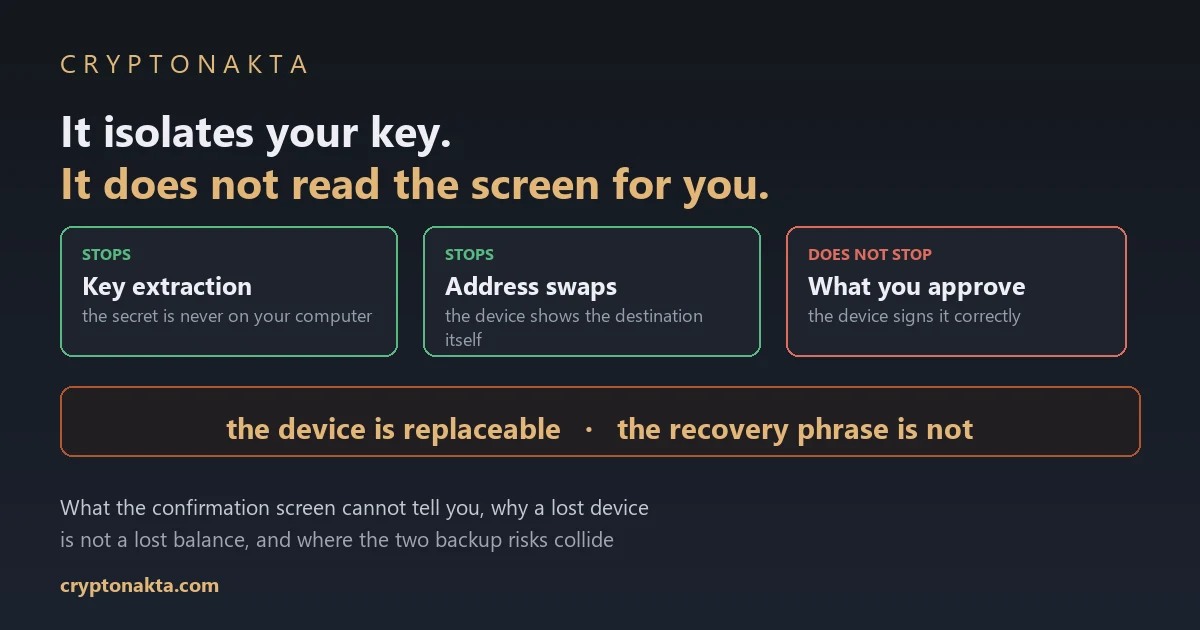
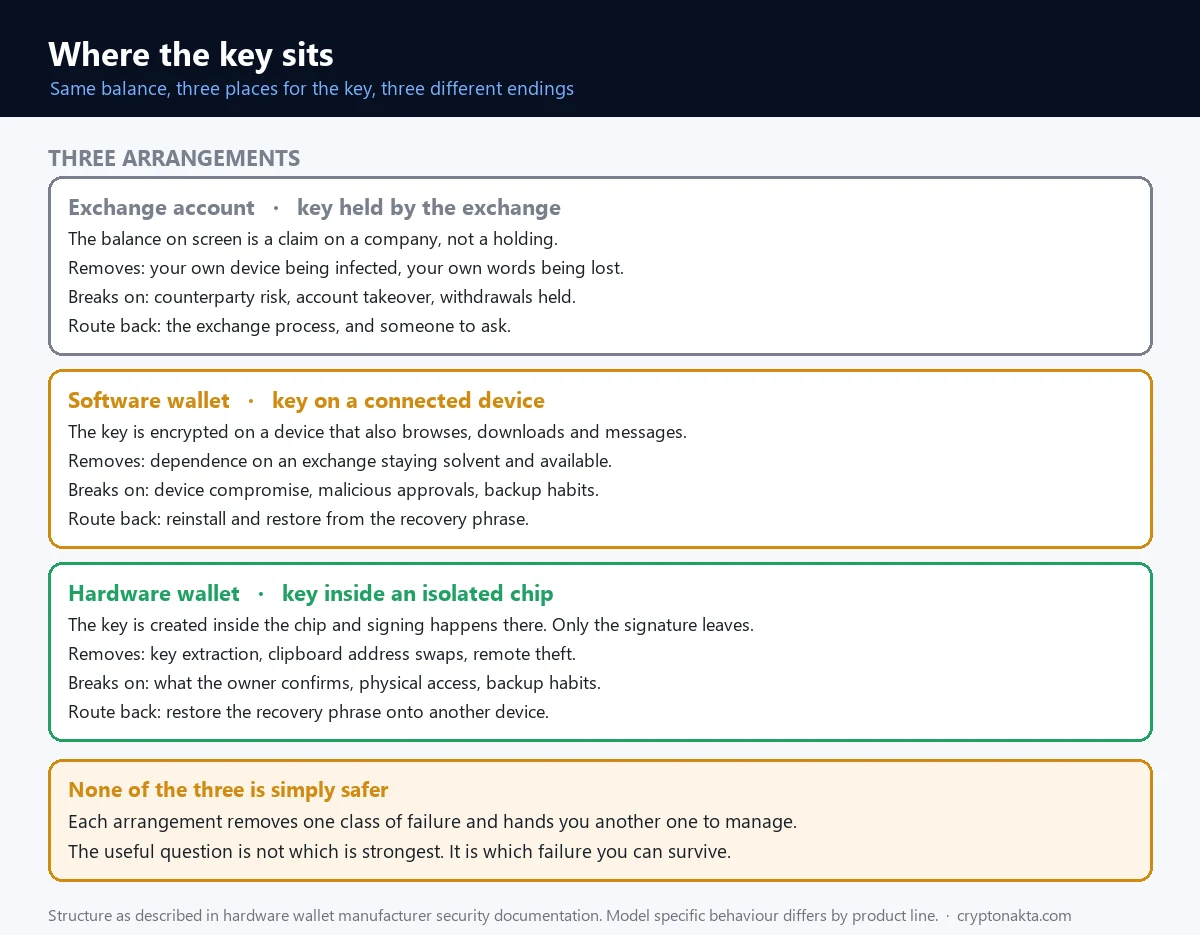
Count the ones it stops. Key extraction from an infected machine. A clipboard swapping the destination address. Remote attempts to pull the secret out. All three are attacks on the key, and a key that never leaves the chip is the whole answer to them.
Now the three it does not. A token permission you approved. A signature on data the wallet could not decode. A recovery phrase you typed somewhere. All three are requests you confirmed, and the line runs there rather than along any measure of sophistication.
| Situation | Does the device stop it? | What actually stops it |
|---|---|---|
| Malware on your computer hunting for keys | Yes | The private key never leaves the chip, so there is nothing on the machine to steal |
| Clipboard malware swapping the destination address | Yes, conditionally | Reading the address on the device screen instead of the computer screen |
| You sign a token permission on a copycat site | No | Revoking the permission, and refusing requests you have not read |
| You approve data the wallet could not decode | No | Recognising that state and declining it |
| You type your words into a support chat | No | Never entering the phrase anywhere except a device you are restoring |
| The device is lost or breaks | Not applicable | The recovery phrase, restored onto a new device |
| The recovery phrase is lost with no copy | No | Nothing. That road ends |
| Someone had the device in their hands for a while | Depends on the model | A passphrase, an extra string only you know, and where you keep the device |
| An exchange stops your withdrawal | Unrelated | A different problem entirely, on a different balance |
2. The one job it has, and the screen that finishes the job
Strip away the marketing and the job description is one sentence long. The device generates a private key inside its own chip, keeps it there, and performs signing there too. What travels back out over the cable is a signed transaction. The key itself does not travel.
That is why an infected laptop is survivable. Malware can log every keystroke and still find nothing worth taking, because the secret it wants was never on the machine. Compare a phone or desktop software wallet, where the key is encrypted on a device that also runs your browser, your downloads and your messaging apps.
The screen is the second half of the design
Isolation alone would be worth much less, because you still have to be told what you are about to authorise, and the computer telling you is the thing you no longer trust. So the device shows the destination and the amount on its own display, and some manufacturers state that the certified secure chip drives that display directly.
Two consequences follow, and both are behavioural. The confirmation step is not a formality, it is the security model asking you a question. And if you confirm without reading, you have bought the isolation and discarded the verification, which is half of what you paid for.
What it means to hold your own key
Self custody is the term for this, and it means one thing: no company can move your coins for you, and none can move them back either. Support cannot reverse a signature. If you are arriving from an exchange account, where a locked balance is at least a conversation, that absence is the real change.
3. Read the address on the device, and read all of it
The single most useful habit this device makes possible is boring to describe and easy to skip. Before you confirm, read the destination address on the device display, not in the window on your monitor. Everything about the design points at that one action.
The threat it answers is old and still working. Clipboard malware waits for something shaped like a crypto address to be copied and replaces it with the attacker’s own. You paste, the field looks full, you send. Nothing about the paste looked wrong because nothing about it was wrong.
Why partial checks are not checks
Here is where people give the protection away. Addresses are long, so a habit forms of glancing at the first four characters and pressing confirm. Published research on this attack class, the EthClipper work, demonstrated the obvious counter: query a database of pre-generated addresses and serve up the one that looks most like the original. Matching prefixes are cheap.
So the check that survives a motivated attacker is a three point comparison. First five characters, last five, and one group from the middle. It takes seconds and it is the difference between a verification and a ritual. For example, if you saved an address last week, compare against your own copy rather than whatever the site filled in.
A related failure has a different cause. The address on the device matches because it genuinely is yours, and the coins still land somewhere awkward, which is the wrong network problem.
4. Seeing a confirmation screen is not the same as reading one
Now the harder part, and the reason the first section could say what it said. Looking at the device screen and understanding the device screen are two different events, and the gap between them has a name.
Blind signing is what happens when the wallet cannot read the transaction it is asking you to authorise. A plain coin transfer decodes cleanly, so you get an address and an amount. A call into a smart contract may not decode at all, in which case what reaches the display is unreadable data, and confirming it means approving something whose effect you have not been told.
Three attempts at fixing this, and where each one stops
The ecosystem has iterated on the problem. EIP-712 turns a hexadecimal string into structured, human readable fields, which is a real improvement and still not a solution, because every technical field arrives with the important ones and the important ones get buried. Clear signing goes further: the device parses the content and shows a curated set of fields, so the screen says what the transaction does in ordinary language.
The catch is documented by the vendors themselves. Clear signing for a given contract requires a matching descriptor to exist in a registry. Where none exists, the signer falls back to blind signing. Which means the quality of your confirmation screen depends on whether someone did preparation work for the specific contract you happen to be interacting with, and you find out at the moment you are being asked to decide.
| Screen you are looking at | What it shows | What it cannot tell you | What to check |
|---|---|---|---|
| Coin transfer | Destination, amount, fee | Who owns the destination | Address at start, end and middle |
| Token approval | Contract address, spending cap, which can be unlimited | What that contract will do with the permission | The cap, the contract, and how you arrived at the site |
| Contract call that did not decode | Raw data, a function identifier | The effect of confirming | That this is blind signing, and whether to decline |
| Message signature | A string, or structured fields | Where the signature gets used later | Which site asked, and what the fields are named |
None of this makes the device useless for contract work. It makes the honest instruction longer than the popular one, which stops at get a hardware wallet. The accurate version adds: and learn to recognise the screen telling you nothing.
5. A permission outlives the transaction that created it
Approvals deserve their own section. They are behind most drained self custody wallets, and the clearest case of the device doing its job while you lose money anyway.
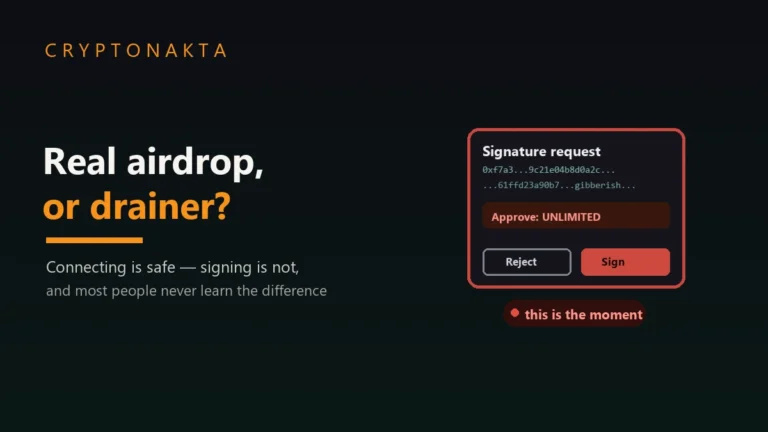
To let a contract move a token on your behalf, you grant it permission in a separate transaction. That permission persists. It is not consumed by the swap you were trying to do, it does not expire on its own, and it sits on chain until something removes it. Grant an unlimited permission to a malicious contract and the drain can happen minutes later or weeks later, at the attacker’s convenience.
Why the hardware cannot help here
Because nothing was stolen. A valid key produced a valid signature for a transaction the owner confirmed. Every part of the security model performed as designed. Manufacturers put it in similar terms in their own guidance: the device stops an attacker taking your key, and it does not take back a permission you have already given.
So the countermeasure lives one layer up, in reviewing and revoking token approvals, and it is worth doing on a schedule rather than after an incident. Two entry points feed most of these signatures: a claim page for something you were told you are owed, covered in telling a real airdrop from a drainer, and a support account that messaged you first, covered in how crypto scams are structured.
If it has already happened, whether scammed crypto can be recovered covers what is realistic before you spend money chasing it. Suppose the phrase itself was exposed rather than one permission: different emergency, different clock, and it is in what to do when a recovery phrase is exposed.
6. Three places to keep coins, and all three fail differently
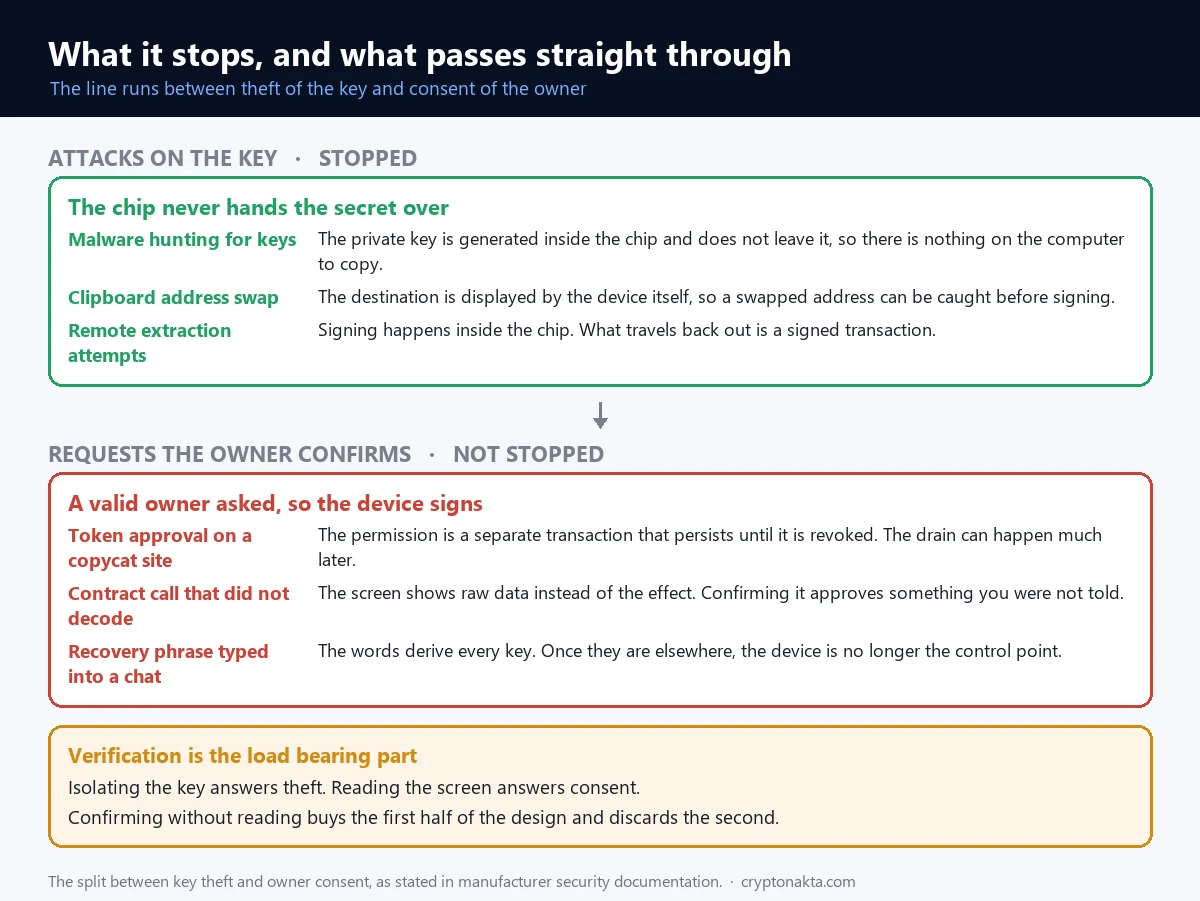
The question underneath the purchase is not which storage is best. It is which failure you are choosing, because all three fail differently.
| Where the coins sit | Who holds the key | What that arrangement protects you from | Where it breaks | Route back |
|---|---|---|---|---|
| Exchange account | The exchange | Your own device being infected, your own words being lost | Counterparty risk, since the balance is a claim. Account takeover. Withdrawals held | The exchange’s own process and support |
| Software wallet on a phone or laptop | You, inside a connected device | Counterparty risk at an exchange | Device compromise, malicious approvals, and your backup habits | Reinstall and restore from the phrase |
| Hardware wallet | You, inside an isolated chip | Key extraction, clipboard swaps, remote theft | What you confirm, physical access, and your backup habits | Restore the phrase onto another device |
The exchange row is a claim, not a holding
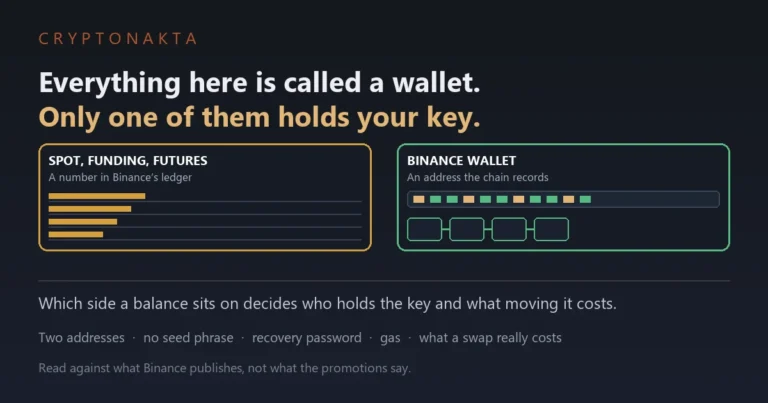
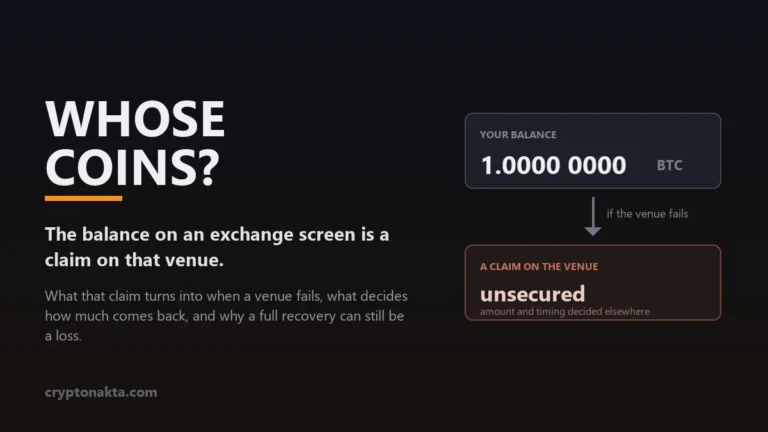
That first row is worth sitting with, because the balance on the screen is a number in a company’s database representing what they owe you. At a solvent exchange the distinction is invisible. At an insolvent one it becomes the only thing that matters, which is what happens to your coins if an exchange goes bankrupt. Two smaller versions of the same dependency are far more common than insolvency: an account that gets taken over and a withdrawal that gets frozen.
What the device has nothing to do with
The limits run in the other direction too. A hardware wallet does not touch a balance left on an exchange, a paused withdrawal, an insolvency, a peer to peer trade where the other side never pays, or a position that lost value. It changes how one category is held: the assets that move when your key signs.
That is why most people run both. Coins that get bought or sold pass through an exchange, and coins meant to sit still do not need to be there. How to tell whether an exchange is legitimate is the checklist for that side, and the exchange comparison covers fees and account rules.
Binance

Bybit

OKX

Affiliate disclosure: some links are partner links. We may earn a commission at no extra cost to you. This is not investment advice.
7. The device is not the wallet, and this changes every accident
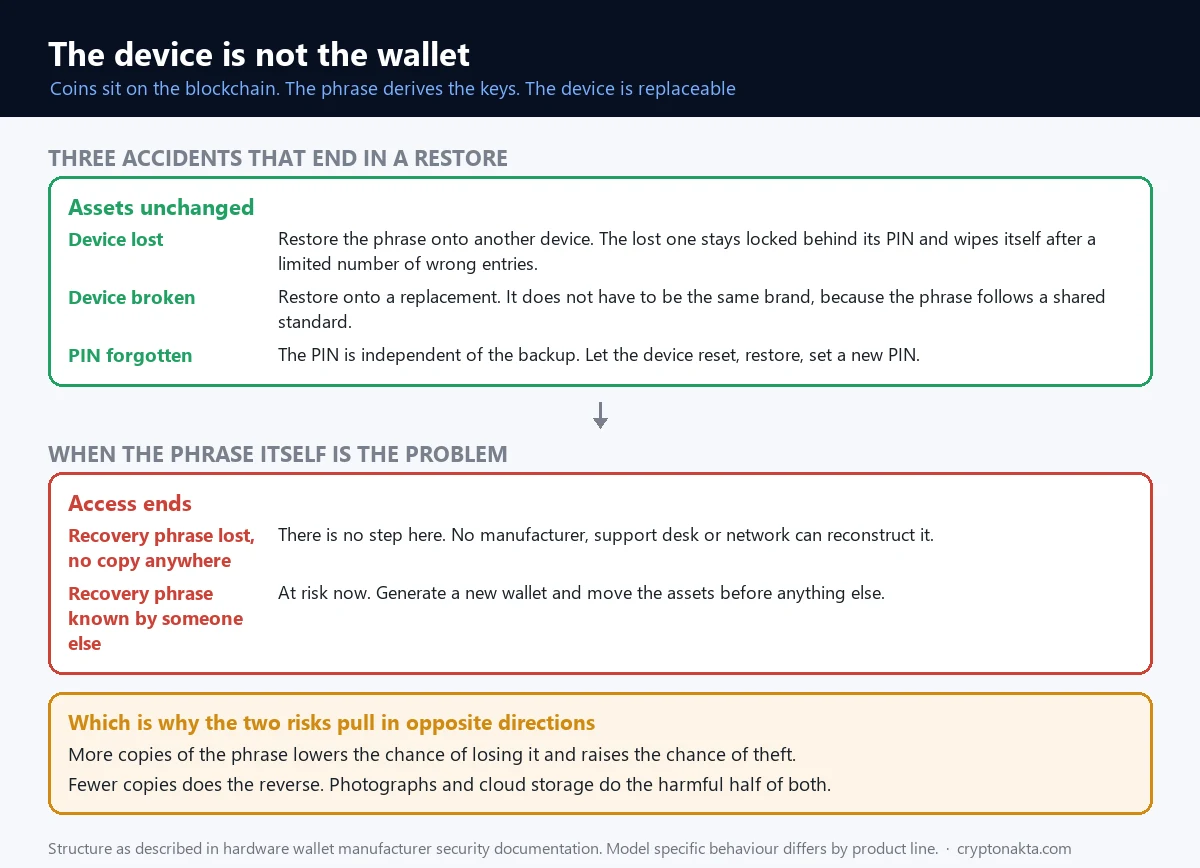
Here is the sentence that reorganises the whole topic. Your coins are not in the device. They are entries on a blockchain, and the device holds the key that authorises changes to them. So the device is not the wallet. The recovery phrase is the wallet, and the device is one replaceable way to use it.
Run that through the accidents people actually have and the results stop being frightening.
| What you lost | What happens to the assets | What you do |
|---|---|---|
| The device | Nothing | Restore the phrase onto another device. The lost one stays locked behind its PIN |
| The PIN | Nothing | Let the device reset, restore from the phrase, set a new PIN |
| The device broke | Nothing | Restore, and it does not have to be the same brand |
| The recovery phrase, with no copy anywhere | Access is gone | There is no step here |
| Control of the phrase, meaning someone else has it | At risk right now | Generate a new wallet and move the assets to it |
| The passphrase | That hidden wallet only | There is no step here either. The words alone will not open it |
A wrong PIN is a defence, and the count depends on the product
The PIN is independent of the backup, so forgetting it costs a restore rather than your assets. The limit on wrong attempts is a per product number: a Ledger device factory resets after three incorrect entries, a Trezor Safe 7 after ten, other Trezor models after sixteen. All of them end up blank, and the phrase brings them back. That reset is also why a stolen device is not an open door, since nobody gets unlimited guesses.
The manufacturer is not a dependency
The phrase is an ordered list of 12 to 24 words drawn from a standard list of 2,048, which is the BIP-39 convention. The same words always produce the same keys, so a wallet built by one company can be restored on hardware built by another. The belief that a company shutting its doors would take your coins with it does not survive contact with that fact.
One caution attached to the same fact, and manufacturers state it explicitly: do not type a hardware wallet phrase into a software wallet to check something. It moves the secret onto an internet connected machine, which undoes the reason the phrase was created in the device.
A zero balance after a restore is usually not a theft
A restore that shows nothing is alarming and is usually a display problem. A derivation path is the branch of the key tree an app reads, and different branches produce completely different addresses from the same seed. On Bitcoin one path yields legacy addresses beginning with 1, another bc1q, another bc1p, and none of them is wrong. An app reading the wrong branch reports zero in good faith. Paste an address you already know into a block explorer, and if the balance is there, the fix is the path setting or the account index.
8. Two risks that pull in opposite directions
Storage of the phrase is where beginners get contradictory advice, and the contradiction is real rather than sloppy. Two risks move in opposite directions and no arrangement lowers both.
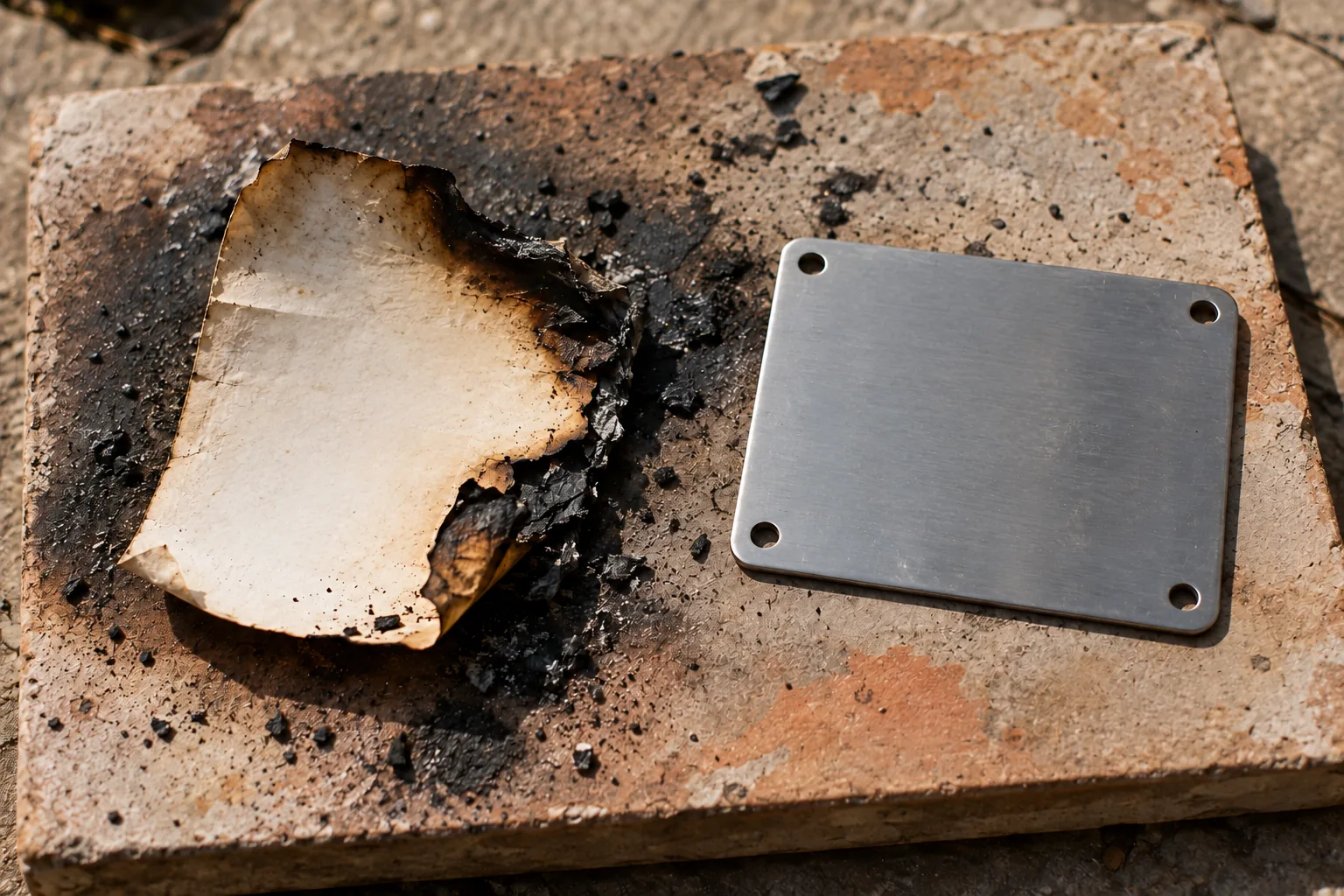
Add copies and the chance of losing access falls, while the chance of somebody finding one rises. Concentrate everything in a single hiding place and the trade runs the other way. Photograph the words or put them in cloud storage and you have done both harmful things at once: you added a copy and you put it on a system reachable from the internet.
| How you keep it | Risk of losing it | Risk of theft | What is still unsolved |
|---|---|---|---|
| One paper copy, one location | High | Low | Fire, water, moving house, family who do not know it exists |
| Several copies, several locations | Low | Higher | Remembering what is where, and who else has access |
| Metal plate | Low | Depends on the location | Cost, and stamping the words in wrong |
| Photo, cloud, messaging app | Low | Very high | One compromised account ends it |
| Adding a passphrase | Rises | Falls | Forgetting the passphrase is unrecoverable |
| An optional backup service | Falls | Changes character | Identity checks and custodians enter the picture |
The passphrase is a second secret, with a second way to fail
A passphrase is an extra string combined with the recovery phrase to derive a separate hidden wallet, and it is not stored on the device. Two properties of it surprise people. Mistype it and you are not told it is wrong, you are shown a different and empty wallet, because every passphrase is valid and each one produces its own account. Forget it and the documentation is blunt: there is no reliable method to recover it, and the manufacturer cannot help.
Which puts it exactly where the table puts it. It is the strongest answer available against somebody physically holding your device and your words, and it is a new single point of failure that you maintain in your head. That is a real choice with a real cost, not a setting to switch on because a forum said so.
9. What has to be true when the box arrives
The riskiest hour in the life of a hardware wallet is the one you spend setting it up. The rest is protected by the design. The setup is protected only by whether you notice something.
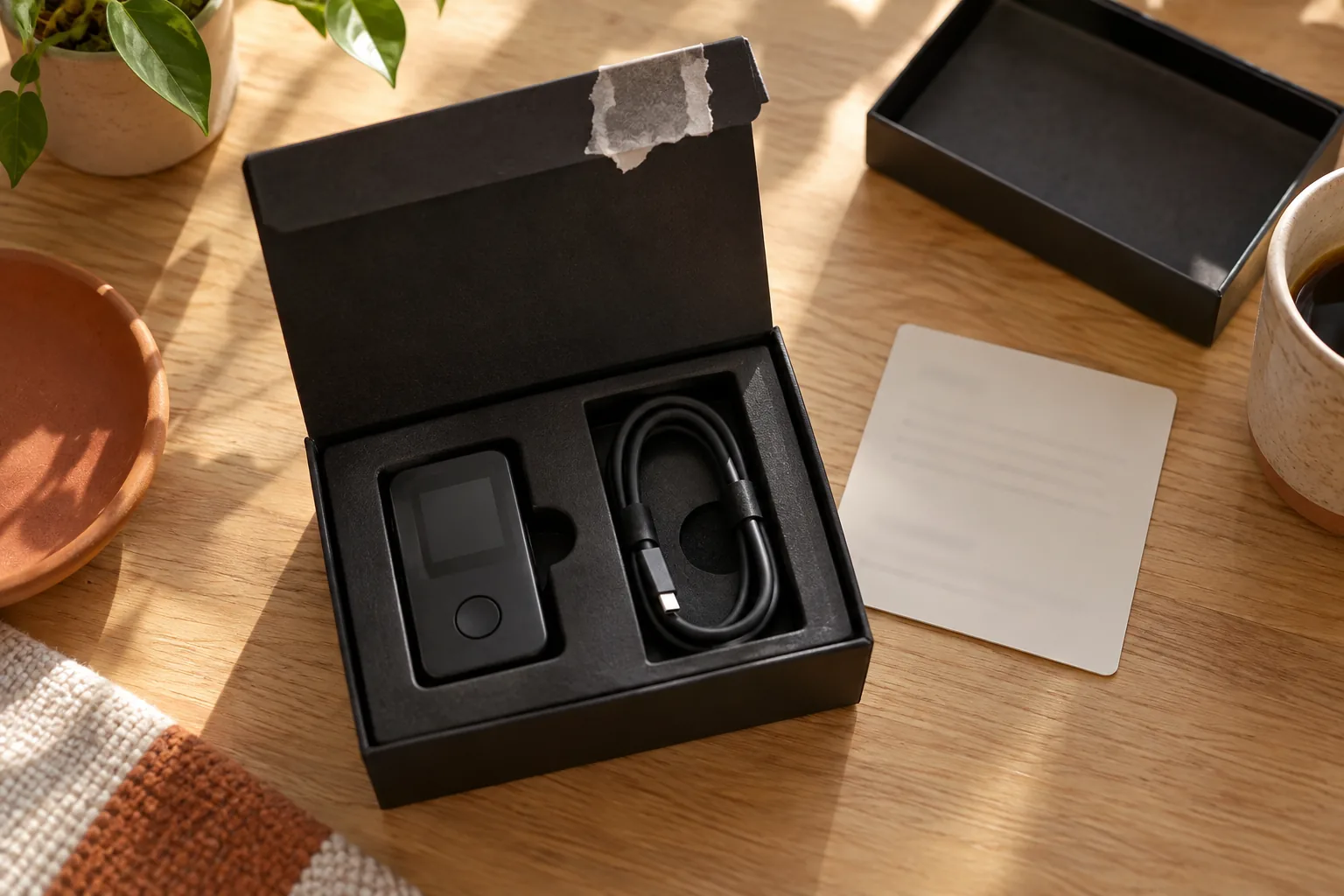
One rule covers most of it: the device has to arrive uninitialised, and the recovery phrase has to be created for the first time in your hands. Manufacturer documentation does not ship with words already written in it, and does not ship with a PIN. If words are filled in, the device went through a setup that was not yours, and whoever did it sees the same balances you do. That has been sold as a product with the phrase included, which is why both major manufacturers publish warnings about second hand units.
| What you are looking at | What it means | What to do |
|---|---|---|
| Recovery words already written on the card | Someone has already initialised this | Do not use it |
| A seller who tells you the PIN | Same conclusion, arrived at differently | Do not use it |
| A word count that does not match what the product describes | A counterfeit or tampered setup flow | Do not use it, and contact the manufacturer |
| Packaging that is deformed or opened | Something may have happened in transit | Ask before initialising, not after |
| The genuineness check failing in the official app | The device is not verifying against the manufacturer | Stop there |
| A used or resold unit | A previous phrase may still control it | Reset it yourself and generate new words |
The checks that exist, and what each one is for
Setup includes a genuineness check, which is the device proving to the manufacturer’s app that it is what it claims to be. Some products additionally offer a firmware hash check, which addresses a different question: not whether the hardware is real, but whether the software on it is the software that was published. And firmware updates are gated behind the PIN, so an attacker with the device in hand cannot quietly install their own.
None of this needs to be approached nervously. Buy through the official channel, decline anything that arrives pre initialised, run the check the app offers, write the words down yourself. The list is short because the risk is narrow.
10. Physical access is real, and it has one specific answer
Physical access belongs on the threat list, and it is where honesty is easiest to lose in either direction. Overstate it and the device sounds useless. Understate it and it ends up in a hotel drawer.
The published research is specific. A security team showed that on older models built around a general purpose microcontroller, glitching the supply voltage during boot could bypass the read protection and let the encrypted seed be read out. It needed the device in hand for roughly a quarter of an hour and cheap equipment, and it could not be done remotely. Those numbers belong to that research on those models, not to anything currently for sale.
Two answers to it, one from each side
The manufacturers’ answer was hardware. Later products use certified secure elements built to resist exactly this class of attack, and one current model uses two of them together for PIN verification. The user side answer already existed: the same research noted that the attack fails if a BIP-39 passphrase is enabled, because the extracted words are then not enough to derive the accounts.
The practical residue is small. Time spent in someone else’s hands is a real variable, newer chips reduce it, and a passphrase answers it directly at the price described above.
11. An optional backup service moves what you are trusting
Some manufacturers sell an optional backup service. It is worth understanding mechanically rather than as a loyalty test, because it changes what you are trusting rather than how strong anything is.
The mechanism, as described by the company offering it: the secure element makes an encrypted copy of the entropy behind your phrase, splits it into three fragments, and sends each through its own channel to a different company in a different country. One fragment alone is useless. Recovery requires identity verification, after which two fragments are reassembled on your device.
What moves when you switch it on
Before, the answer to who could reconstruct your wallet was one item long: whoever holds your words. After, it is longer, because identity verification and the continued integrity of the custodians are both in it. The counterweight is that the failure which destroys most self custody balances, a phrase lost rather than stolen, now has a route back.
Two things are worth stating plainly. It is opt in, so declining leaves the original arrangement untouched. And the choice is not between safe and unsafe, it is between two different lists of people you depend on. Your answer turns on whether you are more likely to be robbed or to lose a piece of paper.
12. Moving in is not the same as being able to move
A practical wall catches almost everybody on their first move into self custody, and it has nothing to do with security. Getting tokens in is easy. Moving them afterwards needs something people forget to bring.
Fees are paid in the chain’s own coin. Move a stablecoin onto Ethereum and you need ETH sitting in the same wallet before anything can leave. Move a token on Tron and you need TRX. The token cannot pay for its own transfer, so a wallet holding a large balance and no native coin is a wallet you can look at and not use. How that arithmetic works, and why the amount you are sending is not part of it, is in network fees and gas explained.
The first transfer, and what usually goes wrong in it
Say you are moving coins out of an exchange for the first time. Three things reliably cause the panic and none is an attack. The network chosen at the exchange has to be one the receiving wallet watches. Confirmations take as long as the chain takes, so a balance that has not appeared is usually a deposit not yet credited rather than a loss. And the native coin has to be there before you need it.
The round trip is also a round trip. Turning holdings back into local currency means sending them to an exchange again, with a fee and a confirmation wait in both directions. That is why people split the two jobs, keeping what they trade where trading happens and what they hold where holding happens. How to start with crypto is the earlier step if any of this is new.
13. What gets repeated, and what the documentation says
Six claims circulate constantly. Each is false, or true in a narrower way than it sounds.
| What gets repeated | What is actually the case | Where that comes from |
|---|---|---|
| Use a hardware wallet and you cannot be hacked | Key theft is addressed. Anything you authorise still executes | Connect and confirm, and the device signs correctly |
| It is cold storage, so approvals are safe too | An approval is an ordinary on chain transaction and the device does not judge it for you | Revoking is a separate action you have to take |
| The coins are inside the device | The coins are on the blockchain. The device holds a key | Losing the device is not losing the assets |
| If the company disappears, so do your coins | Standard phrases restore in other wallets and other brands | BIP-39, an ordered list from a 2,048 word list |
| A zero balance after restoring means theft | Different derivation paths show different addresses from the same seed | Check a known address in a block explorer |
| Seeing the device screen means having read it | Data the wallet could not decode looks like a confirmation and tells you nothing | Blind signing, and the registry fallback behind it |
Key terms, in one place
Recovery phrase. The ordered list of 12 to 24 words that all your keys are calculated from. Standardised as BIP-39, drawn from a fixed list of 2,048 words.
Secure element. A certified chip built to resist physical attack, used to store the key and, in some products, to drive the display as well.
Passphrase. An additional string combined with the recovery phrase to derive a separate hidden wallet. Not stored on the device, and not recoverable if forgotten.
Derivation path. The branch of the key tree an app reads. A different path produces different addresses from the same seed, which is why a restore can look empty.
Blind signing. Confirming a transaction the wallet could not decode, so the screen shows raw data instead of what the transaction does.
Token approval. A permission granted in its own transaction that lets a contract move a token on your behalf, and that persists until it is revoked.
Self custody. Holding the key yourself, which removes the counterparty and the helpdesk together.
14. Where I land after reading the manuals next to the research
Reading the manufacturers’ own documentation next to the published research leaves me with four things, and only the first is a compliment.
The design is internally consistent. Isolate the key, sign inside the chip, and put a display on the device so that a compromised computer cannot lie about what is being authorised. Every documented feature serves one of those three, and the PIN reset behaviour, the genuineness check and the firmware gate all sit exactly where that logic would put them.
What it suits is narrower than how it is sold. It answers key theft, remote compromise and address substitution well. It answers approval phishing not at all, and it makes the words on your paper the most valuable object you own. If your worry is that an exchange might halt a withdrawal or fail, the device answers that, and if your worry is that you might sign the wrong thing, it does not.
The weakest assumption is not in the hardware. It is the premise that a human reads a small screen carefully every time. The industry has effectively conceded this by building clear signing, and that work depends on a descriptor existing for the contract in front of you. The load bearing part of the design is the part delegated to the tired person at the desk.
Where the opposite view holds up. Someone who trades weekly and has a poor record with paperwork can reasonably conclude that a well secured exchange account with withdrawal controls is the lower risk arrangement for them, and the bankruptcy history of this industry is the counterargument they have to sit with. What I would not accept from either side is the framing that one option is simply safer, because the two do not fail in the same way, and which failure you can survive is a fact about you rather than about the product.
Frequently asked questions
Read next: what a crypto wallet is, and how the types differ